Match the link to the payment
Choose a fixed amount for a defined offer or a flexible amount when the customer enters an agreed total.
For example A consultation has a set price; a station QR lets a client enter the final service total.
GIVE EVERY PAYMENT A CLEAR NEXT STEP
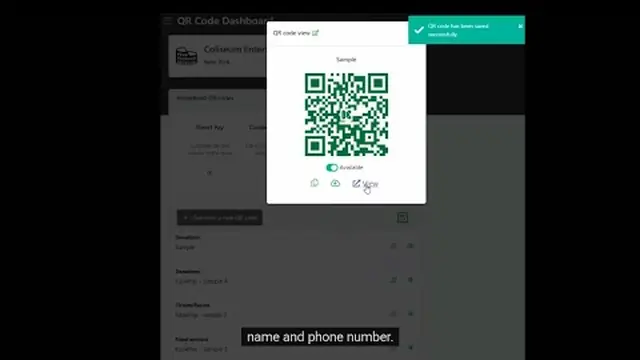
Share payment links for your small business by text, email or QR code. Give the customer a clear payment request and keep the bill's status with their record.
Pay-As-You-Go starts at $0 per month. Usage and payment fees apply.
Choose a fixed amount for a defined offer or a flexible amount when the customer enters an agreed total.
For example A consultation has a set price; a station QR lets a client enter the final service total.
Describe the offer, add supported customer questions and review the payment page before sharing.
For example Collect the project reference alongside the payment request.
Configure an after-payment receipt for next steps, booking instructions or event details.
For example A workshop buyer sees arrival instructions with the completed payment.
See it run
Short walkthroughs from the KadePay channel. Nothing loads from YouTube until you press play.
CLEAR ANSWERS
A payment link describes an offer or amount-entry flow. A bill for a particular customer has its own payment link.
Check the actual bill or transaction status. A scan, saved payment method or screenshot alone is not proof of payment.
YOUR WORK COMES FIRST
CHOOSING YOUR BUSINESS TOOLS
Explore documented features, cost questions and relevant alternatives.