Paymob Alternative in the USA: What U.S. Businesses Should Know in 2026
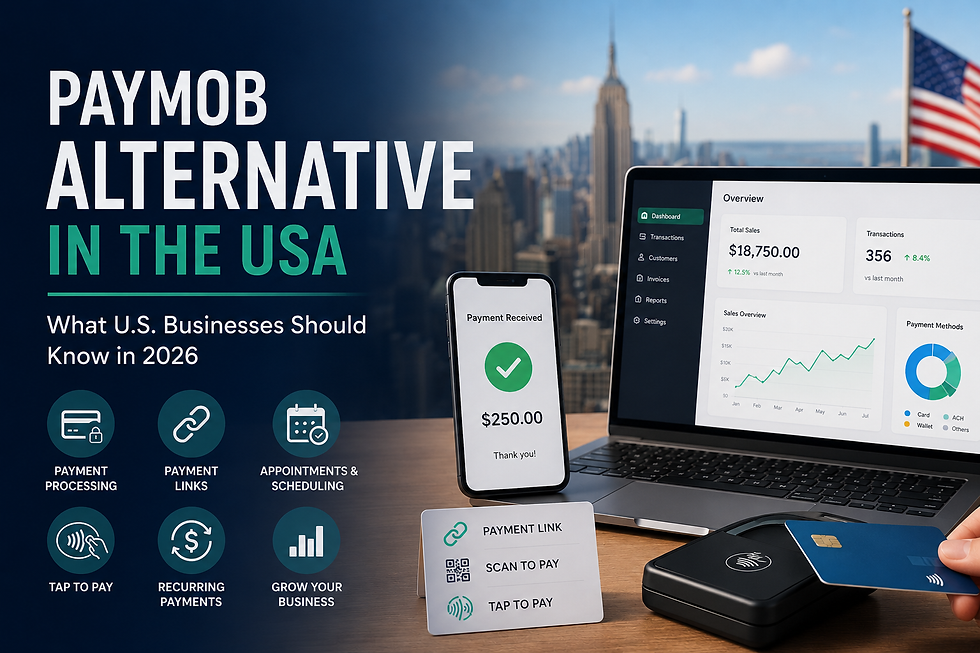
If you're searching for Paymob, you may already be comparing payment platforms for your business.
You may be looking for a payment gateway, online payment solution, payment links, recurring billing, mobile payments, or a platform that makes it easier to collect money from customers.
Paymob offers a range of payment capabilities, including card payments, mobile wallets, payment links, recurring payments, saved cards, and other payment features. However, payment methods and availability can vary by market and merchant account. Paymob's current developer documentation lists regional environments for Egypt, Oman, Saudi Arabia, and the United Arab Emirates.
For businesses operating in the United States, that makes it important to look beyond the feature list and ask a more practical question:
What payment platform is designed around the needs of my U.S. business?
That's where alternatives such as KadePay deserve consideration.
KadePay is a payment platform designed for American small businesses, with tools for accepting payments through cards, ACH, digital wallets, tap-to-pay, QR codes, payment links, and more.
In this guide, we'll explain what Paymob is, what businesses use it for, what to consider when looking for a Paymob alternative in the USA, and how KadePay compares.
What Is Paymob?
Paymob is a payment technology platform that helps businesses accept and manage digital payments.
Its payment ecosystem includes multiple payment methods and features, including:
Credit and debit card payments
Mobile wallets
Payment links
Recurring payments
Saved cards
Subscriptions
Authorization and capture
Split payment features
In-person payment options
Online checkout integrations
Paymob's documentation states that payment methods and features can vary depending on the region and merchant setup.
For businesses that operate in Paymob's supported markets, the platform can provide multiple ways to accept payments without building an entire payment infrastructure from scratch.
But businesses in the United States have a different set of considerations.
Is Paymob Available in the USA?
This is one of the first questions a U.S. business should ask.
Paymob's current developer documentation provides regional environments for:
Egypt
Oman
Saudi Arabia
United Arab Emirates
The documentation does not list a U.S. regional environment in its current integration overview.
Paymob's payment methods are also region-dependent. For example, its documentation describes different mobile wallets and BNPL options depending on the market.
That doesn't mean every Paymob product or relationship should be assumed to be unavailable to every U.S.-based business.
Instead, if you're a U.S. merchant considering Paymob, you should confirm:
Merchant eligibility
Supported business location
Settlement options
Available payment methods
Currency support
U.S. processing availability
Fees
Integration requirements
Compliance requirements
If Paymob doesn't fit your business requirements, the next step is to look for a Paymob alternative designed for U.S. businesses.
Why Are Businesses Looking for a Paymob Alternative?
Businesses don't necessarily switch payment platforms because one platform is "bad."
Often, they're simply looking for a solution that better fits their market and workflow.
A U.S. small business may need:
Credit card payments
Debit card payments
ACH transfers
Apple Pay
Google Pay
Tap-to-pay
Payment links
QR payments
Recurring billing
Invoices
Customer payment management
Appointment-related payments
Mobile payments
Multi-user access
Reporting and transaction visibility
The right payment platform should make collecting money easier—not create additional administrative work.
What Should You Look for in a Paymob Alternative in the USA?
Before choosing a payment platform, look at more than the transaction rate.
Here are the features that matter.
1. U.S. Merchant Support
If your customers and business are in the United States, your payment platform should fit your operating environment.
Check:
Where the provider supports merchants
How funds are settled
What currencies are supported
What payment methods are available
What verification is required
Whether the provider supports your type of business
2. Multiple Payment Methods
Customers don't all want to pay the same way.
A modern payment platform should give your business flexibility.
KadePay supports payment options including:
Credit and debit cards
ACH
Apple Pay
Google Pay
Digital wallets
Tap-to-pay
Payment links
QR codes
KadePay's small-business solution is designed to let businesses accept payments from a phone, through payment links, QR codes, or terminals depending on the setup.
3. Payment Links
Payment links can be extremely useful for small businesses.
Instead of asking a customer to visit a website, create an account, or come back to the business, you can simply send them a payment link.
For example:
"Here is your invoice. Click here to pay."
The link can be shared through:
SMS
Email
WhatsApp
Instagram
Website
QR code
Other digital channels
KadePay Payment Links are designed specifically for this type of flexible payment collection. Businesses can create links without requiring specialized hardware, and the links can also be converted into QR codes.
This can be particularly useful for:
Freelancers
Salons
Barbers
Medical practices
Contractors
Home-service businesses
Consultants
Small retailers
Appointment-based businesses
4. Recurring Payments
Recurring billing is important for businesses that charge customers regularly.
Examples include:
Memberships
Monthly services
Subscription programs
Treatment plans
Maintenance services
Classes
Retainers
KadePay supports recurring transactions that can be configured on a weekly, monthly, or yearly basis.
This can reduce the amount of manual payment collection required from business owners.
5. Tap-to-Pay
For businesses that operate on the go, expensive payment hardware isn't always necessary.
Tap-to-pay allows a compatible phone to accept contactless payments.
This can be useful for:
Mobile businesses
Salons
Barbers
Service providers
Events
Pop-up businesses
Home-service companies
KadePay offers tap-to-pay as part of its payment options for small businesses.
6. Appointment and Payment Management
This is an area where KadePay can go beyond simply processing a transaction.
For appointment-based businesses, getting paid is only one part of the process.
You also have to manage:
Scheduling
Customer requests
Team availability
Confirmations
Cancellations
Appointment status
Payments
KadePay's appointment platform allows businesses to manage appointment requests, team calendars, manual bookings, and appointment statuses from one system.
For businesses such as salons, barbers, beauty professionals, and other appointment-based services, connecting scheduling and payments can make the overall workflow easier to manage.
Paymob vs. KadePay: What's the Difference?
The biggest consideration isn't simply which platform has the longer feature list.
It's which platform fits your business and market.
Feature | Paymob | KadePay |
Online payments | Yes | Yes |
Card payments | Yes | Yes |
Payment links | Yes | Yes |
Recurring payments | Yes | Yes |
Saved cards | Yes | Yes |
Tap-to-pay | Available in supported markets | Yes |
ACH | Market-dependent | Yes |
U.S. small-business focus | Verify current eligibility | Yes |
QR payments | Available depending on setup | Yes |
Appointment management | Payment-focused | Yes |
Team calendar | Not a core focus | Yes |
Multi-user business access | Available | Yes |
Mobile payment options | Yes | Yes |
Important: Paymob features and payment methods vary by region and merchant configuration, so businesses should verify current availability for their market before making a decision.
Paymob Payment Links vs. KadePay Payment Links
Payment links are one of the most useful features to compare.
Paymob's documentation identifies payment links as an integration option that can be used without developers and is suitable for use cases such as freelancing, invoicing, and social selling.
KadePay also provides payment links designed for businesses that want to send customers a simple way to pay.
With KadePay, payment links can be shared through:
Text messages
Email
WhatsApp
Instagram
Websites
QR codes
Businesses don't need dedicated payment hardware to create and manage KadePay payment links.
For a small U.S. business that frequently collects payments remotely, this can be a practical alternative to traditional checkout systems.
Paymob Alternative for Small Businesses in the USA
A small business doesn't necessarily need a complicated payment infrastructure.
It needs something that works.
For many businesses, the ideal platform should make it easy to:
Create → Send → Collect → Track
For example:
A freelancer
Creates a payment request → sends the link → customer pays → payment is recorded.
A salon
Customer books an appointment → business sends a payment request → customer pays digitally.
A contractor
Completes a project → sends a payment link → customer pays remotely.
A medical practice
Sends a payment request → patient pays electronically → staff tracks the transaction.
A small retailer
Accepts payments in person → uses tap-to-pay or another supported method → tracks transactions.
KadePay is designed around these kinds of small-business payment workflows.
Paymob Alternative for Salons and Beauty Businesses
Salons have a unique payment challenge.
A customer may:
Book an appointment
Receive a reminder
Arrive at the salon
Receive a service
Pay in person
Need another appointment
A payment platform that only handles the transaction doesn't necessarily solve the entire workflow.
KadePay combines payment tools with appointment functionality.
Its appointment system supports team calendars, manual bookings, appointment status tracking, confirmation and decline actions, and customer-friendly mobile interactions.
KadePay also has solutions specifically designed for nail salons and other businesses in the beauty and personal-care space.
Paymob Alternative for Payment Links
If your primary requirement is simply:
"I need an easy way to send customers a link and get paid."
then payment links should be one of the first features you compare.
KadePay allows businesses to create payment links quickly and share them across digital channels without requiring specialized hardware.
This can be particularly valuable for businesses that don't always collect payment at a physical checkout counter.
Paymob Alternative for Recurring Payments
Recurring payments can save businesses significant administrative time.
Instead of manually creating a payment request every month, businesses can set up recurring transactions.
KadePay supports recurring billing schedules including weekly, monthly, and yearly transactions.
This can be useful for:
Memberships
Subscription services
Monthly retainers
Recurring treatments
Maintenance plans
Professional services
What About Paymob Pricing?
Pricing is another major consideration when comparing payment platforms.
But it's important not to compare one advertised rate against another without understanding the complete pricing structure.
Payment costs can depend on:
Payment method
Card type
Country
Currency
Transaction type
Online vs. in-person payment
Settlement terms
Additional platform fees
Hardware
Monthly fees
Paymob's payment capabilities and methods vary by region, so U.S. businesses should verify applicable pricing and merchant eligibility directly with Paymob rather than relying on pricing from another country.
KadePay also offers a Flex-Pay model that gives eligible businesses the ability to choose whether to absorb, pass on, or split certain processing costs.
That can make the effective cost of payment processing an important part of the comparison.
Is KadePay a Good Paymob Alternative?
For a U.S. business looking for an alternative, KadePay is worth considering if you need more than basic payment processing.
KadePay combines:
Payment processing
Payment links
Tap-to-pay
QR payments
ACH
Digital wallets
Recurring payments
Invoices
Customer payments
Appointment management
Team access
Business reporting
The platform is specifically positioned around small American businesses and provides payment tools that can be managed from a phone, tablet, or computer.
Who Should Consider a Paymob Alternative?
A Paymob alternative may be worth considering if you're a U.S. business that needs:
Small Businesses
Simple payment processing without unnecessary complexity.
Salons
Appointments, payment links, digital payments, and team management.
Barbers
Booking and payment collection in one workflow.
Freelancers
Invoices and payment links for remote customers.
Medical Practices
Digital payment requests and recurring billing.
Service Businesses
Remote payment collection without requiring customers to visit a physical location.
Growing Teams
Multi-user access and centralized transaction visibility.
How to Choose the Right Payment Platform
Don't choose a payment platform based only on the name or the lowest advertised rate.
Instead, ask:
Does it support my business location?
Make sure your business is eligible.
Does it support the payment methods my customers want?
Cards, ACH, digital wallets, tap-to-pay, and other options may matter.
Can I send payment links?
This is particularly useful for service businesses.
Can I accept recurring payments?
Important if you have subscriptions or recurring customers.
Does it work without expensive hardware?
Mobile-first payment options can reduce setup requirements.
Can my employees use it?
Look for multi-user and role-based access if you have a team.
Does it fit my workflow?
A payment processor should make your business easier to run—not create more work.
Paymob vs. KadePay: Which One Is Right for You?
There isn't one payment platform that is perfect for every business.
Paymob can be a strong option for businesses operating in the markets it supports and offers a broad collection of payment methods and integrations. Its current documentation covers online and in-person payments, payment links, subscriptions, saved cards, and other payment capabilities.
But if you're a U.S. small business looking for a payment platform built around American business needs, it's worth evaluating a U.S.-focused alternative.
KadePay gives businesses the ability to accept payments, send payment links, use tap-to-pay, manage recurring transactions, and support appointment-based workflows—all from one platform.
The best choice depends on your business model, location, payment volume, customer preferences, and required features.
Frequently Asked Questions
What is the best Paymob alternative in the USA?
There is no single best alternative for every business. U.S. businesses should compare merchant eligibility, payment methods, pricing, integrations, recurring billing, payment links, and overall workflow. KadePay is one option designed specifically around the needs of American small businesses.
Is Paymob available in the United States?
Paymob's current developer documentation lists regional environments for Egypt, Oman, Saudi Arabia, and the UAE rather than a U.S. environment. U.S. businesses should verify current merchant eligibility and availability directly with Paymob.
Does KadePay offer payment links?
Yes. KadePay provides payment links that businesses can share through SMS, email, WhatsApp, Instagram, websites, and QR codes.
Does KadePay support recurring payments?
Yes. KadePay supports recurring transactions that can be configured on weekly, monthly, or yearly schedules.
Does KadePay support tap-to-pay?
Yes. Tap-to-pay is one of KadePay's supported payment options for small businesses.
Can KadePay be used by salons?
Yes. KadePay has solutions for beauty businesses and supports payment collection alongside appointment management.
Can I use KadePay without a payment terminal?
KadePay supports payment links and other payment methods that don't require traditional POS hardware.
Final Thoughts
Searching for Paymob doesn't necessarily mean you're looking for Paymob specifically.
You may actually be looking for a way to:
Accept payments → Send payment links → Get paid remotely → Manage recurring payments → Reduce payment friction → Run your business more efficiently.
If you're operating a business in the United States, those requirements should be the starting point for your decision.
KadePay gives U.S. businesses a flexible way to accept payments through cards, ACH, digital wallets, tap-to-pay, QR codes, and payment links while also supporting recurring billing and appointment-based workflows.
Looking for a Paymob alternative for your U.S. business?
Try KadePay and see how simple business payments can be.


Comments