
Choosing the right appointment scheduling software can have a major impact on your business. The best solution doesn't just let customers book online—it helps you manage your team, reduce no-shows, stay organized, and get paid faster.
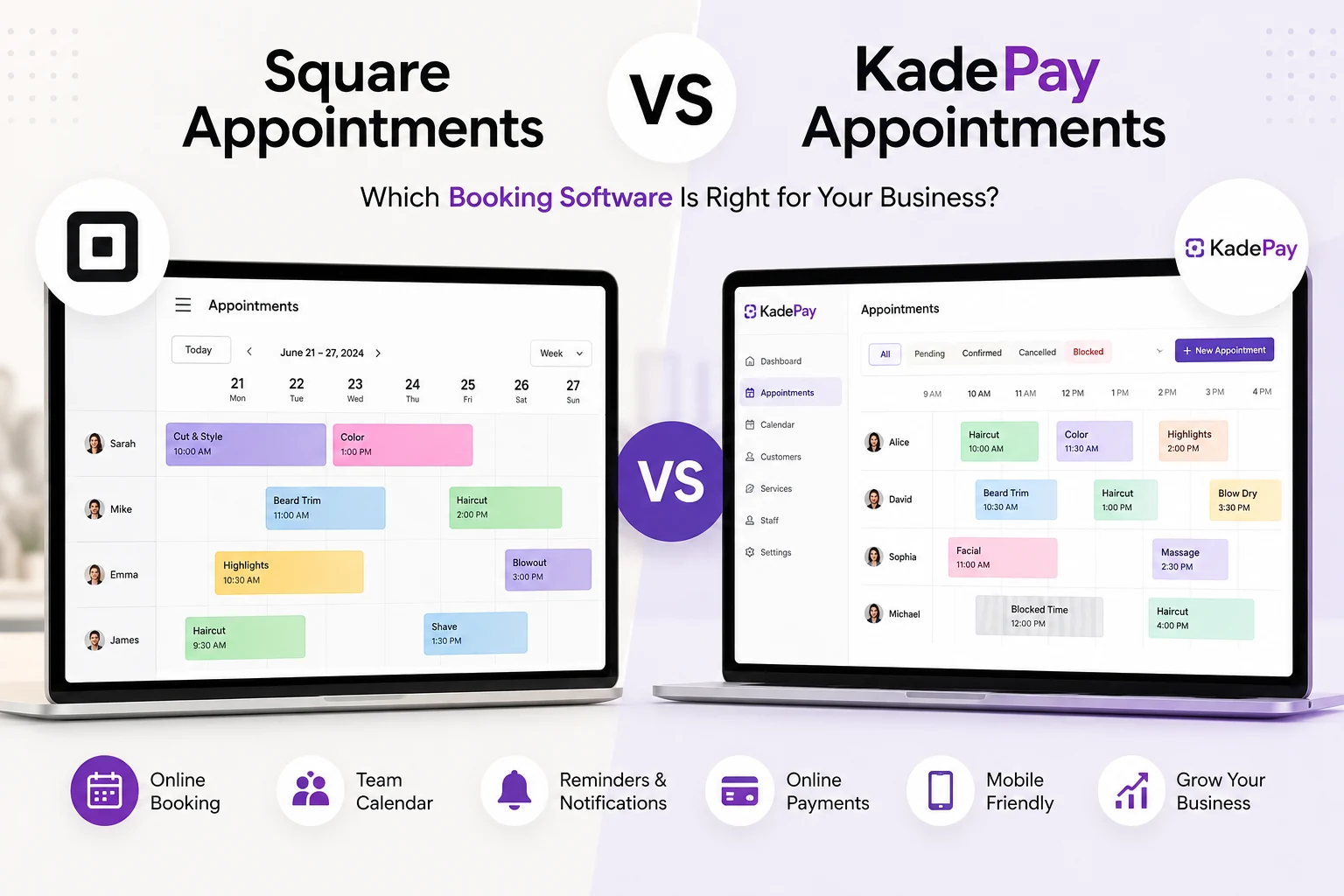
Both Square Appointments and KadePay Appointments offer online booking, but they take different approaches to appointment management and pricing.
This comparison explores how each platform works and why many salons, spas, barbershops, beauty professionals, and service businesses are choosing KadePay Appointments to simplify their daily operations.
Get Started For Free
What Is Square Appointments?
Square Appointments is an online scheduling platform designed for appointment-based businesses. It allows customers to book services online, helps businesses manage calendars, sends appointment reminders, and integrates with Square's payment ecosystem.
It is commonly used by businesses that already rely on other Square products.
What Is KadePay Appointments?
KadePay Appointments turns a scheduled appointment into a confirmed, reminded, and billable visit—all in one workflow.
Instead of simply filling your calendar, KadePay helps businesses manage the complete customer journey from booking through payment.
Designed for salons, barbershops, spas, beauty professionals, wellness providers, consultants, and other appointment-based businesses, KadePay combines scheduling, customer communication, reminders, billing, and payment tracking into one easy-to-use platform.
Why KadePay Appointments Stands Out
Many scheduling platforms stop after an appointment is booked.
KadePay helps businesses manage everything that happens before and after the booking.
One Color-Coded Calendar for Your Entire Team
View your entire team in one color-coded calendar so everyone stays organized. Easily filter by provider and quickly see who's available.
Flexible Calendar Views That Match Your Workflow
Switch between Month, Week, Day, and Agenda views depending on how you prefer to manage your schedule.
Whether you're planning next month or today's appointments, your calendar adapts to your workflow.
Find the Next Available Appointment Instantly
Need to book a customer quickly?
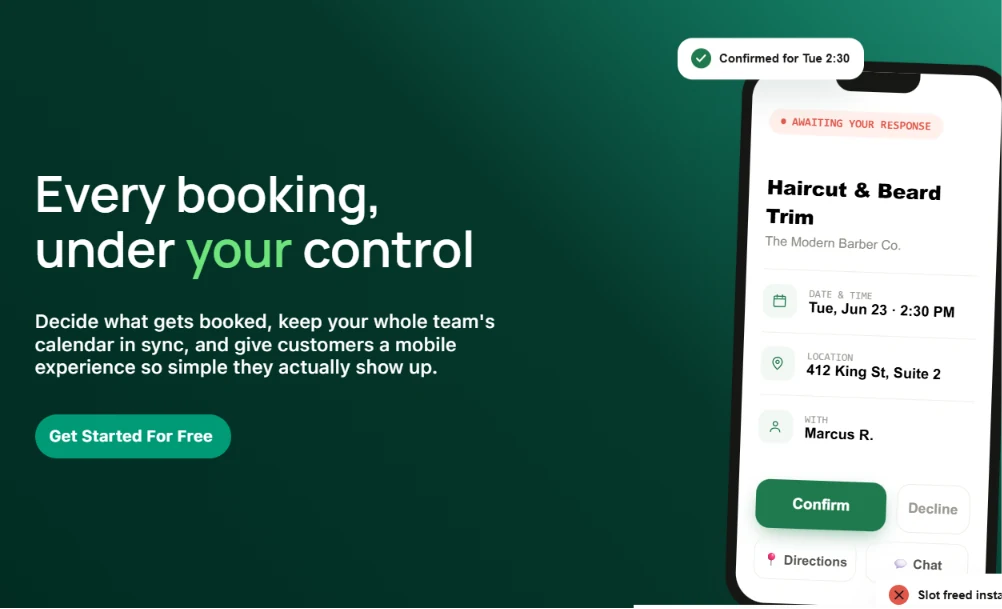
Next Slot automatically finds the next available appointment based on appointment duration, provider availability, existing bookings, preferred times, and weekends.
This helps fill schedules faster without manually searching calendars.
Customers Can Confirm or Decline in One Tap
Customers receive a secure mobile-friendly confirmation link where they can confirm or decline appointments without creating an account or signing in.
This simple experience helps reduce scheduling confusion while making confirmations easier.
Automatic Appointment Reminders
Send automatic reminders, individual reminders, or reminders for your entire day's schedule to help reduce missed appointments.
Helping customers remember their appointments means more completed visits and fewer empty time slots.
Create Bills Directly From Appointments
Create a bill or charge directly from the appointment without switching between different systems.
Keeping scheduling and payments connected saves time and simplifies daily operations.
See Paid, Partial, or Due at a Glance
Instead of checking multiple systems,
see Paid, Partial, or Due directly inside your scheduler so you always know the payment status of every appointment.
Google Calendar and Apple Calendar Integration
Customers can view appointment details securely and add appointments directly to Google Calendar or Apple Calendar, making it easier to remember upcoming visits.
Keep Customer Conversations Connected
Every appointment matters.
Keep customer conversations connected to each appointment, making follow-ups, updates, and communication easier for your team.
Manage Unexpected Schedule Changes
Plans change.
Cancel an entire day or selected business hours and automatically notify affected customers, helping reduce confusion while keeping everyone informed.
Pricing: A Major Difference Between Square Appointments and KadePay
* Packages stack on top of your 60 or 150 free monthly appointments.
Pricing is one of the biggest differences between the two platforms.
KadePay uses usage-based pricing, while Square does not.
That means with KadePay, you only pay for what you actually use.
This pricing model is especially valuable for:
New businesses
Independent stylists
Seasonal businesses
Growing salons
Businesses with fluctuating appointment volumes
Instead of paying for capacity you may never use, your costs scale with your business.
Another advantage is that KadePay includes up to 60 appointments per month, giving many businesses a generous starting point without requiring higher-tier plans.
Which Businesses Can Benefit From KadePay?
KadePay Appointments is designed for businesses that depend on appointments every day, including:
Hair salons
Barber shops
Nail salons
Beauty salons
Day spas
Med spas
Lash studios
Brow studios
Estheticians
Massage therapists
Pet groomers
Personal trainers
Photography studios
Consultants
Coaches
Wellness professionals
Frequently Asked Questions
Is KadePay Appointments an alternative to Square Appointments?
Yes. Both platforms provide appointment scheduling, but KadePay focuses on managing the complete appointment workflow—from booking and confirmation to reminders, billing, and payment tracking.
Does KadePay offer online appointment booking?
Yes. Customers can securely book appointments online from any device.
Can customers confirm appointments without signing in?
Yes.
Customers can confirm or decline appointments with one tap using a secure confirmation link—no account or sign-in required.
How does KadePay pricing work?
KadePay uses usage-based pricing, so businesses pay only for what they use.
It also includes up to 60 appointments per month, making it a flexible solution for businesses of different sizes.
Final Verdict
Both Square Appointments and KadePay Appointments help businesses schedule appointments online.
However, KadePay goes beyond scheduling by helping every appointment become a confirmed, reminded, and billable visit—all within one connected workflow.
With usage-based pricing, 60 included appointments per month, one color-coded team calendar, flexible calendar views, Next Slot availability search, one-tap customer confirmations, automatic reminders, integrated billing, and payment status tracking, KadePay is designed to simplify appointment management while improving the customer experience.
Ready to See the Difference?
If you're looking for appointment software that helps you schedule smarter, reduce no-shows, simplify payments, and pay only for what you use, KadePay Appointments is ready to help.
Start with up to 60 appointments per month, experience a complete appointment workflow, and discover how KadePay can help your business save time, stay organized, and grow with confidence.
For a closer look at salon workflows, see how KadePay works for hairstylists and salons.