Skip to content
KadePayGet started

KADEPAY FOR CHIROPRACTORS

Chiropractic payment software for care plans and wellness visits.

Patients start strong, then the deductible resets or the costs add up and they disappear around visit eight. KadePay helps you present a care plan with a clear monthly amount, collect it from an authorized card, and keep wellness patients coming back on a membership, without extra work at the front desk.

Pay-As-You-Go starts at $0 per month. Usage and payment fees apply.

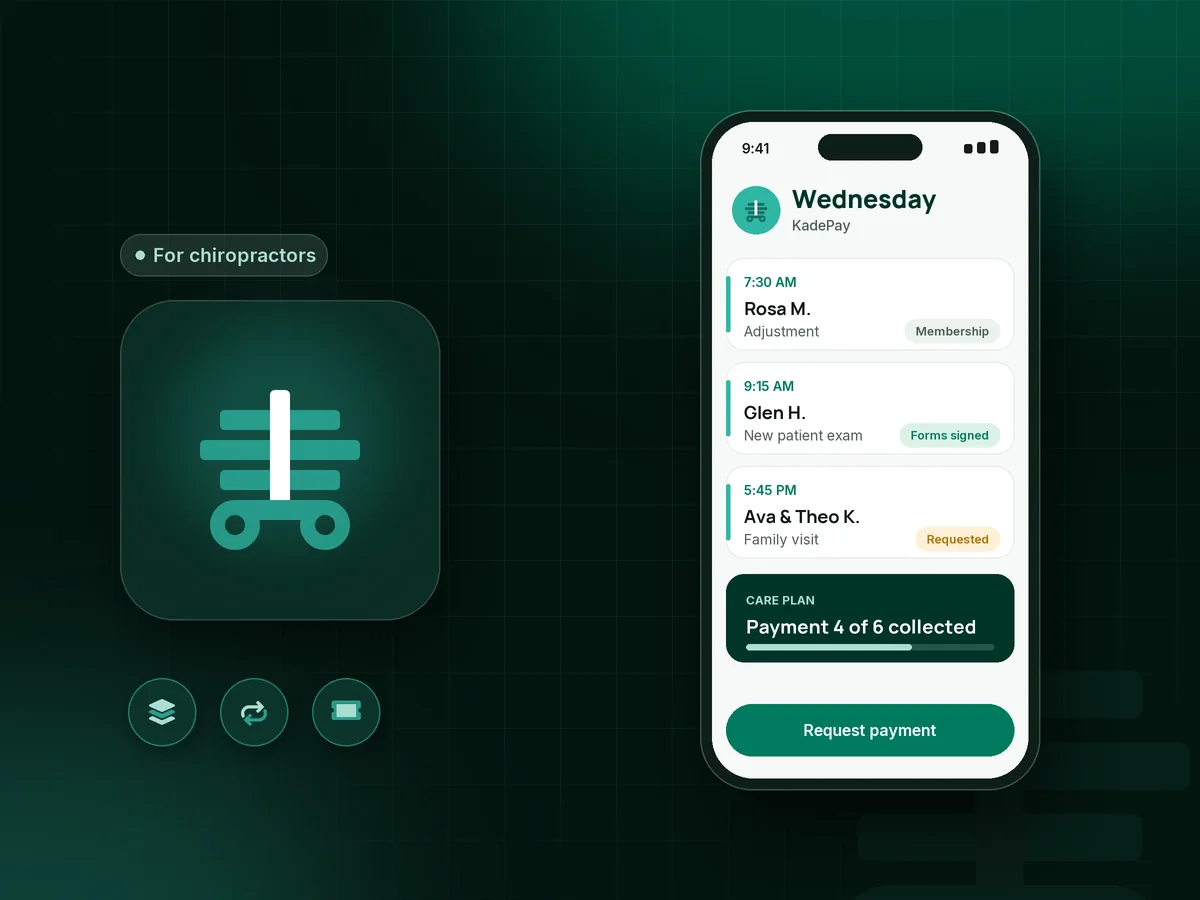
Illustration of chiropractic payment software in KadePay showing new patient forms, a care plan installment and a wellness membership

Sound familiar?

Where cash and hybrid chiropractic offices leak revenue

Chiropractors running cash or hybrid offices describe drop-off when deductibles reset, slow checkouts at the front desk, and wellness patients who drift once they feel better. These are the moments KadePay is built for.

01

A 24-visit care plan that looks like one big number

I explain the plan, show the $1,440 total, and watch the patient's face. Half of them say they will think about it and never schedule.

With KadePay

Agree on a payment plan, for example six monthly payments of $240, collected from a card the patient authorizes. Or sell the visits as a prepaid package and record each adjustment as it is redeemed.

Payment plans
02

Wellness patients who stop coming once the pain is gone

They feel great after the corrective phase, skip a month, and come back in a flare six months later. Maintenance is where I lose them.

With KadePay

On Team or Pro, offer a monthly wellness membership, such as $79 for maintenance adjustments, charged to the patient's authorized card. Each visit is still requested and confirmed through your calendar.

Recurring billing
03

New patient paperwork slowing down the morning rush

Two new patients arrive at 7:30 with clipboards, the regulars stack up behind them, and my front desk is reading handwriting instead of checking people out.

With KadePay

Send new patient intake forms, consent to care and your patient financial policy when you confirm the first visit. Patients sign on their own phones, and everything is on their profile before they walk in.

Forms and signatures
04

A checkout line after ten-minute adjustments

Visits take ten minutes, but paying takes five more. On a busy Monday the line to pay is longer than the line to see me.

With KadePay

Charge visits to the card on file each patient authorized, or keep a Store Pay Direct QR at the desk where patients enter the visit fee themselves. Your team confirms payments in Transactions.

Card on file
05

Family visits and add-on services billed one by one

A mom brings in three kids and herself, adds soft tissue work for her own neck, and we write four receipts while the kids climb the tables.

With KadePay

Send the household one bill for the whole visit and note on the profile which children usually come together. Families who prefer Venmo or Zelle can pay that way, recorded with no KadePay fee.

Customer profiles and notes

How it fits your week

From the first adjustment to long-term wellness care

  1. A new patient requests a visit

    From your website or a printed QR in the lobby, they request a new patient exam time. Your front desk looks over the request and confirms it.

  2. Forms done at home

    Intake, consent to care and your financial policy are completed and signed on the patient's phone, along with authorization for a card on file.

  3. Report of findings with a clear price

    Present the care plan with a set price, then either sell it as a visit package or agree on a payment plan the patient can manage monthly.

  4. Quick visits, quick checkout

    Each adjustment is charged to the authorized card or redeemed from the package. Automatic appointment reminders help patients keep the visit frequency you recommended.

  5. Maintenance on a membership

    When corrective care ends, move the patient to a monthly membership on Team or Pro so wellness visits stay on their calendar.

Every way your patients pay

  • Visa
  • Mastercard
  • American Express
  • Discover
  • Apple Pay
  • Google Pay
  • Tap to Pay
  • ACH bank transfer
  • Affirm, where eligible
  • Venmo
  • Zelle
  • QR codes
  • Text and email links

Availability depends on your account setup and eligibility. You confirm Venmo and Zelle payments after checking they arrived.

KadePay for chiropractors

How to choose chiropractic payment software for a cash or hybrid office

Cash-based chiropractic practices depend on how the care plan is presented. Many doctors find patients respond better to a manageable monthly figure than to one large total. Chiropractic care plans in KadePay can be sold as prepaid visit packages or spread into chiropractic payment plans with a fixed number of installments.

Maintenance is the other half of the business. A chiropractic membership plan, such as $79 a month for maintenance adjustments or a family wellness plan for a household, turns occasional visits into steady revenue. Recurring memberships are part of the Team and Pro plans, and each visit is still booked as a request you confirm.

The front desk matters as much as the adjusting room. New patient intake forms and your patient financial policy completed at home, a card on file the patient authorized, and team permissions for staff keep mornings moving. If you also work with insurance, keep claims in your existing system and use KadePay for self-pay visits, plans and memberships.

A chiropractor booking app should respect how busy a clinic gets. Patients request times from your link, you confirm them, and automatic reminders go out before each visit, so the schedule stays yours.

CLEAR ANSWERS

Chiropractors: your questions, answered.

What is the best chiropractic payment software for a cash practice?

Look for software that makes a care plan easy to say yes to and keeps checkout fast. KadePay offers payment plans, prepaid visit packages, memberships on Team or Pro, a card on file patients authorize, and intake forms signed before the first visit.

How do I set up a payment plan for a chiropractic care plan?

Agree with the patient on the total and the number of installments, for example $1,440 over six months. KadePay collects each $240 installment from the eligible saved method the patient authorized, and you can see where the plan stands at any time.

Can I run a monthly chiropractic membership?

Yes, on the Team and Pro plans. Set a recurring amount for maintenance or household wellness care and charge it to each member's authorized card. Members still request each visit through your calendar link, and you confirm it.

Does KadePay handle insurance claims or chiropractic charting?

No. KadePay handles payments, booking requests, forms, packages and business notes for chiropractic offices, not clinical records or insurance claims. Keep exams, imaging findings and treatment notes in your chiropractic EHR, and use KadePay for self-pay visits, plans and memberships.

Can patients pay at the front desk without a card reader?

Yes. Patients can scan your Store Pay Direct QR and pay the visit fee from their phone, or your team can use Tap to Pay on a compatible phone once payment setup is complete. A card reader is available to purchase if you prefer one.

How much does KadePay cost for a chiropractic office?

A solo doctor can begin on Pay-As-You-Go at $0 a month, with payment and usage fees per transaction. If you have front desk staff or run memberships, Team at $10 a month or Pro at $35 a month adds those tools. The pricing page explains each plan.

YOUR WORK COMES FIRST

Make room for more patients.

Get started for free