Skip to content
KadePayGet started

KADEPAY FOR GOLF INSTRUCTORS

Golf lesson booking software for pros who teach from the range.

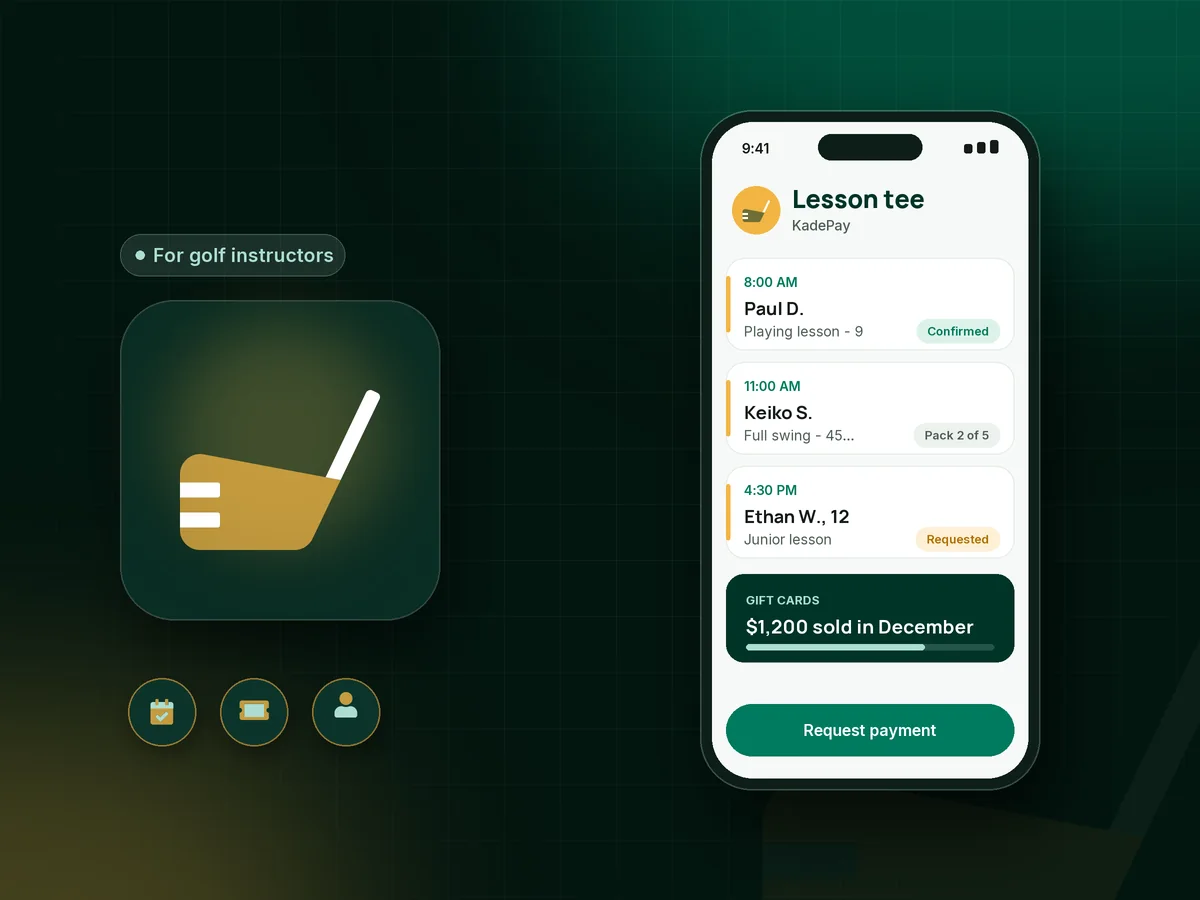
Your students want a lesson after work, a playing lesson on Sunday and a gift card for Dad's birthday. KadePay takes lesson requests at any range, course or simulator studio, sells lesson packages, keeps clips of every lesson in each student's folder and gets you paid before they hit the next bucket.

Pay-As-You-Go starts at $0 per month. Usage and payment fees apply.

Illustration of golf lesson booking software with range lesson requests, a lesson package balance and a golf gift card sale

Sound familiar?

The swing is the hard part. Getting paid should not be.

Teaching pros split their days between the range, the course and a phone full of messages. These are the money moments golf instructors describe most, and how KadePay takes them off the lesson tee.

01

Lesson requests buried in texts and voicemails

Students text at 9 PM asking about Saturday, you answer between lessons, and two people end up thinking they have the 10 o'clock.

With KadePay

Share a booking link with private golf lessons, playing lessons and short-game sessions at your own lengths. Students request a time, you confirm it, and vacation blocks keep tournament weeks clear.

Appointment booking
02

Packages tracked on the back of a scorecard

A student bought five lessons in April, took three, missed one and swears in September that two are still left.

With KadePay

Sell golf lesson packages of 3, 5 or 10 and record each lesson as it is taught. The remaining count stays on the student's profile, so you can answer in seconds.

Packages and sessions
03

No-shows in your most requested hours

Saturday morning is the slot everyone wants, and a no-show at 8 AM costs you a lesson someone else was hoping to get.

With KadePay

Add your golf lesson cancellation policy to a form the student signs, with a card authorized for future charges. A no-show becomes the fee your signed policy describes, charged with a receipt.

Card on file
04

Swing clips lost in your camera roll

You film every lesson, but the clips sit among your family photos and the student never sees the before-and-after.

With KadePay

Save each swing video in a Gallery folder on the student's profile and share it read-only, so they can review the takeaway drill before their next range session.

Customer profiles and notes
05

Holiday gift requests with nothing to sell

Every December, spouses ask whether they can buy lessons as a gift, and you end up writing an IOU on the back of a business card.

With KadePay

Issue golf lesson gift cards in any amount and sell them by link or Tap to Pay. The recipient sees the gift card on your business page and requests a lesson when the season starts.

Payment links and QR codes

How it fits your week

From first lesson to a full season of progress

  1. A student requests a lesson

    They scan the QR code at the pro shop counter or tap the link in your bio, choose a 45-minute lesson or a playing lesson, and request a time.

  2. Policy and card before the tee

    Before the first lesson they sign your cancellation policy on their phone and authorize a card, so the lesson itself stays about the swing.

  3. Teach, film and record

    Film the swing, drop clips into their Gallery folder and record the lesson against their package. Notes remind you about their grip change and handicap goal.

  4. Sell the next package

    When the pack runs low, send a link for the next five lessons, or charge it with Tap to Pay on a compatible phone right at the range.

  5. Juniors and camps

    For a junior golf camp, share a fixed-price link with questions for age and club length, and collect each parent's waiver on their phone.

Every way your students pay

  • Visa
  • Mastercard
  • American Express
  • Discover
  • Apple Pay
  • Google Pay
  • Tap to Pay
  • ACH bank transfer
  • Affirm, where eligible
  • Venmo
  • Zelle
  • QR codes
  • Text and email links

Availability depends on your account setup and eligibility. You confirm Venmo and Zelle payments after checking they arrived.

KadePay for golf instructors

Picking golf lesson booking software that fits how you teach

A golf instructor app has to work where you work: on the lesson tee, in a cart between holes or in a simulator studio with a launch monitor running. KadePay runs on your phone, so lesson requests, package counts and payments are in your pocket rather than on a desktop in the pro shop.

Most teaching income comes from repeat students, and packages are how they commit. Sell a pack, record each lesson, and keep swing video and notes on the same profile, so a student returning in spring picks up where the fall left off.

Playing lessons, short-game sessions and private golf lessons each have their own length and price, and students request the one they want. A junior golf camp or academy season fits a payment plan, and golf lesson gift cards turn December inquiries into spring students.

KadePay does not book driving range bays or tee times. It handles your lessons, packages, payments, forms and student notes, while the course or range keeps its own reservations. Students can also pay with Apple Pay, Google Pay or bank transfer, or send a Venmo payment that you record.

CLEAR ANSWERS

Golf instructors: your questions, answered.

What is the best software for golf instructors who teach independently?

For an independent pro, the best fit takes lesson requests, sells packages and gets paid from a phone. KadePay does those, plus gift cards, shared clip folders, signed policies and Tap to Pay on a compatible phone, without a pro shop computer.

Can students use golf lesson booking software to pick their own time?

With KadePay, students request a time from the services and hours you open, and you confirm it. You stay in control of which requests fit around range closures, member events and your own travel.

How do I sell golf lessons as a gift?

Issue a gift card for a dollar amount, such as $300 for three lessons, and sell it by link or at the range with Tap to Pay. The recipient sees it on your business page and requests a lesson when they are ready.

Can I share swing videos with my students?

Yes. Each student profile has Gallery folders for photos and files. Add your lesson clips and share the folder read-only so the student can review it, or read/write so they can upload their own range videos.

How do I charge for a missed golf lesson?

Write your notice window into a policy the student signs and ask for card authorization at the same time. When a student misses a lesson inside that window, charge the fee your signed policy describes, and they receive a receipt.

How much does KadePay cost for a golf instructor?

Pay-As-You-Go starts at $0 per month for a solo teaching pro; payment and usage fees apply. Academies that add instructors, recurring programs or expiring links choose Team at $10 per month or Pro at $35 per month, as shown on the pricing page.

YOUR WORK COMES FIRST

Make room for more students.

Get started for free