Skip to content
KadePayGet started

KADEPAY FOR PERSONAL TRAINERS

A payment app for personal trainers that works between sets.

Your clients show up for the 6 AM squat session, not for a talk about money. KadePay lets them request times, buy 10-session packs, sign your waiver and keep a card on file, so you can coach at the gym, the park or their garage and get paid before the cooldown ends.

Pay-As-You-Go starts at $0 per month. Usage and payment fees apply.

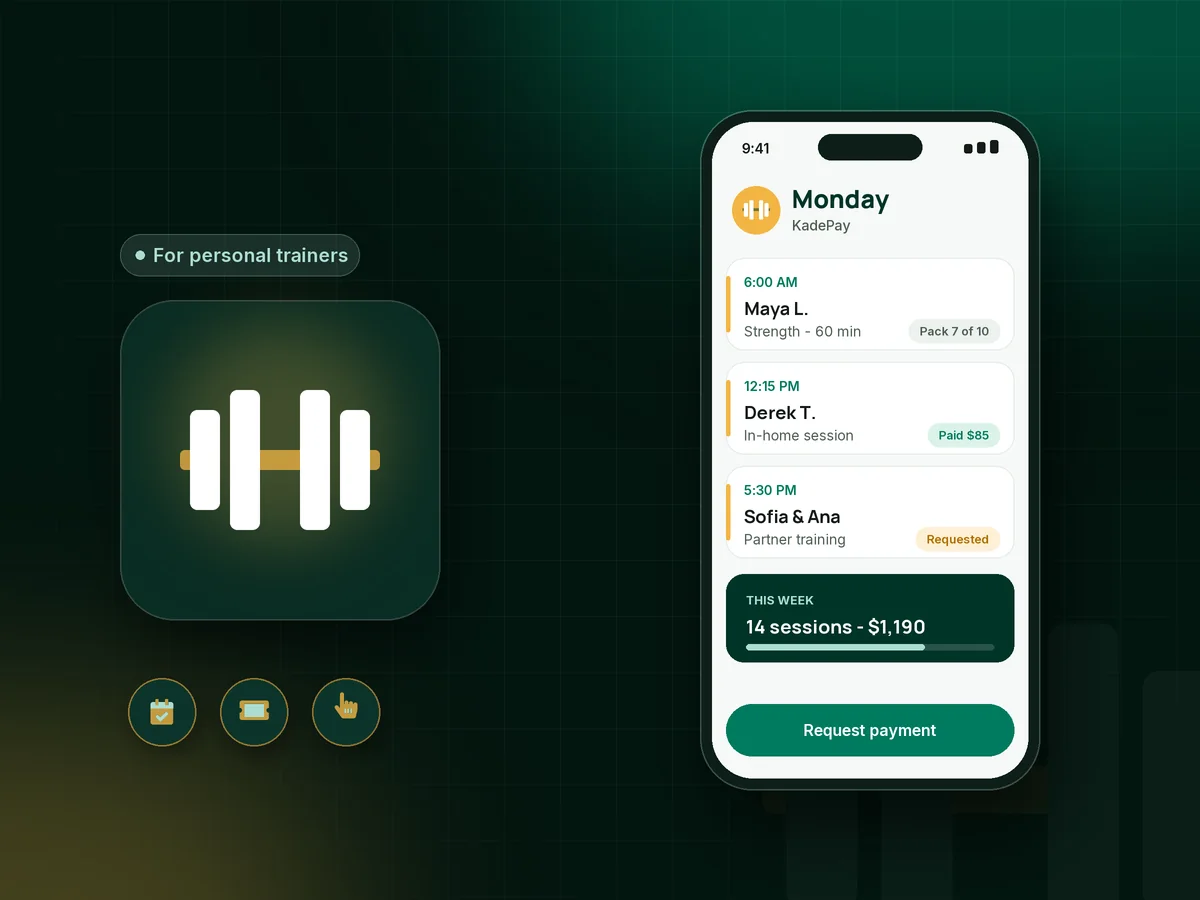
Illustration of a payment app for personal trainers showing booked training sessions, a session pack count and a paid in-home workout

Sound familiar?

You wanted to coach, not chase payment requests.

Trainers juggle clients across gyms, parks and living rooms, and the money side rarely keeps pace. Here is where personal trainers say the week leaks income, and what KadePay does about each leak.

01

Clients who ghost the 6 AM session

You were at the gym at 5:45 with the program written out, and the client texted at 6:10 that they overslept. That hour is gone.

With KadePay

Have clients sign your late cancellation policy and authorize a card when they start. When they skip, charge the personal trainer cancellation fee your signed policy describes, and they get a receipt.

Card on file
02

Session packs tracked in a notes app and your memory

Was that session eight or nine of ten? When a client questions the count, you usually eat the difference to keep things friendly.

With KadePay

Sell personal training packages of 5, 10 or 20 sessions in one payment. Record each session as it is used, so the count is never a guess. Booking each workout is still its own step.

Packages and sessions
03

Personal payment apps mixed with business income

Half your clients pay through a personal app with a flexing-arm emoji, and in April you dig through months of transfers to see who paid for what.

With KadePay

Take cards, Apple Pay, Google Pay and bank transfer through KadePay, and record any Venmo or Zelle payment a client still sends, with no KadePay fee on it. Download transactions for your bookkeeper.

Venmo, Zelle and cards
04

Scheduling by text thread across three gyms

One client wants Tuesdays at the community gym, another wants their garage on Saturday, and every reschedule turns into ten messages.

With KadePay

Share a booking link with your session types and lengths. Clients request a time, you confirm the ones that fit, and each appointment can carry its own address for in-home personal training.

Appointment booking
05

Monthly coaching clients who forget the fee

Your hybrid clients get programming and a check-in call every week, but the monthly fee depends on them remembering the first of the month.

With KadePay

On Team or Pro, put online coaching payments on a recurring monthly bill charged to the method the client authorized. They are notified with each charge and can revoke the authorization.

Recurring billing

How it fits your week

From first consult to the tenth session

  1. A new client finds you

    They tap the Flex Link in your Instagram bio and request a free consult or a first session. You check the time against your other gyms and confirm it.

  2. Paperwork before the first rep

    They complete your readiness questionnaire, liability waiver and cancellation policy on their own phone, sign it, and authorize a card for future sessions. Everything stays on their profile.

  3. Sell the pack after session one

    When they are ready to commit, send a 10-session package link, or take the payment right there on the gym floor with Tap to Pay on a compatible phone.

  4. Coach, record, repeat

    After each workout, record the session against their pack. Private notes remind you about their morning-only schedule, the building gate code and which gym they prefer.

  5. Renew without the awkward ask

    When two sessions remain, text a link for the next pack or move them to a monthly plan. Automatic appointment reminders help them show up for what they bought.

Every way your clients pay

  • Visa
  • Mastercard
  • American Express
  • Discover
  • Apple Pay
  • Google Pay
  • Tap to Pay
  • ACH bank transfer
  • Affirm, where eligible
  • Venmo
  • Zelle
  • QR codes
  • Text and email links

Availability depends on your account setup and eligibility. You confirm Venmo and Zelle payments after checking they arrived.

KadePay for personal trainers

Choosing the best payment app for personal trainers

If you are working out how to get paid as a personal trainer, start with where you train. A gym-floor trainer, a mobile coach running in-home personal training and an online coach all need the same three basics: a way to book, a way to sell sessions in advance and a way to get paid without a card machine. KadePay covers all three from your phone.

Prepaid personal training packages are the backbone of most trainers' income, because they turn a maybe into a commitment. KadePay sells the pack in one payment and records each redemption, so when a client asks how many sessions are left in March, you can answer in seconds.

Cancellations are where trainers lose money most quietly. A clear policy signed at the start, plus a card on file, lets you charge the fee you both agreed to instead of absorbing it. To accept card payments as a personal trainer, text a link, show a QR code, or use Tap to Pay on a compatible phone.

Online coaching payments work the same way on Team or Pro: a recurring monthly bill charged to the authorized method, with the client notified each time. Gift cards are there for clients whose partner wants to give them a New Year start.

CLEAR ANSWERS

Personal trainers: your questions, answered.

What is the best payment app for personal trainers?

Look for one that handles the whole client cycle from your phone. KadePay takes booking requests, sells session packs, stores an authorized card for no-shows and accepts cards, Apple Pay, Google Pay, bank transfer and Tap to Pay, with recorded Venmo or Zelle payments alongside.

How do I charge a no-show fee as a personal trainer?

Put your cancellation window and fee in a policy form the client signs before the first session, and ask them to authorize a card on file. When a session is missed inside that window, charge the fee your signed policy describes. The client gets a receipt.

Can I sell 10-session personal training packs?

Yes. Create a package with the number of sessions and the price, share its payment link, and record each session as it is used. Buying a pack does not book the sessions, so clients still request each time through your booking link or you add it for them.

Does KadePay work for mobile and in-home trainers?

Yes. Each appointment can have its own address, so a Tuesday garage session and a Thursday park workout sit on one calendar. Take payment with Tap to Pay on a compatible phone, or text a link after the workout.

Can clients pay for a big training package over time?

For a larger commitment, such as a 20-session transformation package, you can agree a payment plan with a set number of installments collected from an eligible saved method. Affirm pay-over-time is also offered at checkout where the client is eligible and approved.

How much does KadePay cost for a solo personal trainer?

Pay-As-You-Go starts at $0 per month for a trainer building a client list; payment and usage fees apply. Team at $10 per month and Pro at $35 per month add recurring billing for monthly clients, team members and limited-time payment links. Compare them on the pricing page.

YOUR WORK COMES FIRST

Make room for more clients.

Get started for free

CHOOSING YOUR BUSINESS TOOLS

Compare the workflow before you choose.

Explore documented features, cost questions and relevant alternatives.