Skip to content
KadePayGet started

KADEPAY FOR VETERINARIANS

Veterinary payment software for big bills and anxious pet parents.

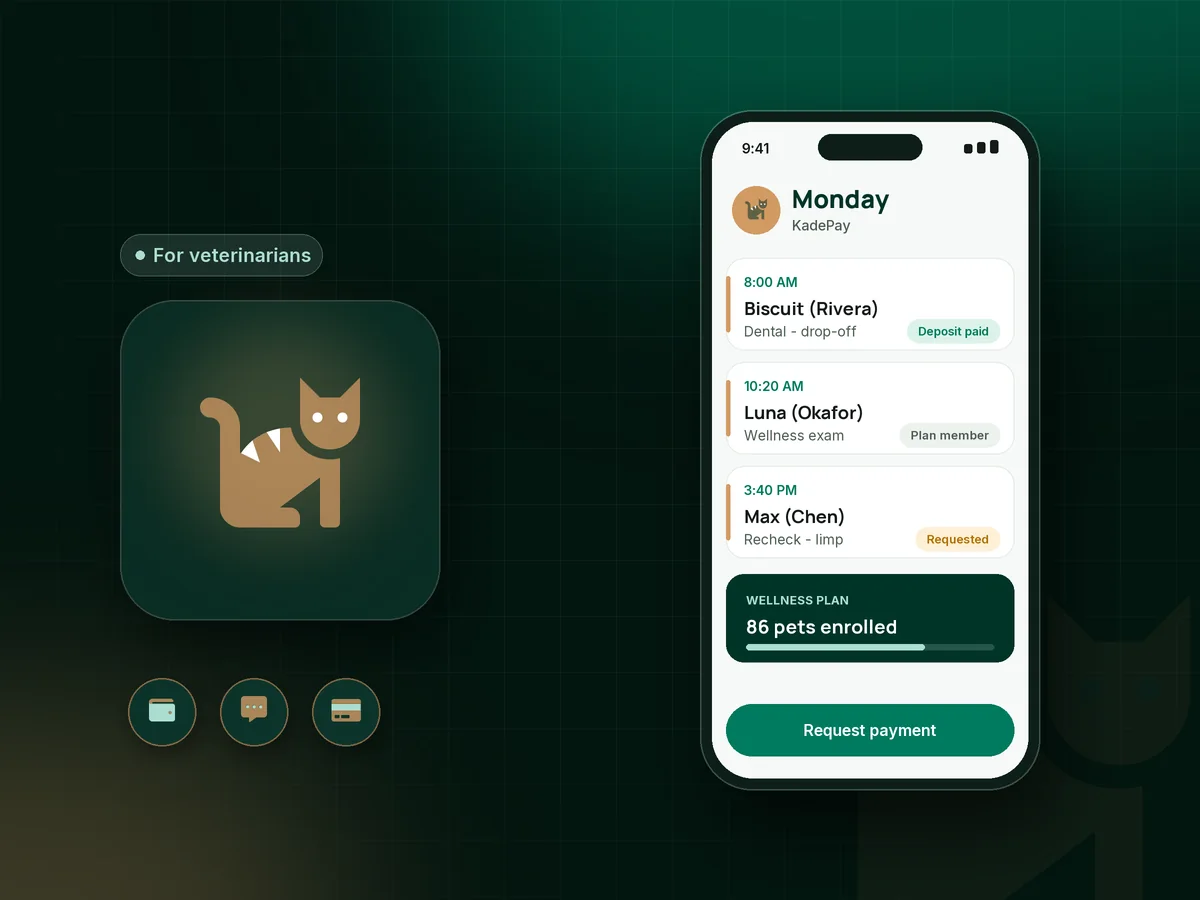
A dental cleaning turns into three extractions, a limping dog needs surgery, and the client at the desk is worried about the bill. KadePay collects deposits before procedures, texts balances, offers payment plans and Affirm for eligible clients, and runs wellness memberships, so money talk takes less time at the front desk.

Pay-As-You-Go starts at $0 per month. Usage and payment fees apply.

Illustration of veterinary payment software in KadePay with a surgery deposit, a text-to-pay balance and a monthly wellness plan

Sound familiar?

Great medicine, hard money conversations.

Veterinary teams care for pets whose families did not budget for an emergency. These are the money moments clinic owners, practice managers and mobile vets raise most often, and how KadePay helps the front desk handle them kindly.

01

Procedures performed before anything is collected

The dental estimate is $900 to $1,400, the extractions are found once the dog is under anesthesia, and pickup is when the money talk starts.

With KadePay

Attach the treatment estimate to a deposit bill at drop-off, for example half of the high end, and collect it by card or saved method. The signed drop-off form records that the client approved the estimate range.

Ways to get paid
02

Clients who cannot pay a $2,000 bill today

A family wants the foreign body surgery for their cat but cannot cover it in one payment, and nobody wants that to decide the treatment.

With KadePay

Offer Affirm pay-over-time where the client is eligible and Affirm approves, or agree an in-house payment plan with a set number of installments collected from their saved card.

Payment plans
03

Balances that need a phone call and a stamp

Lab results come back after the visit, the add-on charge is $65, and someone spends Thursday calling clients and mailing statements.

With KadePay

Text the balance as a bill with reminders. The client pays from the link with a card, Apple Pay, Google Pay or bank transfer, and nobody waits on hold to read a card number aloud.

Payment links and QR codes
04

Wellness plans run from a spreadsheet

Puppy and senior wellness plans bring clients back, but monthly charges, missed payments and what each pet has used live in different places.

With KadePay

On Team or Pro, bill each wellness plan monthly to the client's authorized card or bank account. Note what each pet has used on the client profile, and each visit is still booked on its own.

Recurring billing
05

House calls and curbside pickups with no counter

A mobile vet finishes an in-home senior visit, a farm call or a curbside discharge, and the card reader is back in the truck.

With KadePay

Take payment with Tap to Pay on a compatible phone after payment setup, charge the card the client authorized, or text a link. Each appointment can carry its own address for house calls.

Tap to Pay and card readers

How it fits your week

From appointment request to discharge

  1. Visit requested

    A pet parent requests a wellness exam or sick visit from the link on your website, and your team reviews and confirms the time that fits the doctor's day.

  2. Forms before the visit

    New client information, drop-off consent and your financial policy are completed and signed on the client's phone before they reach the clinic.

  3. Deposit at drop-off

    For procedures, attach the estimate to a deposit bill and collect it at drop-off by card, saved method or Tap to Pay on a compatible phone.

  4. Discharge without a line

    Text the final bill while the pet is waking up. A client who pays from the link can walk straight to discharge instructions with the technician.

  5. Plans and follow-up

    Wellness plan members renew monthly, payment plans collect installments from the saved method, and automatic appointment reminders help with rechecks.

Every way your clients pay

  • Visa
  • Mastercard
  • American Express
  • Discover
  • Apple Pay
  • Google Pay
  • Tap to Pay
  • ACH bank transfer
  • Affirm, where eligible
  • Venmo
  • Zelle
  • QR codes
  • Text and email links

Availability depends on your account setup and eligibility. You confirm Venmo and Zelle payments after checking they arrived.

KadePay for veterinarians

Choosing veterinary payment software for an independent practice

Veterinary client payments have grown more complicated as care has grown more advanced. A routine visit can become a $1,800 surgery, and families meet that number with very different resources. Practices that keep both trust and cash flow tend to talk about money early, offer options and make paying easy.

A vet surgery deposit taken at drop-off, with the estimate attached, sets expectations before the procedure. Vet text to pay handles the balance when lab results or extra treatment come in, and a client who wants to pay a vet bill online from home can do it from the link. A vet clinic card on file, authorized by the client, covers the rest.

Veterinary payment plans and Affirm for eligible clients help families say yes to treatment they cannot cover in one payment. Veterinary wellness plans billed monthly smooth out income and bring pets back for preventive care on a regular rhythm.

For mobile vet payments and curbside payments, Tap to Pay on a compatible phone keeps checkout in your hand. KadePay sits beside your practice management software: medical records stay there, and KadePay handles deposits, balances, plans and forms.

CLEAR ANSWERS

Veterinarians: your questions, answered.

What is the best veterinary payment software for an independent clinic?

Look for deposits with the estimate attached, text-to-pay balances, payment plans and a way to run wellness memberships. KadePay covers those, adds Affirm for eligible clients and Tap to Pay on compatible phones, and works beside your existing practice management system.

How do I collect a deposit before a pet's surgery?

Create a bill for the deposit your policy sets, often a share of the high end of the estimate, and attach the estimate file. Collect it at drop-off by card or saved method, or text it ahead of the surgery date. Bill the balance at discharge.

Can pet parents pay vet bills in monthly payments?

Yes. You can agree an in-house plan with a set number of installments collected from a saved card, or offer Affirm where the client is eligible, subject to Affirm's approval. Both appear on the client's profile alongside the rest of their payments.

Does KadePay keep medical records or handle pet insurance?

No. At a veterinary clinic, KadePay sticks to payments, booking requests, forms, packages and business notes, not medical records, prescriptions or pet insurance claims. Keep the medical record in your practice management system. Clients with pet insurance can send their KadePay receipt to their insurer themselves.

How do veterinary wellness plans work with monthly billing?

On the Team or Pro plan, set up a recurring membership for each plan, such as a $45 monthly puppy plan. The client authorizes a card or bank account, the plan bills each month, and your team notes the included services used on the client's profile.

How much does KadePay cost for a veterinary practice?

A clinic can start on Pay-As-You-Go at $0 per month; payment and usage fees apply. Wellness plan billing and staff logins need Team at $10 per month or Pro at $35 per month. The KadePay pricing page compares all three plans.

YOUR WORK COMES FIRST

Make room for more clients.

Get started for free