Skip to content
KadePayGet started

KADEPAY FOR DOG GROOMERS

A dog grooming app for busy tables, mobile vans and happy pet parents.

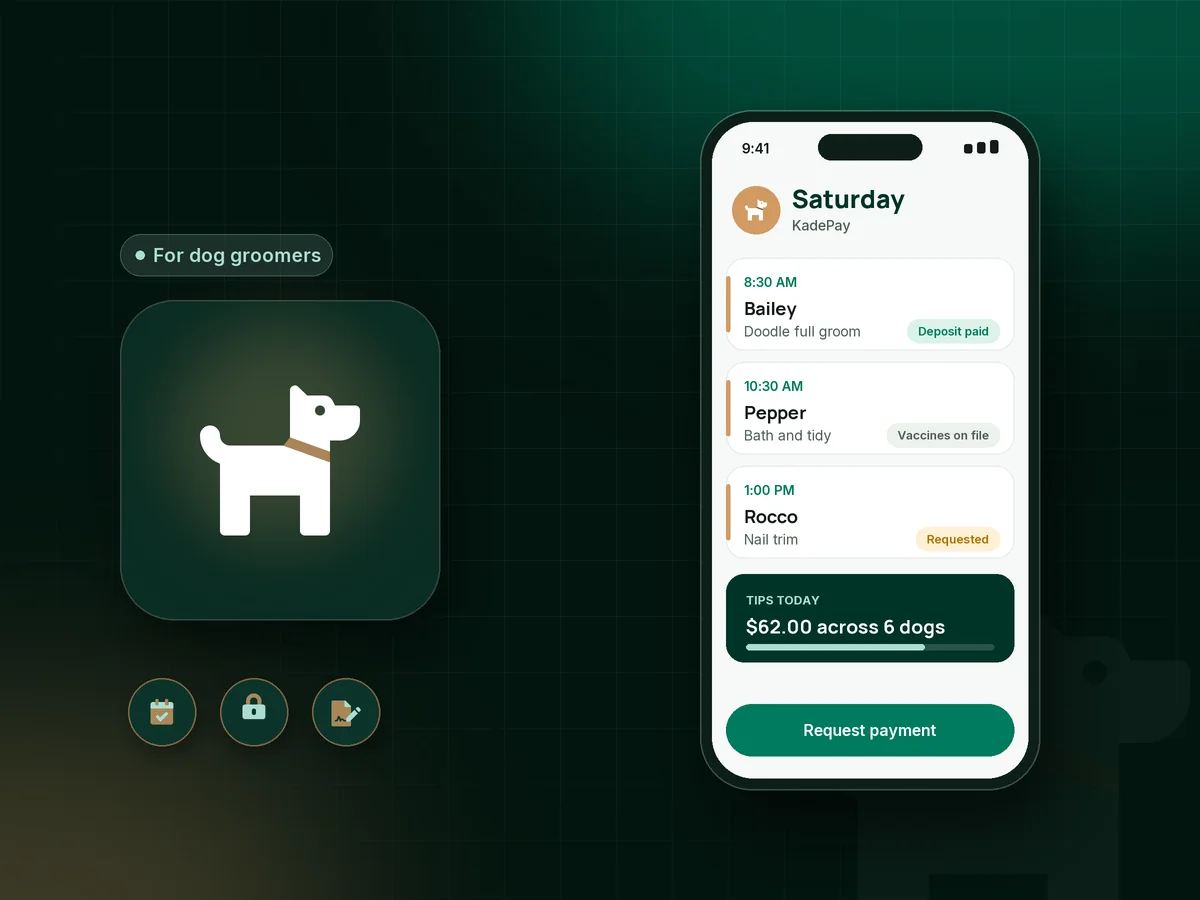
Your day is six dogs, two matted doodles and a Saturday that books out three weeks ahead. KadePay takes booking requests, collects new-client deposits, keeps a card on file for no-shows, takes tips and stores vaccine records and cut photos with each pet parent, whether you work a salon table or a van.

Pay-As-You-Go starts at $0 per month. Usage and payment fees apply.

Illustration of a dog grooming app in KadePay with grooming appointments, a vaccine record upload and a tip paid by QR code

Sound familiar?

You can handle a matted doodle. The no-shows are harder.

Grooming is physical work with tight margins, and every empty table or unpaid add-on hurts. These are the moments groomers vent about in their groups and break rooms, and how KadePay takes each one off your plate.

01

New clients who book a Saturday slot and never show

A first-time doodle owner grabs your last Saturday opening, ignores the reminder, and you turned away two regulars for that slot.

With KadePay

After you confirm a new client, send a fixed-amount grooming deposit link, such as $25, that you take off the final bill. Regulars can authorize a card on file instead, so you can charge the fee your signed policy describes.

Payment links and QR codes
02

Matting charges that turn into arguments at pickup

The owner sees a shave-down instead of the teddy bear cut and hears about the $20 matting charge for the first time at the counter.

With KadePay

Have new clients sign a grooming agreement with your matting and shave-down policy before the first visit. Save before and after photos to a Gallery folder on the profile, so the conversation has pictures, not opinions.

Forms and signatures
03

Vaccine records that arrive as blurry texts

You need proof of rabies before a dog goes on the table, and the owner sends a photo of a crumpled certificate at 7 AM.

With KadePay

Ask for the rabies certificate as an upload in your new-client form, signed with your grooming policy on the owner's phone. It stays with the pet parent's profile for every visit after that.

Forms and signatures
04

Tips and add-ons lost in the pickup rush

Four owners arrive at 3 PM, someone forgets the nail grind add-on, and tips depend on whether people had cash in the car.

With KadePay

Add the teeth brushing or nail grind to the bill before pickup. Print one Store Pay Direct QR for the counter or van door, where owners scan, enter the tip and pay, and you confirm it in Transactions.

Ways to get paid
05

Getting paid in a driveway on mobile days

The van is parked, the dog is done, and the owner is on a work call inside the house, so you leave unpaid and send a text later.

With KadePay

Charge the card the pet parent authorized, or text a payment link from your phone before you pull away. Each appointment has its own address, so mobile days stay organized on one calendar.

Card on file

How it fits your week

A grooming day with KadePay

  1. A booking request comes in

    A pet parent taps the link in your bio and requests a full groom for Saturday. You check the breed and coat, then confirm the request or suggest another time.

  2. Deposit, forms and vaccines

    New clients pay a small deposit, sign your grooming agreement and upload the rabies certificate from their phone before the appointment.

  3. On the table

    Your private notes remind you of blade lengths, nervous habits and the owner's favorite cut. Before and after photos go into the pet parent's Gallery folder.

  4. Pickup in seconds

    The bill includes add-ons, you take the deposit off, and the owner pays by saved card, Tap to Pay on a compatible phone or the QR at the counter, tip included.

  5. The next groom

    Automatic appointment reminders help six-week regulars come back on time, and bath packages record each visit as it is used.

Every way your pet parents pay

  • Visa
  • Mastercard
  • American Express
  • Discover
  • Apple Pay
  • Google Pay
  • Tap to Pay
  • ACH bank transfer
  • Affirm, where eligible
  • Venmo
  • Zelle
  • QR codes
  • Text and email links

Availability depends on your account setup and eligibility. You confirm Venmo and Zelle payments after checking they arrived.

KadePay for dog groomers

What the best dog grooming app should handle for salons and vans

Dog grooming software often grows out of salon tools built for people, and groomers end up working around it. A grooming business needs breed and coat notes, grooming vaccination records, matting and shave-down policies, and a quick way to take pet grooming payments while a dog is barking in the lobby.

No-shows are the biggest leak. A grooming deposit for new clients and a grooming no-show fee for regulars, charged from a card on file the owner authorized, both work better when the policy is signed before the first appointment. A clear matting fee written into the same agreement prevents surprises at pickup.

Mobile dog grooming adds its own wrinkles: a different address for every appointment, payment in a driveway and no counter for a tip jar. Tap to Pay on a compatible phone, a QR on the van door and text payment links cover those, and tips for groomers no longer depend on whether the owner carries cash.

Dog grooming booking in KadePay works by request: pet parents ask for a time and you confirm it, which lets you size up a new doodle before you commit two hours to it.

CLEAR ANSWERS

Dog groomers: your questions, answered.

What is the best dog grooming app for a small salon or mobile groomer?

Pick one that handles booking requests, deposits, a card on file and tips without extra hardware. KadePay does those and adds vaccine uploads in forms, Gallery photos, bath packages and gift cards, with Tap to Pay on compatible phones for van days.

How do I charge a no-show fee as a dog groomer?

Put your no-show policy in a grooming agreement the pet parent signs, and ask them to authorize a card on file. If they miss the appointment, you can charge the amount that signed agreement sets, and they are notified and receive a receipt.

Should I take a deposit from new grooming clients?

Many groomers do, especially for large breeds and weekend slots. In KadePay, confirm the request first, then send a fixed-amount link like $25 and take it off the final bill. Your signed policy explains when the deposit is kept after a late cancellation.

Can owners upload vaccination records before a groom?

Yes. Add a rabies certificate upload to your new-client form. The pet parent completes it on their phone along with your grooming agreement, and the record stays on their profile so you can check it before the dog is on the table.

How can customers tip a dog groomer by card?

Print a Store Pay Direct QR for your counter or van. The customer scans it, enters the tip or agreed amount and pays, and you confirm it in Transactions. With Tap to Pay or a saved card, include the tip in the amount you agree on at pickup.

How much does KadePay cost for a grooming business?

A solo groomer can begin on Pay-As-You-Go at $0 per month, and payment and usage fees apply. Team at $10 per month and Pro at $35 per month add bather and groomer logins, recurring billing and vanishing bills. See the pricing page for the full list.

YOUR WORK COMES FIRST

Make room for more pet parents.

Get started for free