Skip to content
KadePayGet started

KADEPAY FOR ACCOUNTANTS & BOOKKEEPERS

Accountant billing software that keeps your own receivables current.

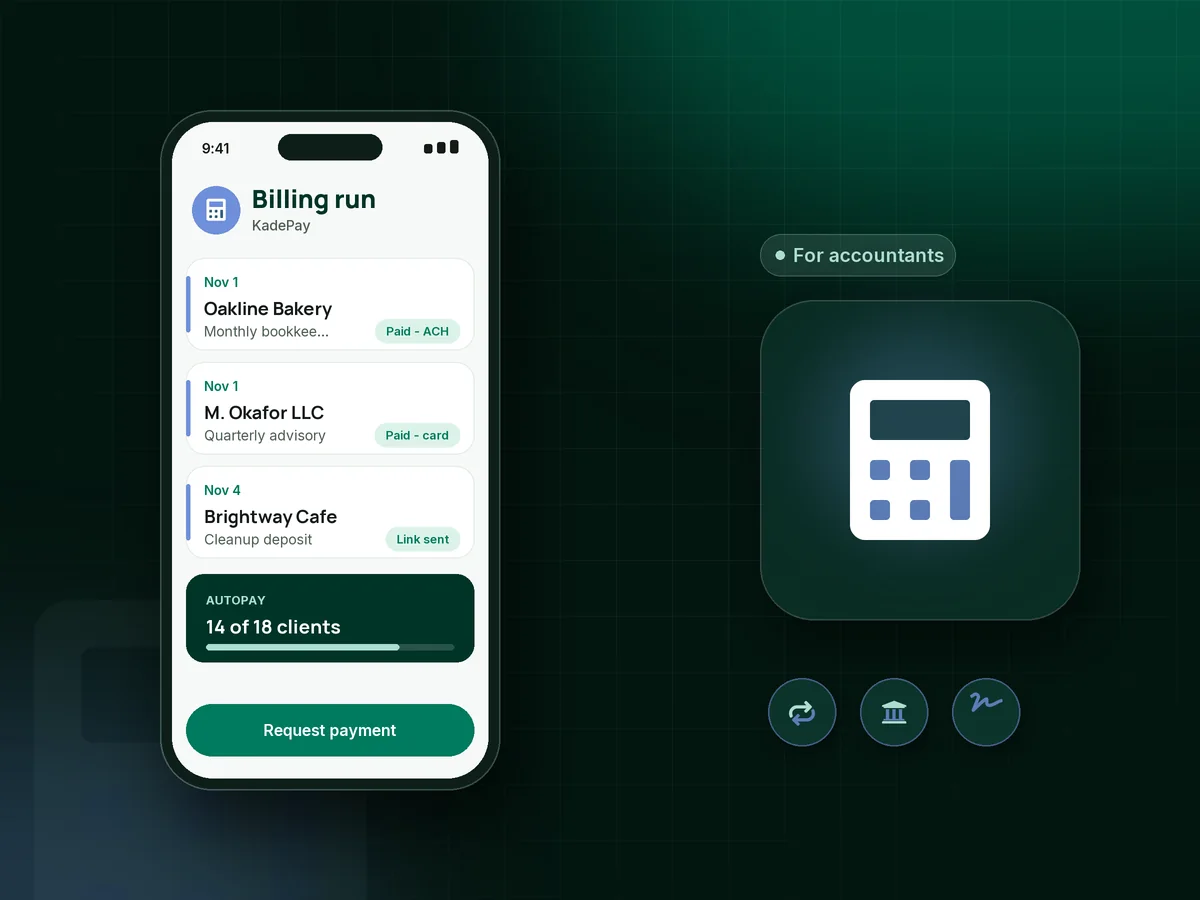
You spend the month closing other people's books, then chase your own clients for last month's fee. KadePay puts monthly fees on authorized autopay, takes ACH for larger engagements, collects a deposit before cleanup work starts and keeps signed engagement terms with each client.

Pay-As-You-Go starts at $0 per month. Usage and payment fees apply.

Illustration of accountant billing software in KadePay with monthly bookkeeping fees paid by ACH, a signed engagement form and a cleanup deposit

Sound familiar?

Your clients' books are current. Your receivables aren't.

Bookkeepers and small firms often collect last of all, after every client's statements are done. These are the billing gaps accountants raise most in practice forums, and the KadePay piece that closes each one.

01

Chasing the same monthly fee from the same clients

Every month you send the bookkeeping invoice, wait, nudge, and wait again, while the next close is already due.

With KadePay

Set the monthly bookkeeping fee as a recurring bill on Team or Pro and ask each client to authorize a bank account or card on file. It is billed on the same day every month.

Recurring billing
02

Card fees eating into an $800 monthly retainer

Clients like paying by card, but on a large recurring fee the processing cost comes straight out of your margin.

With KadePay

Put ACH bank transfer on the same bill link so clients pay from their business checking. Those who still want to pay by card can carry eligible credit card fees where your state permits it.

Ways to get paid
03

Cleanup work done before anyone has paid

A new client hands over eighteen months of shoebox receipts, you spend weeks reconciling, and then the invoice turns into a negotiation.

With KadePay

Collect a deposit for catch-up bookkeeping before you open the first statement, then turn the balance into an agreed payment plan the client pays from a saved card or bank account.

Payment plans
04

Engagement letters that never come back signed

The engagement letter goes out as a PDF, gets printed, maybe signed, and the scope you agreed on is never quite on file.

With KadePay

Put your engagement terms, fee schedule and scope into a KadePay form the client completes and signs on their phone. The signed copy stays on the client profile for the day scope comes up.

Forms and signatures
05

Year-end work clients don't expect to pay for

The 1099s, the year-end adjustments and the extra entity all land in January, and clients are surprised by the bill in March.

With KadePay

Send a separate bill for year-end work the day you finish it, with a summary PDF attached, and keep reminders on so past due client invoices get followed up without you writing each email.

Ways to get paid

How it fits your week

A month of client billing with KadePay

  1. Onboard with signed terms

    A new client completes your intake questionnaire and signs the engagement terms on their phone. Entity details, fiscal year end and contacts stay with their profile.

  2. Authorize autopay once

    The client authorizes a bank account or card for current and future bills. They are notified and can revoke the authorization, so the arrangement stays transparent.

  3. Fees billed on the first

    Monthly and quarterly fees go out as recurring bills on Team or Pro, charged to the authorized account. One-off work is billed separately with the file attached.

  4. Follow-up without awkward emails

    Open bills go by text and email with reminders on your schedule. Clients who pay by Zelle send it from their bank, and you record it in KadePay.

  5. Your own books stay tidy

    Download transactions each month and reconcile your firm's revenue the way you would a client's, with every payment tied to a client and a bill.

Every way your clients pay

  • Visa
  • Mastercard
  • American Express
  • Discover
  • Apple Pay
  • Google Pay
  • Tap to Pay
  • ACH bank transfer
  • Affirm, where eligible
  • Venmo
  • Zelle
  • QR codes
  • Text and email links

Availability depends on your account setup and eligibility. You confirm Venmo and Zelle payments after checking they arrived.

KadePay for accountants

What the best accountant billing software does for a small firm

Bookkeeper invoicing tends to fall to the bottom of the list because client deadlines always come first. The practical fix is to make most fees collect on their own: a monthly bookkeeping fee on authorized autopay, a deposit before catch-up bookkeeping, and reminders for anything one-off.

Recurring billing for bookkeeping clients works best when the amount is predictable and the client agreed to it in writing. Put the fee in a signed engagement letter form and ask for a bank account on file. ACH payments for accounting firms usually cost less than cards on large recurring fees, so offer the bank option first.

Accounting firm payments also include the odd ones: a rush 1099 fee, an advisory call, a client who insists on Zelle. Send each as its own bill or flexible-amount link, record Zelle and Venmo payments when they arrive, and every client profile shows what is paid and what is open.

KadePay is not your general ledger and does not connect to your accounting software. It handles bookkeeping client onboarding, billing and collection, and you download transactions to record your firm's revenue wherever you keep your books.

CLEAR ANSWERS

Accountants & bookkeepers: your questions, answered.

What is the best accountant billing software for a small bookkeeping practice?

One that bills recurring fees without you rebuilding invoices and lets clients pay by bank transfer. KadePay runs monthly fees on Team or Pro, takes ACH, cards and wallets, collects signed engagement terms and keeps past due client invoices on reminders until they are paid.

How do I get bookkeeping clients on autopay?

Ask each client to authorize a bank account or card on file when they sign your engagement terms. KadePay records the authorization, the client is notified and can revoke it, and recurring bills charge that method on the schedule you set.

Should I charge a deposit for catch-up bookkeeping?

Many bookkeepers do, because cleanup work is front-loaded and hard to price until you see the records. Send a fixed-amount deposit link before you start, then bill the balance in one bill or an agreed payment plan when the cleanup is finished.

Does KadePay replace my accounting or practice management software?

No. KadePay handles client billing, payments, forms and booking requests. It does not keep a general ledger, connect to accounting software or manage workflows and due dates, so download your transactions and record them in the system you already use.

Can my staff send bills and record client payments?

Yes. On Team or Pro you can add team members with the permissions you choose, so a staff bookkeeper can send bills and record payments. If you run separate practices, several businesses can sit under one login.

How much does KadePay cost for a bookkeeping firm?

Pay-As-You-Go is $0 per month with payment and usage fees, which suits a bookkeeper with a handful of clients. Recurring monthly bookkeeping fees need Team at $10 per month or Pro at $35 per month. See the pricing plans page for current details.

YOUR WORK COMES FIRST

Make room for more clients.

Get started for free