Skip to content
KadePayGet started

KADEPAY FOR CONSULTANTS

Invoicing software for consultants who'd rather advise than chase.

Your expertise is the product, so billing should stay out of its way. KadePay sends retainer bills on schedule, takes a deposit before kickoff, accepts ACH for the five-figure invoice and nudges the client who has gone quiet, all from one dashboard you can check between calls.

Pay-As-You-Go starts at $0 per month. Usage and payment fees apply.

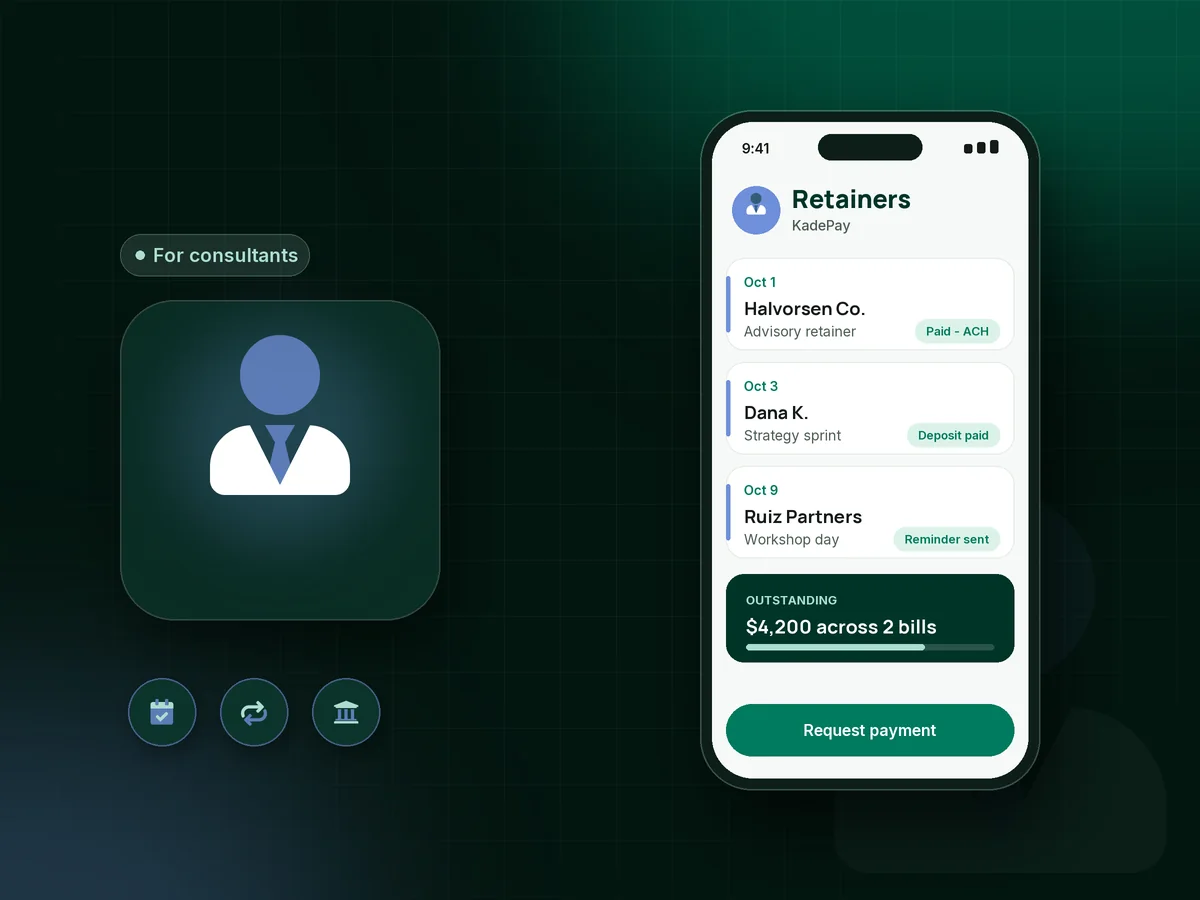
Illustration of invoicing software for consultants in KadePay showing a paid retainer, a signed agreement and a discovery call request

Sound familiar?

You sell judgment by the hour, not collections work.

Consulting income often arrives in large, uneven pieces, and one slow-paying client can sink a month. These are the billing moments independent consultants describe most, and how KadePay handles each one.

01

Net 30 quietly turns into net 60 while you keep working

The engagement is going well, the deliverables are in, and your invoice is still sitting in someone's accounts payable queue with no reply.

With KadePay

Send each bill by text and email with a PDF attached and scheduled reminders. Your client pays from the link by card or bank transfer, and the bill is marked paid when the payment goes through.

Ways to get paid
02

Starting a project before a new client has paid anything

You blocked two weeks for a strategy project, kickoff is Monday, and the deposit you asked for still has not arrived.

With KadePay

Send a fixed-amount consulting deposit link together with the agreement. Start the engagement once it is paid, then bill the balance at the milestone you agreed, with the deposit already on record.

Payment links and QR codes
03

Rebuilding the same retainer invoice every month

On the first of every month you copy last month's advisory invoice, change the date and hope it reaches the right person this time.

With KadePay

Set the consulting retainer up once as a recurring bill on the Team or Pro plan. The client authorizes a card or bank account, and each month is billed on schedule without you rebuilding anything.

Recurring billing
04

Card fees taking a bite out of a $12,000 project invoice

A large invoice paid by card costs you a noticeable slice, yet asking a client to mail a check slows everything down.

With KadePay

Offer ACH bank transfer on bigger invoices so the client pays from their business account. Clients who insist on a card can cover eligible credit card fees where the rules allow it.

Ways to get paid
05

A quoted fee the client sits on for months

You priced a workshop in March, the client finally says yes in June and expects the old rate, even though your calendar and fees have changed.

With KadePay

Send the quoted fee as a vanishing bill on Team or Pro that expires on the date you choose. If the link lapses, the next conversation starts at your current rate.

Vanishing bills

How it fits your week

From discovery call to paid engagement

  1. Discovery call booked

    A prospect taps the booking link in your email signature and requests a 30-minute discovery call. You review the request and confirm a time that suits you.

  2. Agreement and intake signed

    Send your consulting agreement and an intake questionnaire as a KadePay form. The client reads, completes and signs it on their phone, and it stays on their profile.

  3. Deposit before kickoff

    A fixed-amount link collects the deposit you set, by card, Apple Pay, Google Pay or bank transfer. Work begins when the deposit shows as paid.

  4. Milestones and retainers billed

    Bill each phase as it is delivered with the deliverable attached, or run a monthly retainer on Team or Pro. Reminders follow up on anything still open.

  5. Clean records for your accountant

    Download your transactions at month end or tax time and hand them to your bookkeeper, with each payment tied to the client and the bill it settled.

Every way your clients pay

  • Visa
  • Mastercard
  • American Express
  • Discover
  • Apple Pay
  • Google Pay
  • Tap to Pay
  • ACH bank transfer
  • Affirm, where eligible
  • Venmo
  • Zelle
  • QR codes
  • Text and email links

Availability depends on your account setup and eligibility. You confirm Venmo and Zelle payments after checking they arrived.

KadePay for consultants

Choosing the best invoicing software for consultants

Consultant billing software has one job: turn finished work into money in the bank without making the client relationship awkward. For most independent consultants that means three kinds of billing at once: a deposit before a project starts, milestone payments as deliverables land, and a consulting retainer for clients who keep you on call.

How to get paid as a consultant usually comes down to terms set early. Put your rate, payment schedule and late-fee terms in a consulting agreement the client signs before kickoff, ask for a consulting deposit, and send every bill with a clear due date. KadePay keeps the signed form, the deposit and every later bill on one client profile.

Large invoices change the math on payment methods. ACH bank transfer suits a $9,000 project payment, while a card or Apple Pay works fine for a $450 strategy session. If a client prefers Venmo or Zelle, they send it from their own app and you record it so the bill shows as paid.

KadePay does not log hours, build proposals or manage projects. Many consultants keep those in the tools they already use and run discovery call booking, signed agreements and payments through KadePay, then download transactions for their accountant.

CLEAR ANSWERS

Consultants: your questions, answered.

What is the best invoicing software for consultants who bill retainers?

Look for software that handles deposits, milestone bills and monthly retainers in one place and lets clients pay by card or bank transfer. KadePay does that, adds signed agreement forms and reminders, and keeps every payment on the client's profile so you can see who still owes what.

How do I get paid faster as a consultant?

Agree payment terms in writing before work starts, take a deposit at kickoff, and send each bill the day a phase is delivered. A bill that arrives by text and email with reminders is easier for a busy client to act on than a PDF buried in an inbox.

Can clients pay a large consulting invoice by ACH bank transfer?

Yes. The same bill link accepts ACH bank transfer alongside cards, Apple Pay and Google Pay, which suits five-figure project payments. Clients who prefer Venmo or Zelle can send from their own app, and you record the payment in KadePay.

Does KadePay track billable hours or write proposals?

No. KadePay has no timer, proposal builder or project board. Use it for what happens around the work: discovery call requests, signed agreements, deposits, retainers, bills and reminders. If you bill hourly, send a bill for the hours you logged elsewhere.

Can I set up a monthly retainer with automatic payments?

Yes, on the Team or Pro plan. Create a recurring bill for the retainer amount and ask the client to authorize a card or bank account on file. The client is notified of that authorization and can withdraw it whenever they choose.

How much does KadePay cost for an independent consultant?

A solo consultant can start on Pay-As-You-Go at $0 per month, and payment and usage fees apply. Team at $10 per month and Pro at $35 per month add recurring retainers, vanishing bills and team members. The KadePay pricing page lists the details.

YOUR WORK COMES FIRST

Make room for more clients.

Get started for free