Skip to content
KadePayGet started

KADEPAY FOR TAX PREPARERS

The payment app for tax preparers who are done chasing fees in May.

Tax season leaves no room for collections. KadePay lets clients request an appointment, complete and sign your intake form at home, and pay tax preparation fees by card, Apple Pay or ACH before you transmit the return, so you are not chasing balances after April 15.

Pay-As-You-Go starts at $0 per month. Usage and payment fees apply.

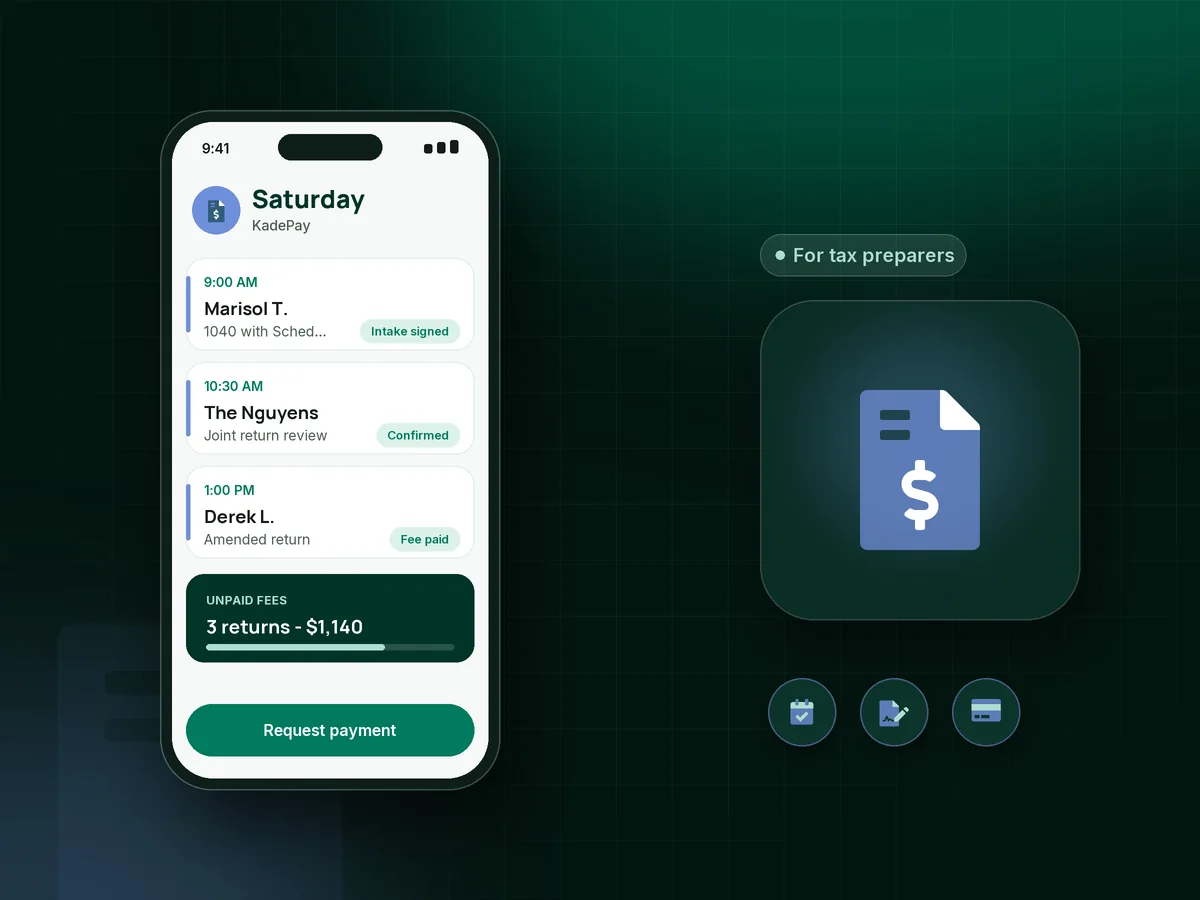
Illustration of a payment app for tax preparers showing tax season appointment requests, a signed intake form and a paid preparation fee

Sound familiar?

Tax season is short. Unpaid fees last all year.

Preparers on tax forums tell the same stories every spring: signed authorizations with no payment, checks that bounce after acceptance, and clients who vanish once the refund lands. Here is how KadePay handles the money side.

01

The return is ready and the fee is still unpaid

You finished the return, the client signed the authorization, and now they promise to pay as soon as the refund shows up.

With KadePay

Send the preparation fee as a bill by text and email the moment the return is ready. The client pays by card, wallet or bank transfer, and you transmit once it shows as paid.

Ways to get paid
02

Drop-offs, calls and walk-ins all at once in March

Clients call, text and show up at the same time, and the calendar lives in a paper planner next to the printer.

With KadePay

Share a booking link for drop-off, interview and review appointments. Clients request a time, you confirm it, and automatic reminders go out before each appointment.

Appointment booking
03

Intake questionnaires filled out in the waiting room

Clients arrive without their dependents' details or last year's AGI, and the first twenty minutes go to paperwork.

With KadePay

Send your tax client intake form and engagement terms before the appointment. Clients complete and sign them on their own phone, and the answers stay on their profile for next season.

Forms and signatures
04

Big returns with fees clients can't pay at once

A self-employed client with three rental properties owes you $1,400, and they can only manage it in pieces.

With KadePay

Take a tax prep deposit when you start a complex return, then agree a payment plan for the rest, with a set number of installments collected from the card or bank account the client saved.

Payment plans
05

Out-of-state clients who still mail checks

Half your clients moved away years ago, and their check arrives a week after you sent the finished return.

With KadePay

Text remote tax clients a payment link they can pay from anywhere by card, Apple Pay, Google Pay or ACH, or record Zelle when they send it from their bank app.

Payment links and QR codes

How it fits your week

One tax season, from first call to final payment

  1. Appointment requested

    Returning and new clients use your booking link to request a drop-off, interview or virtual review slot. You confirm each one, and reminders go out before the visit.

  2. Intake before they arrive

    Your questionnaire, engagement terms and fee policy go out as a KadePay form. Clients answer and sign on their own phone before the appointment.

  3. Deposit for complex returns

    For business, rental or multi-state returns, a fixed-amount link collects the deposit you set before you start preparing anything.

  4. Fee settled before you transmit

    When the return is ready, send the bill. Clients pay by card, Apple Pay, Google Pay or ACH, and you file once the fee shows as paid.

  5. Year-round clients on schedule

    Quarterly planning or bookkeeping clients can move to a recurring bill on Team or Pro, so the relationship and the revenue do not stop in April.

Every way your clients pay

  • Visa
  • Mastercard
  • American Express
  • Discover
  • Apple Pay
  • Google Pay
  • Tap to Pay
  • ACH bank transfer
  • Affirm, where eligible
  • Venmo
  • Zelle
  • QR codes
  • Text and email links

Availability depends on your account setup and eligibility. You confirm Venmo and Zelle payments after checking they arrived.

KadePay for tax preparers

Finding the best payment app for tax preparers

Collect tax prep fees upfront, or at least before the return goes out: that is the advice repeated most often by experienced preparers. Once a return is accepted, a small unpaid balance is rarely worth pursuing, so making payment easy at the right moment protects most of your season.

Tax preparation fees vary widely, from a simple 1040 to a business return with depreciation schedules. KadePay lets you send each client a bill for the exact amount, take a tax prep deposit for complex work, or set a payment plan for tax prep fees when a client needs to spread out a larger balance.

You can accept credit cards for tax prep at your desk with Tap to Pay, by a printed QR code, or by text for remote tax clients. Year-round tax clients who use you for quarterly planning or bookkeeping can be billed on a recurring schedule on Team or Pro.

KadePay does not prepare or transmit returns and does not take fees out of refunds. Keep your tax software for the return itself and use KadePay for tax season appointments, intake, deposits and collecting the fee.

CLEAR ANSWERS

Tax preparers: your questions, answered.

What is the best payment app for tax preparers with a small office?

One that lets clients pay before you transmit without slowing the season down. KadePay takes cards, Apple Pay, Google Pay and ACH by link, QR code or Tap to Pay, and adds appointment requests, signed intake forms, deposits and payment plans in the same app.

How do I collect my fee before filing a client's return?

Send the fee as a bill when the return is ready for review, and hold transmission until it shows as paid. State that policy in your engagement terms so clients know the fee is due before anything is filed.

Can KadePay take my preparation fee out of the client's refund?

No. KadePay does not offer refund transfers or other bank products. Clients pay your fee directly by card, digital wallet or bank transfer, or you agree a payment plan for larger balances.

Can I offer a payment plan for tax prep fees?

Yes. Agree the number of installments with the client, and KadePay collects each one from the card or bank account they saved and authorized. It works well for business and rental returns where the fee runs into four figures.

Do clients need an app to pay or fill out my intake form?

No download is needed. Clients open your link on their phone, sign in, complete and sign the form, and pay from the bill. They can add your business page to their home screen to find bills and appointments next season.

What does KadePay cost during and after tax season?

Pay-As-You-Go has a $0 monthly plan price, and payment and usage fees apply, which suits an office that is busy four months a year. Team at $10 per month and Pro at $35 per month add recurring billing for year-round clients and accounts for seasonal staff. Check the pricing plans page for details.

YOUR WORK COMES FIRST

Make room for more clients.

Get started for free