Skip to content
KadePayGet started

KADEPAY FOR DOG WALKERS & PET SITTERS

Dog walking software that bills the week while you walk the dogs.

Your day is twelve leashes, three lockbox codes and a dog who will only turn left. KadePay sells walk packages, bills regular clients weekly to an authorized card, takes holiday sitting deposits and keeps access notes private, so Friday is not spent chasing payment requests.

Pay-As-You-Go starts at $0 per month. Usage and payment fees apply.

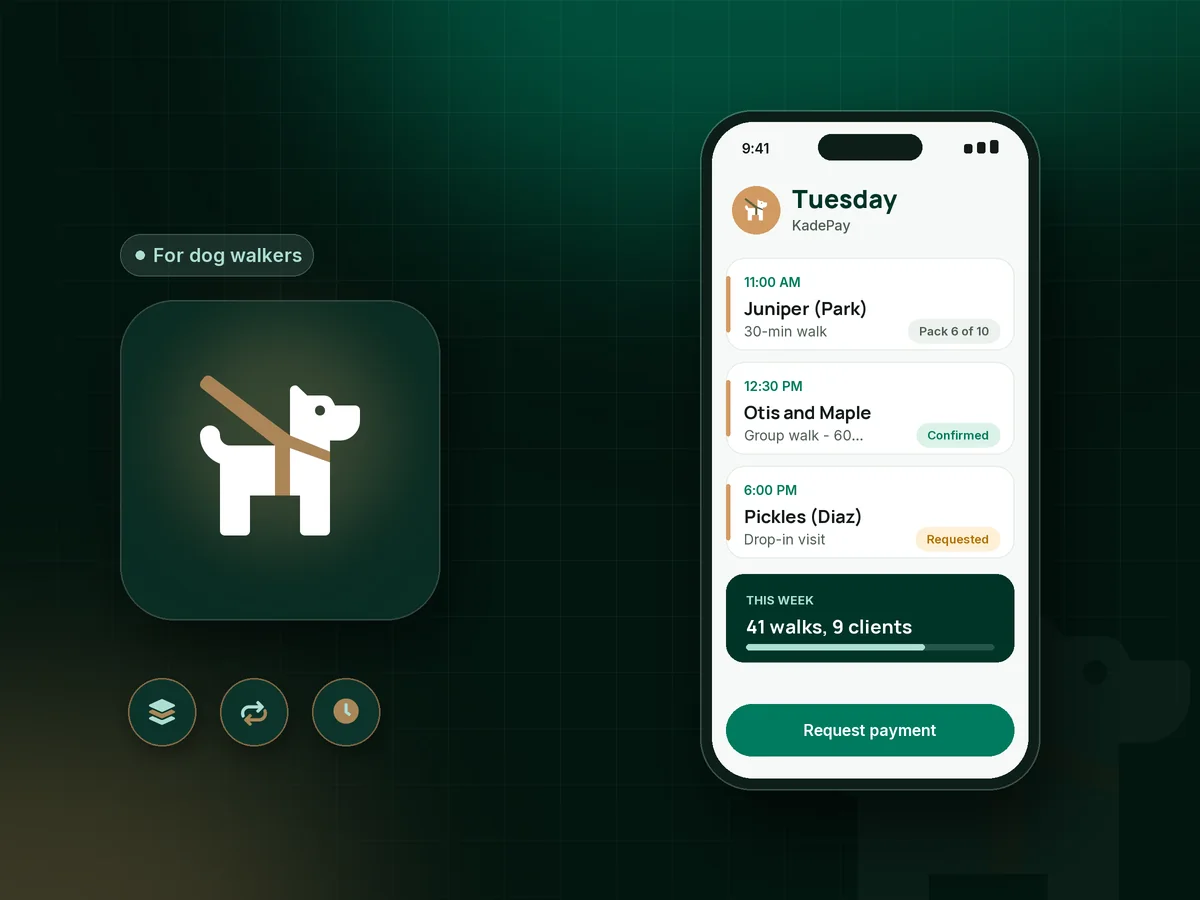
Illustration of dog walking software in KadePay with a day of walks, a weekly bill paid by card on file and a holiday pet sitting request

Sound familiar?

Walking the dogs is the easy part of the job.

Dog walkers and sitters run a business on foot, between apartment lobbies and back gates. These are the money and admin moments they complain about in walker groups, and how KadePay helps with each one.

01

Chasing last week's walks every Friday

You bill after the walks, half your clients pay within a day, and the rest need two reminders and a guilty text before the money arrives.

With KadePay

On Team or Pro, bill regulars a weekly amount to the card they authorized, or sell a ten-walk pack they pay for up front. Either way, the money is settled before the leash comes off the hook.

Recurring billing
02

Payments scattered across Venmo, Zelle and checks

One client sends Venmo with a dog emoji, another pays by Zelle with no note, and one still leaves a check under the mat.

With KadePay

Send every client a KadePay bill they can pay by card, Apple Pay, Google Pay or bank transfer. If someone still prefers Venmo or Zelle, record it against their bill with no KadePay fee.

Venmo, Zelle and cards
03

Holiday sitting dates booked and then dropped

Christmas week fills in October, and a family cancels on December 20 after you turned down three other homes.

With KadePay

Confirm the request, then send the deposit as a vanishing bill on Team or Pro, so the payment link expires if it is not paid within 48 hours and you can release the dates. Your signed contract covers late cancellations.

Vanishing bills
04

Keys, codes and vet details in your camera roll

The lockbox code is in a text from March, the backup vet is in an email, and a new walker covering your Tuesday cannot find either.

With KadePay

Keep entry codes, alarm notes and feeding routines as private notes on the client profile, and collect the vet release and emergency contact in a signed form. Clients never see your notes.

Customer profiles and notes
05

Free intro visits that never turn into clients

You drive across town for a free meet and greet, the family loves you, and then the paperwork and first payment drift for two weeks.

With KadePay

Share a booking link for meet and greet visits and confirm each request. Send your service agreement and vaccine upload form the same evening, so the family can sign and start on Monday.

Appointment booking

How it fits your week

How a walking week runs in KadePay

  1. Intro visit requested

    A new client requests an intro visit from the link in your bio. You confirm it, and the visit lands on your calendar at their address.

  2. Paperwork and payment set up

    They sign your service agreement and vet release, upload the dog's vaccine record, and either buy a walk pack or authorize a card for weekly billing.

  3. Walks on the calendar

    Each walk or drop-in is its own appointment with its own address. Private notes hold the gate code, leash quirks and treat rules.

  4. Paid without asking

    Pack walks are recorded as they happen, weekly clients are billed on schedule, and extras like a bath after a muddy walk go on a bill.

  5. Photos for the owner

    Drop walk photos into the client's Gallery folder, shared read-only, so they can check on the park adventures from work.

Every way your clients pay

  • Visa
  • Mastercard
  • American Express
  • Discover
  • Apple Pay
  • Google Pay
  • Tap to Pay
  • ACH bank transfer
  • Affirm, where eligible
  • Venmo
  • Zelle
  • QR codes
  • Text and email links

Availability depends on your account setup and eligibility. You confirm Venmo and Zelle payments after checking they arrived.

KadePay for dog walkers

Choosing dog walking software that keeps your weeks paid

Most walkers start with a notes app, a payment app and a lot of texting. That works for five dogs. At fifteen, a dog walker invoice every Friday and a chase on Monday start eating the hours you could spend walking, and a dog walking app that handles the money becomes worth it.

Prepaid dog walking packages and weekly dog walking billing to an authorized card fix most of the chasing. Clients know what they pay, you know when it arrives, and nobody has to bring it up at the door. Pet sitter payments for overnights and holidays work best with a deposit taken after you confirm the dates.

A holiday pet sitting deposit and a signed pet sitting contract protect the weeks that book up first. Good pet sitting software also keeps the details that matter on a visit: entry codes, feeding notes, the vet release and the vaccine record, all in one profile.

In KadePay, a meet and greet is a booking request you confirm, the paperwork is a form signed on the client's phone, and every walk can have its own address. Walk photos go into a shared Gallery folder, so owners at work see their dog had a good afternoon.

CLEAR ANSWERS

Dog walkers & pet sitters: your questions, answered.

What is the best dog walking software for a solo walker?

Choose one that gets you paid before or right after the walk without chasing. KadePay sells walk packs, bills regulars weekly to an authorized card on Team or Pro, takes holiday deposits, and keeps contracts, vaccine records and private access notes on each client.

How should dog walkers bill clients: per walk, weekly or by package?

All three work in KadePay. Send a bill after each walk, set a weekly recurring amount on Team or Pro for regular schedules, or sell a pack of ten walks up front and record each one. Many walkers mix weekly billing for regulars with packs for occasional clients.

How do I take a deposit for holiday pet sitting?

Confirm the dates first, then send a deposit link or bill for the amount in your pet sitting contract. On Team or Pro, a vanishing bill expires if it goes unpaid, so you can release the dates to another family without an awkward conversation.

Where should a dog walker keep client keys and lockbox codes?

Keep codes and entry instructions in private notes on the client's KadePay profile, which clients never see. On Team or Pro, you choose what each team member can access. Track physical keys with a signed key release form so everyone knows who holds which set.

Can clients pay their dog walker with Venmo or Zelle?

Yes. They send it from their own app and you record the payment on their KadePay bill, so your records stay complete. KadePay charges nothing on recorded Venmo or Zelle payments, and it is up to you to confirm the money actually arrived.

How much does KadePay cost for a dog walking business?

Pay-As-You-Go is $0 per month for a walker just starting, and payment and usage fees apply. Weekly recurring billing, vanishing bills and walker logins come with Team at $10 per month or Pro at $35 per month, as the pricing page explains.

YOUR WORK COMES FIRST

Make room for more clients.

Get started for free