Skip to content
KadePayGet started

KADEPAY FOR LOCKSMITHS

The locksmith invoice app that gets paid before you pull away.

It is 11:40 PM, the customer is back in the car and suddenly searching for a wallet. KadePay keeps the price you agreed on the phone in writing, records the ownership check with a signature and takes the card on your phone before you leave the parking lot.

Pay-As-You-Go starts at $0 per month. Usage and payment fees apply.

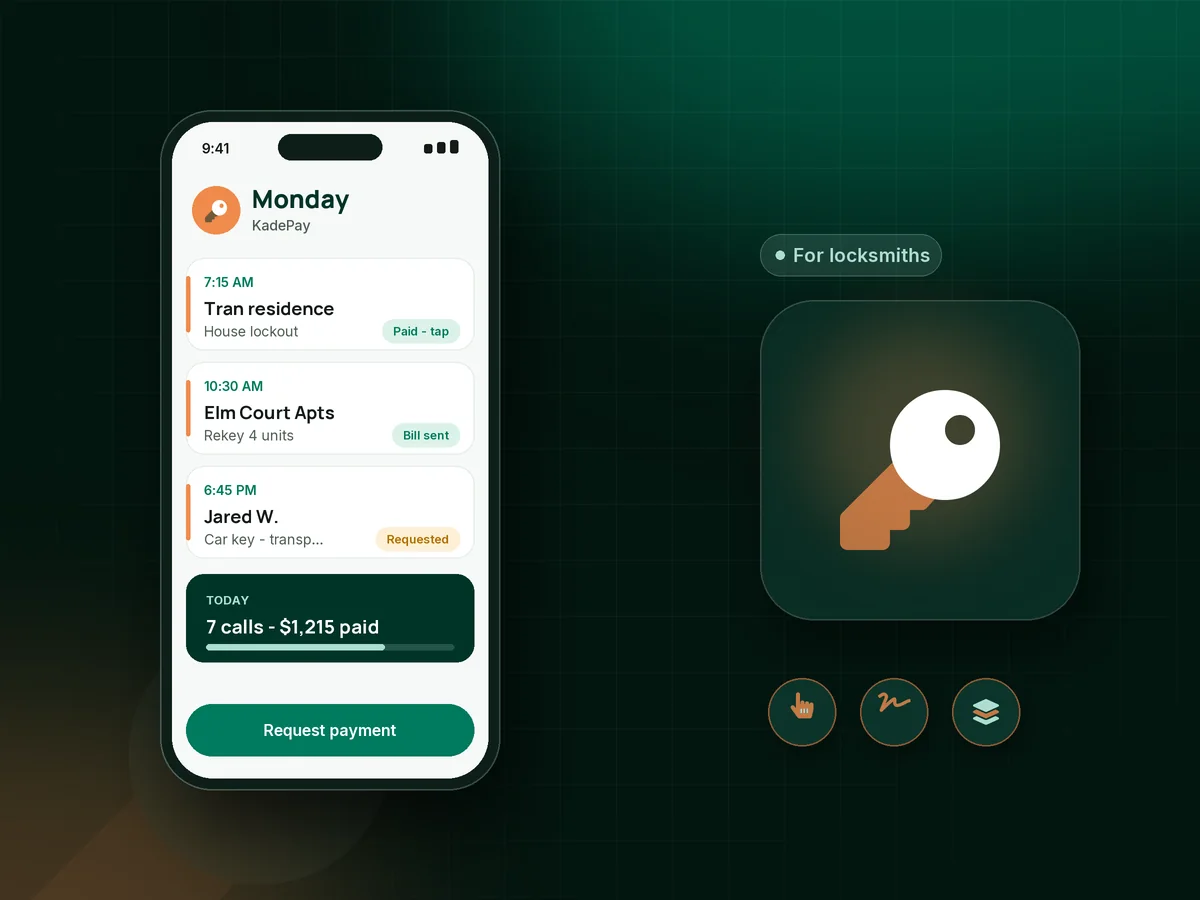
Illustration of a locksmith invoice app with a mobile locksmith's Monday of lockouts, a rekey bill and a paid car key replacement

Sound familiar?

The door is open. The wallet is not.

Locksmiths get called at the worst moment of someone's day, and that is exactly when payment gets slippery. These are the situations locksmiths describe most often, and how KadePay helps you handle them.

01

The customer argues the price once they are back inside

You quoted $145 for the after-hours lockout on the phone, it took four minutes, and now the customer says that is too much for four minutes.

With KadePay

Text the agreed service call fee as a bill before you arrive, then have the customer sign the price with your authorization form on site. The amount is in writing before you touch the lock.

Forms and signatures
02

Opening a door for someone who may not live there

Every lockout comes with the same worry: is this person really the owner, and what happens if they are not?

With KadePay

Use a proof of ownership form with ID details and a signature, completed on the customer's phone. It stays on their profile with the date of the job.

Forms and signatures
03

Collecting at a roadside or parking lot

There is no counter, no card terminal and no light, and the customer only has a phone and a credit card.

With KadePay

Take the payment with Tap to Pay on a compatible iPhone or Android phone after payment setup. The receipt goes to the customer by text or email right away.

Tap to Pay and card readers
04

Property managers who pay rekeys a month later

You rekey units between tenants every week, and the management company pays your invoices whenever their cycle comes around.

With KadePay

Ask the property manager to authorize a card or bank account for current and future bills. Charge each rekey when it is done and send the bill with photos of the new hardware.

Card on file
05

Key codes and building notes kept in a paper notebook

The office suite uses a master key system you set up years ago, and the details are in a binder back at the shop.

With KadePay

Keep key code records, hardware brands and building contacts in private notes on each customer profile. Customers never see them, and you can read them on the job.

Customer profiles and notes

How it fits your week

How a locksmith call runs with KadePay

  1. The customer reaches out

    Planned work like rekeys and smart lock installs comes in through your booking link as a request. You confirm a time, and lockouts are handled when the phone rings.

  2. Price agreed in writing

    Text the service call and labor price before you drive over, so there is no surprise when the customer sees the total.

  3. Ownership checked and signed

    On site, the customer completes your authorization and ownership form on their phone, and you check the ID before you start.

  4. Paid before you leave

    Take the payment with Tap to Pay, let the customer scan the QR on your van, or charge a card that a property manager authorized earlier.

  5. Records for every lock you touch

    Each customer profile keeps the signed forms, photos of installed hardware and private notes about key systems for the next call.

Every way your customers pay

  • Visa
  • Mastercard
  • American Express
  • Discover
  • Apple Pay
  • Google Pay
  • Tap to Pay
  • ACH bank transfer
  • Affirm, where eligible
  • Venmo
  • Zelle
  • QR codes
  • Text and email links

Availability depends on your account setup and eligibility. You confirm Venmo and Zelle payments after checking they arrived.

KadePay for locksmiths

What the best app for locksmith business owners needs to handle

Locksmith software ranges from full shop systems with parts and van stock to simple payment apps. A mobile locksmith mostly needs three things on the phone: the agreed price in writing, a signed ownership record and a way to take the card on the spot.

A lockout service call fee is easiest to collect when it was agreed before you arrived. Text it as a bill, then let the customer pay by Tap to Pay or from the link once they are back inside. After-hours locksmith rates should be stated the same way, so a midnight call never turns into a debate.

A proof of ownership form protects you and the customer. Collect it with a signature on their phone, keep it on their profile, and add a photo of the vehicle or door if you like. Mobile locksmith payments then sit next to the paperwork for that job.

Repeat work is steadier. A rekey invoice for an apartment turnover, commercial locksmith billing for a store's new hardware or a car key replacement payment for a dealership customer can all go out with photos attached, charged to a card the customer authorized or paid from a link. That is what a locksmith invoice app should do for you.

CLEAR ANSWERS

Locksmiths: your questions, answered.

What is the best locksmith invoice app for a mobile locksmith?

Look for on-site card payment, signed ownership forms and bills with photos. KadePay takes cards with Tap to Pay on a compatible phone, collects signed forms on the customer's phone, keeps private key notes and lets repeat accounts authorize a card on file.

How do I make sure a lockout customer pays?

Agree the price before you drive out and send it in writing. On site, have the customer sign your authorization form, then take the payment by Tap to Pay or from the link before you leave.

How do I document proof of ownership for a lockout?

Use a KadePay form that records the customer's ID details and authorization with a signature on their phone. The signed form is saved on their profile with the date. Check your state's rules for what to verify.

Can landlords and property managers keep a card on file for rekeys?

Yes. They authorize a card or bank account for current and future bills, are notified of each charge and can revoke it. You charge each rekey when it is done and send the bill with photos.

Can I take card payments without a card reader?

Yes. Tap to Pay works on a compatible iPhone or Android phone with the KadePay app after payment setup. You can also print a QR for your van or text a payment link.

How much does KadePay cost for a locksmith?

For a one-van locksmith, Pay-As-You-Go starts at $0 per month; payment and usage fees apply. If you hire a second tech, Team at $10 per month or Pro at $35 per month adds team members and recurring billing. The KadePay pricing page lists the details.

YOUR WORK COMES FIRST

Make room for more customers.

Get started for free