Skip to content
KadePayGet started

KADEPAY FOR HANDYMAN SERVICES

A handyman invoice app for every small job on the list.

Mount a TV at 9, patch drywall at 11, swap a garbage disposal after lunch, and bill all three before dinner. KadePay gives handymen a simple way to send bills with photos, take a card on a compatible phone, collect a trip charge or deposit by link, and remember every customer's quirks.

Pay-As-You-Go starts at $0 per month. Usage and payment fees apply.

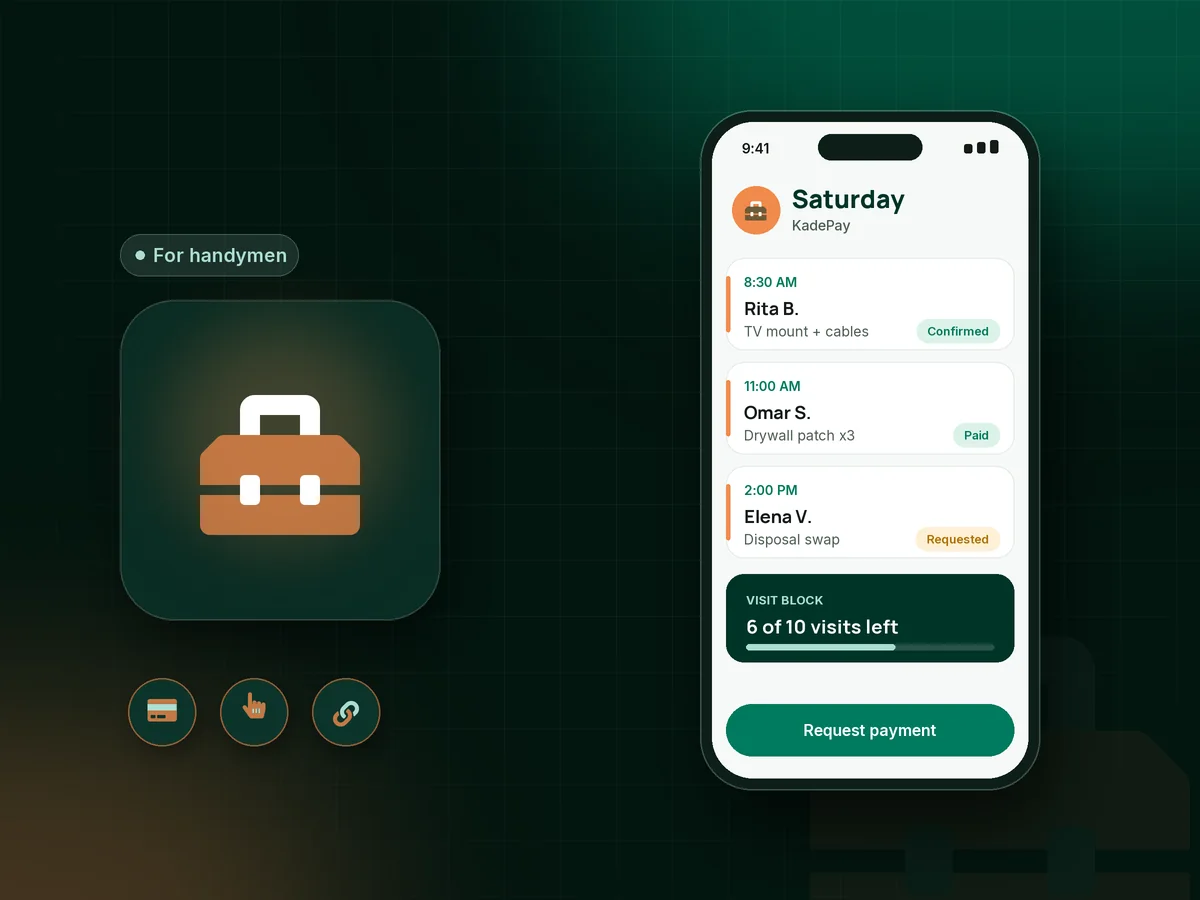
Illustration of a handyman's day in the KadePay handyman invoice app with a TV mount, a drywall patch and a paid honey-do list

Sound familiar?

Small jobs, small bills, and too much chasing

Handyman work is a stream of $90 and $250 jobs, and each one carries the same paperwork as a big one. These are the spots where small-job money leaks, and how KadePay closes them.

01

Driving across town for a job that gets canceled at the door

You burn 30 minutes and a gallon of gas, the homeowner found someone cheaper, and the morning slot is gone for good.

With KadePay

Collect a trip charge with a fixed-amount link once you confirm the visit, explained in a policy form the customer signs. Credit it toward the final bill when the work goes ahead.

Payment links and QR codes
02

Bills written on the back of a receipt at the end of the day

By the time you sit down at night, you have forgotten the extra outlet cover and the second trip to the hardware store.

With KadePay

Create the bill on your phone before you leave the porch, attach a photo of the finished shelf, and text it. Turn on reminders for the customers who tend to forget.

Ways to get paid
03

Customers who only want to pay with Venmo or Zelle

Half your customers want to send Venmo, the other half use Zelle, and your records are a mess when tax season comes around.

With KadePay

Let customers pay a bill by card or bank transfer, or record the Venmo or Zelle payment they sent from their own app. Recorded Venmo and Zelle payments carry no KadePay fee.

Venmo, Zelle and cards
04

Property managers and landlords who need a paper trail

The property manager wants photos, a clear amount and an invoice per unit, and pays 30 days later if anything is missing.

With KadePay

Send one bill per unit with before and after photos attached, and keep each property's lockbox code, contact and unit notes in private notes on the customer profile.

Customer profiles and notes
05

Regulars who want you monthly but hate a new bill each time

Mrs. Patel has a new list every few weeks, and both of you are tired of a separate invoice for every two-hour visit.

With KadePay

Sell a prepaid block of visits as a package, then record each visit as it is used. Booking each visit stays separate, so your calendar is still yours to confirm.

Packages and sessions

How it fits your week

A handyman day, from request to paid

  1. Requests from one link

    Share one Flex Link on your truck QR and your listings. Customers pick booking or payment, request a time for their list, and you confirm the visit that fits your day.

  2. Know the list before you go

    Ask customers to add photos of the wobbly railing or leaking faucet to a shared Gallery folder, so you bring the right parts the first time.

  3. Do the work

    Knock out the list and snap before and after photos. Private notes record the paint color, the garage keypad code and which dog needs to stay inside.

  4. Bill before the next stop

    Tap a card on a compatible phone, show your QR for the agreed amount, or text the bill with photos and let reminders follow up.

  5. Keep the regulars

    Offer prepaid visit packages or, on Team or Pro, a monthly home-care plan billed as a recurring payment with the customer's authorization.

Every way your customers pay

  • Visa
  • Mastercard
  • American Express
  • Discover
  • Apple Pay
  • Google Pay
  • Tap to Pay
  • ACH bank transfer
  • Affirm, where eligible
  • Venmo
  • Zelle
  • QR codes
  • Text and email links

Availability depends on your account setup and eligibility. You confirm Venmo and Zelle payments after checking they arrived.

KadePay for handymen

Best handyman app: a handyman invoice app sized for small jobs

A handyman business lives on volume. Ten jobs a week at $150 to $400 each means ten bills, ten payments and ten chances for something to slip. A handyman invoice app should make each of those take a minute, from the photo of the rehung door to the payment notice, so the admin does not eat your evenings.

Pricing varies from job to job. Some work goes by your handyman hourly rate, some by a flat price per task, and a honey-do list often mixes both. KadePay does not price the job for you; you decide the amount, write what was done and attach the photos, and the customer pays by card, bank transfer, Apple Pay or Google Pay from the link.

If you have been wondering how to take card payments as a handyman without renting a terminal, Tap to Pay on a compatible phone and a printed QR cover nearly every doorstep. Property manager repairs work better with one bill per unit and photos attached. For customers who send Venmo or Zelle, record the payment so every job shows paid in one place, ready for your bookkeeper's transaction download.

CLEAR ANSWERS

Handyman services: your questions, answered.

What is the best handyman invoice app for a one-person business?

Pick one you can use from the porch. KadePay creates bills with photos on your phone, sends them by text or email with reminders, takes Tap to Pay on a compatible phone and records Venmo or Zelle. Customers can also request visits from your booking link.

Should I charge a handyman trip charge or a deposit?

Many handymen do for long drives or special-order parts. Explain the trip charge in a short policy form, collect it with a fixed-amount link once you confirm the visit, and credit it on the final bill. Use a deposit link before buying fixtures.

How do I take card payments as a handyman without a card reader?

Complete payment setup in the KadePay app and use Tap to Pay on a compatible iPhone or Android phone. The customer taps a card or phone wallet. A texted bill or your printed QR works when they would rather pay on their own phone.

Can I record Venmo and Zelle payments from handyman customers?

Yes. The customer sends the money from their own Venmo or Zelle app, and you record the payment against their bill once you see it arrived. KadePay takes no fee on those recorded payments, and your job list stays complete.

Can I sell regular customers a block of handyman visits?

Yes. Create a package of five or ten visits, sell it once, and record each visit as you use it. Each visit is still requested and confirmed on its own, so the package covers the visits while your calendar stays under your control.

How much does a handyman pay for KadePay?

A solo handyman can start on Pay-As-You-Go at $0 per month, and payment and usage fees apply. If you add a helper who needs their own login, or want monthly recurring billing, the Team plan is $10 per month. The pricing page lists every plan side by side.

YOUR WORK COMES FIRST

Make room for more customers.

Get started for free