Skip to content
KadePayGet started

KADEPAY FOR MUSIC TEACHERS & STUDIOS

Music lesson billing software for studios, from first lesson to recital.

Thirty-minute piano lessons back to back, a guitar student who needs a makeup, and a spring recital to organize. KadePay keeps monthly lesson tuition, lesson packages, signed studio policies and payments together, so the business side of your studio fits between students instead of after dinner.

Pay-As-You-Go starts at $0 per month. Usage and payment fees apply.

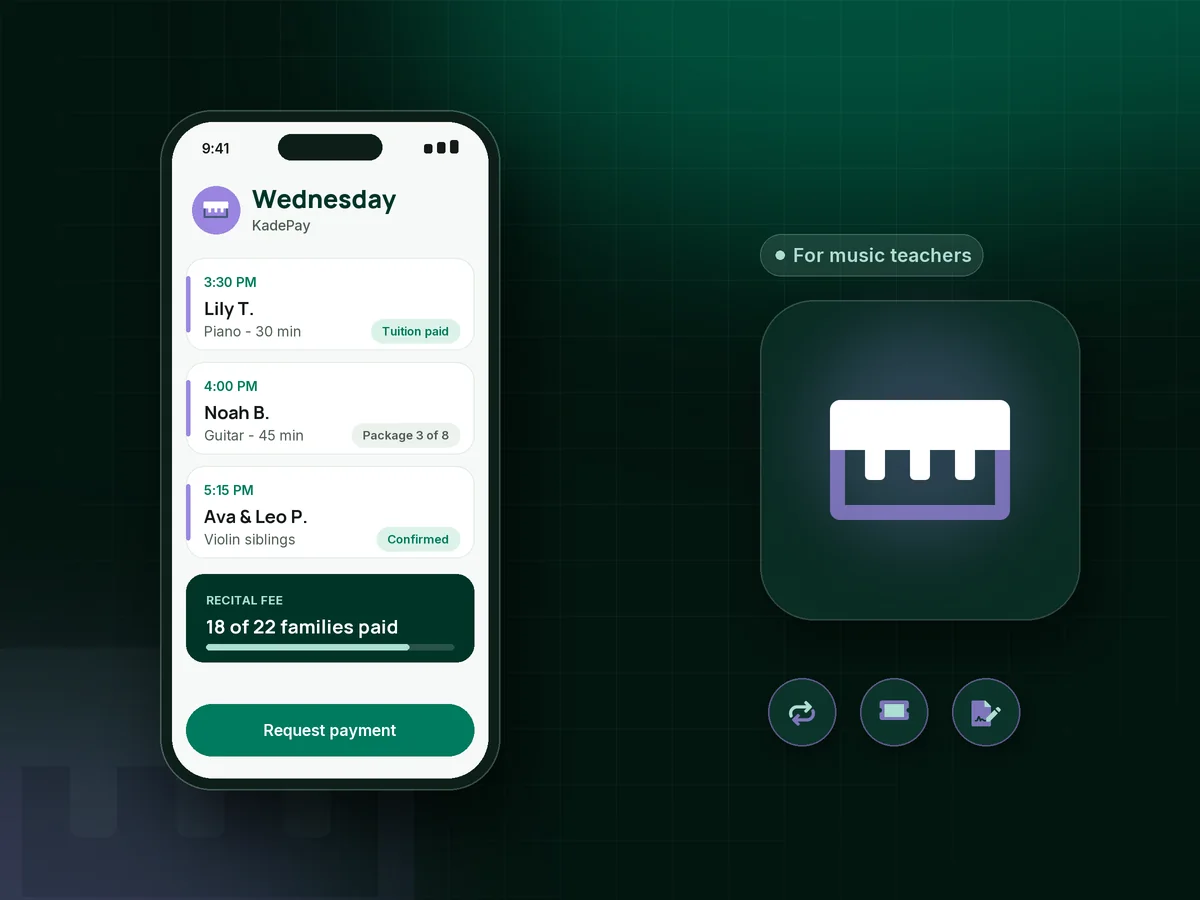
Illustration of music lesson billing software in KadePay with a teacher's afternoon of piano and guitar lessons and a paid monthly tuition bill

Sound familiar?

Teaching music is the easy part of the week.

Studio teachers juggle repertoire, recitals and a calendar that changes every school season. These are the money moments music teachers bring up again and again, and how KadePay takes care of them.

01

Checks on the piano bench, or no check at all

Tuition is due on the first, but payments drift in through the month as checks, cash in envelopes and the occasional promise to pay next week.

With KadePay

On Team or Pro, send monthly lesson tuition as a recurring bill with reminders, and let parents authorize a saved card so payment arrives without a conversation at the lesson door.

Recurring billing
02

Four-lesson months and five-lesson months

Some months have five Tuesdays, some have a holiday, and every family wants to know why this month costs a little more than last.

With KadePay

Pick the model that suits your studio: a flat monthly amount spread over the teaching year, or lesson packages that count down one lesson at a time. Either way, parents see exactly what they paid for.

Packages and sessions
03

Missed lessons and makeup requests

A student cancels the morning of the lesson, asks for a makeup, and you cannot quite remember what your own policy promised.

With KadePay

Write your missed lesson policy into a studio policy form that parents sign at registration. When a request comes in, the signed answer is on the student profile, and a makeup becomes a new request you confirm.

Forms and signatures
04

Recital, book and festival fees on top of tuition

Every spring brings a $35 recital fee, a theory book, an exam registration, and a list of who paid scribbled on the back of sheet music.

With KadePay

Create one fixed-amount recital fee link with questions for the student's name and instrument. Share it with every family, and each payment lands in your transactions with those answers attached.

Payment links and QR codes
05

Siblings, separate lesson times and one parent

Two kids on piano and one on cello means three lesson times, three sets of notes and one parent who wants a single total.

With KadePay

Keep siblings under one parent profile with private notes for each student, and send that parent one family bill. On Team or Pro, every teacher in your studio gets their own login.

Customer profiles and notes

How it fits your week

A studio month with KadePay

  1. A trial lesson request

    A parent taps the link on your studio website and requests a trial lesson for their child. You look at your teaching day and confirm the slot that works.

  2. Registration before the first lesson

    The parent fills in the student's age, instrument and experience, signs your studio rules and photo release, and can authorize a saved card for tuition.

  3. Weekly lessons with reminders

    Your music studio scheduling lives in one calendar with 30, 45 or 60 minute lessons. Automatic reminders go out before each lesson, and vacation blocks keep holidays clear.

  4. Tuition on the first of the month

    Recurring bills go out on the date you choose, with reminders for anyone who has not paid. Parents pay by card, phone wallet or bank transfer from the link.

  5. Recital season without a cash box

    Share the fee link, sell guest tickets for the recital with QR check-in at the door, and see who has paid at a glance.

Every way your students pay

  • Visa
  • Mastercard
  • American Express
  • Discover
  • Apple Pay
  • Google Pay
  • Tap to Pay
  • ACH bank transfer
  • Affirm, where eligible
  • Venmo
  • Zelle
  • QR codes
  • Text and email links

Availability depends on your account setup and eligibility. You confirm Venmo and Zelle payments after checking they arrived.

KadePay for music teachers

Music lesson billing software: what the best app for music teachers does

Most studios start with a notebook and a box of checks, and that works for six students. By twenty, the notebook cannot tell you who paid for October, who owes the recital fee and who has two makeups banked. A billing app replaces that notebook with a record per student and a bill per family.

Monthly tuition and lesson packages solve different problems. Tuition rewards commitment and keeps your schedule steady: $160 a month for weekly 30-minute lessons, the same whether the month has four Tuesdays or five. Packages suit adult learners and summer students who cannot hold a weekly slot.

A clear studio policy is one of the kindest things you can give families. Spell out the makeup rules, the due date and any late fee, and collect a signature at registration. Then the policy does the talking when a parent asks for an exception in May.

To accept card payments for music lessons, you do not need a reader sitting on the piano. Send a link, use Tap to Pay on a compatible phone after payment setup, or charge an authorized card. Families who prefer Zelle or Venmo can keep using it, and you record those payments with no KadePay fee.

CLEAR ANSWERS

Music teachers: your questions, answered.

What is the best music lesson billing software for a home piano studio?

A home studio needs three things: tuition that goes out on schedule, a signed studio policy, and easy ways for parents to pay. KadePay covers all three, with recurring tuition on Team or Pro, plus lesson packages, recital and exam fee links and trial lesson requests.

How should a music teacher handle missed lessons?

Decide the rule first: how much notice earns a makeup and how many makeups a term allows. Put it in the policy form parents sign. When a lesson is missed, the signed policy is on file, and the makeup becomes a new appointment request you confirm.

Can I charge a late fee on monthly tuition?

Yes, when the late fee is written into the policy parents signed. Send it as its own bill, or charge it to a card the parent authorized. Reminders on the tuition bill help families remember the due date before a late fee ever applies.

Can I sell tickets to my student recital?

Yes. Create a ticket link for the recital, share it with families, and scan each ticket's QR code at the door. Tickets do not assign seats or stop at a hall size, so watch the count and stop sharing the link when the room is full.

Does KadePay replace my lesson notes or practice tracking?

No. KadePay is for payments, lesson booking requests, forms, packages and private business notes. Keep repertoire and practice logs in the tool or notebook you already use; you can store assignment PDFs in a shared Gallery folder on the student profile.

How much does KadePay cost for a music teacher?

You can start on Pay-As-You-Go for $0 a month, and payment and usage fees apply. Recurring tuition and teacher logins come with Team at $10 or Pro at $35 a month; the pricing page has the full comparison.

YOUR WORK COMES FIRST

Make room for more students.

Get started for free