Skip to content
KadePayGet started

KADEPAY FOR TUTORS & TUTORING CENTERS

Tutoring billing software that lets you get back to teaching.

Algebra on Tuesday, SAT prep on Thursday, and a parent who still owes for last month. KadePay brings prepaid tutoring sessions, booking requests, signed policies and family bills into one place, so the hour goes to fractions and essay structure instead of payment follow-ups.

Pay-As-You-Go starts at $0 per month. Usage and payment fees apply.

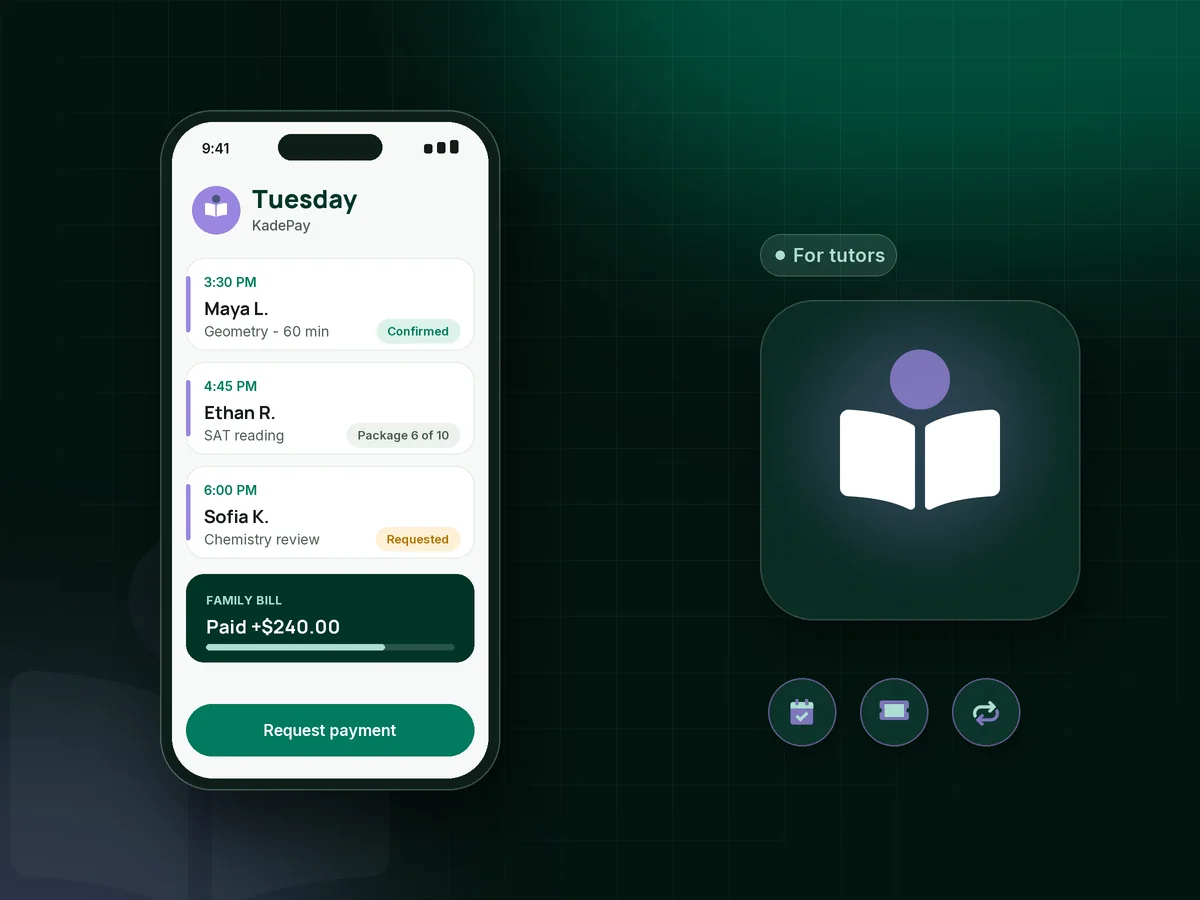
Illustration of tutoring billing software in KadePay showing a tutor's afternoon of student sessions, a prepaid package and a paid family bill

Sound familiar?

You signed up to teach, not to chase parents.

Most tutors run the business between sessions, from a phone in the car or a corner table at the library. These are the money moments tutors describe most often, and how KadePay deals with them.

01

Parents who pay whenever they remember

You taught four sessions in March, texted the total, and three weeks later you are still not sure whether the Venmo ever came through.

With KadePay

Send one bill per family by text or email, with reminders until it is paid. If a parent prefers Venmo or Zelle, record the payment so every session on the bill shows as settled.

Ways to get paid
02

Cancellations an hour before the session

Soccer practice ran late, a cold came on, or the chemistry test got moved. The slot is gone, and so is the income you planned around.

With KadePay

Put your tutoring cancellation policy in a sign-up form the parent signs, and ask for a card authorization at the same time. After a late cancel, charge the fee your signed policy describes.

Forms and signatures
03

Losing count of prepaid sessions

A family bought ten sessions in September, and by November nobody can say for sure whether three are left or five.

With KadePay

Sell tutoring packages of 5, 10 or 20 sessions and record each one as it is used, so the parent sees the same count you do. Booking each session stays a separate step.

Packages and sessions
04

Scheduling by group text around school calendars

Finals week, sports seasons and holiday breaks reshuffle every family's week, and the back-and-forth texts follow you into the evening.

With KadePay

Share a booking link with your subjects, session lengths and open hours. Parents request a time, you confirm the ones that fit, and automatic reminders go out before each session.

Appointment booking
05

A center billing forty families and six tutors

Once you add tutors and rooms, month-end tutoring center billing becomes a weekend of spreadsheets and copied invoice emails.

With KadePay

On Team or Pro, set up recurring monthly bills per family, give each tutor a login with the permissions you choose, and download transactions for your bookkeeper when the month closes.

Recurring billing

How it fits your week

How a tutoring week runs in KadePay

  1. A parent finds you

    They tap the link in your website or a school newsletter, pick a subject and request a first session. You review the request against your week and confirm it.

  2. Sign-up paperwork on their phone

    The parent answers your questions about grade level, goals and upcoming tests, signs your policies, and can authorize a card for future sessions.

  3. Sessions at the table or on video

    Teach at the kitchen table, the library or over video. Private notes on the student profile track goals, test dates and which parent handles payment.

  4. Billing follows the plan you agreed

    Charge the authorized card after each session, count a session from a package, or send a monthly bill. Online tutoring payments work the same way for a family in another state.

  5. Progress the parent can see

    Upload graded worksheets and practice tests to a Gallery folder on the student profile and share it read-only with the parent before your next check-in.

Every way your students pay

  • Visa
  • Mastercard
  • American Express
  • Discover
  • Apple Pay
  • Google Pay
  • Tap to Pay
  • ACH bank transfer
  • Affirm, where eligible
  • Venmo
  • Zelle
  • QR codes
  • Text and email links

Availability depends on your account setup and eligibility. You confirm Venmo and Zelle payments after checking they arrived.

KadePay for tutors

How to pick tutoring billing software, and the best app for tutors

Learning how to get paid as a tutor usually starts with Venmo requests and a notes app, and that holds up until you have a dozen families. Software earns its place when it removes the follow-up: a bill that reminds the parent for you, a card the parent authorized once, and a clear record of which sessions are paid.

Prepaid tutoring sessions are the simplest protection against the September rush and the May drop-off. A 10-session SAT package paid up front at $850 gives the family a better rate and gives you income you can plan around. KadePay counts each session as you record it, and the parent can check what remains on their family page.

A written tutoring cancellation policy matters most when it was signed before the first session. Keep it short: how much notice you need, what happens after that, and whether a session moves or is charged. With the policy and a card authorization on file, you can apply it without a long conversation.

For a center, the same tools scale up. Each tutor gets a login, recurring bills cover weekly slots, and transaction downloads go to your bookkeeper. Parents can pay by card, Apple Pay, Google Pay or bank transfer, and you record Venmo or Zelle with no KadePay fee.

CLEAR ANSWERS

Tutors & tutoring centers: your questions, answered.

What is the best tutoring billing software for a private tutor?

Look for something that handles the whole loop: parents request a session, sign your policy and pay by card, bank transfer or a prepaid package. KadePay does that from one app, with bill reminders and a family page, and it works for one tutor or a small center.

How do I charge for a late cancellation as a tutor?

Write the rule into a sign-up form the parent signs, for example 24 hours' notice or the session is charged. Ask for a card authorization at the same time. When a late cancellation happens, charge the fee your signed policy describes, and the parent receives a receipt.

Can parents pay for tutoring with Zelle or Venmo?

Yes. The parent sends money from their own Zelle or Venmo app, and you record it against their bill in KadePay, which charges no fee on recorded Venmo or Zelle payments. You still confirm the money reached your account.

Does KadePay host online lessons or track attendance?

No. Teach on the video platform you already use. KadePay handles booking requests, sign-up forms, packages and payments, and you record each package session yourself. It does not run lessons, grade work or take attendance for you.

Can I sell tutoring packages of prepaid sessions?

Yes. Create a package of 5, 10 or 20 sessions at your package price, share the link, and record each session as it is used. Buying a package does not book a time, so the parent still requests each session or you schedule it together.

How much does KadePay cost for a tutor?

A solo tutor can start on Pay-As-You-Go, which is $0 per month; payment and usage fees apply. Centers that want recurring bills and tutor logins look at Team at $10 or Pro at $35 per month. The pricing page lists what each plan includes.

YOUR WORK COMES FIRST

Make room for more students.

Get started for free