Skip to content
KadePayGet started

KADEPAY FOR DANCE STUDIOS

Dance studio billing software for tuition, costumes and recital night.

From the first plie in September to the final bow in June, a dance year comes with a lot of bills. KadePay collects monthly tuition, costume deposits, competition fees and tickets for the spring show, keeps registration forms signed, and gives every family one place to see what they owe.

Pay-As-You-Go starts at $0 per month. Usage and payment fees apply.

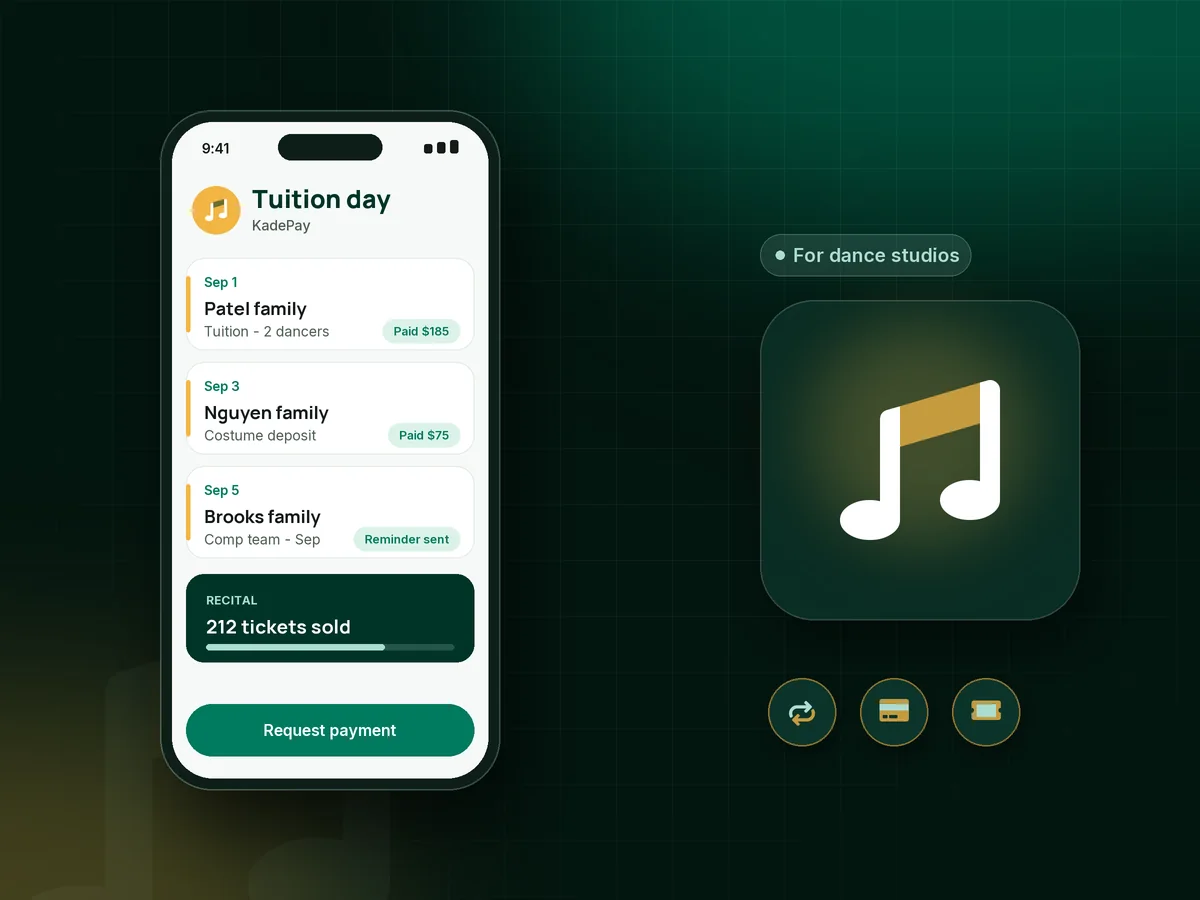
Illustration of dance studio billing software with monthly tuition, a costume deposit and recital tickets checked in by QR code

Sound familiar?

A dance year has more bills than a recital has numbers.

Studio owners spend August building the schedule and the rest of the year collecting for it. These are the tuition, costume and recital moments that wear down the front desk, and how KadePay handles each one.

01

Tuition reminders every month for the same families

It is the 12th, the late fee kicked in two days ago, and you are still texting six families who meant to pay on the 1st.

With KadePay

On Team or Pro, bill tuition as a recurring charge to the method each parent authorized, on the date in your policy. Parents get a notice with each charge, and the reminder texts can stop.

Recurring billing
02

Costume deposits and balances that never match

Every dancer has three costumes, a deposit in October and a balance in January, and the spreadsheet tracking it all has its own spreadsheet.

With KadePay

Send costume fees as bills with a photo of each costume attached, or split them into a payment plan the parent agrees to. Each payment lands on the family's profile, with the dancer's sizes in your notes.

Ways to get paid
03

Recital tickets sold at a folding table

Grandparents line up at the theater door with cash while a volunteer tries to make change and keep count at the same time.

With KadePay

Sell recital tickets through a link families can share, and scan each QR ticket at the door. Tickets are general admission, and you set your own sales cutoff for the theater.

Payment links and QR codes
04

Competition fees that arrive in pieces

Comp families owe choreography, convention and travel fees on different dates, and somebody always says they never got the bill.

With KadePay

Put competition team fees on a payment plan with the installments and dates you agree up front. Each installment is collected from the parent's eligible saved method, with a receipt every time.

Payment plans
05

Registration packets on paper every fall

Fall registration means forty clipboards, photo releases nobody can read and emergency contacts that went out of date last spring.

With KadePay

Send a dance registration form with your studio policies, photo release and tuition agreement. Parents complete and sign it on their own phone, and it stays on their profile all season.

Forms and signatures

How it fits your week

How a dance season runs with KadePay

  1. Registration opens

    Post a Flex Link on your website and social pages that leads to the registration form, studio policies and registration fee, so a family can sign up from the pickup line.

  2. Tuition on a schedule

    Parents authorize a payment method once. On Team or Pro, monthly tuition is billed on the 1st, and each family is notified when it is charged.

  3. Costumes and comp fees

    Costume deposits go out with photos attached, and competition team fees run on payment plans, so the big amounts arrive in steady pieces instead of one painful lump.

  4. Privates and solos

    Dancers request private dance lessons or solo coaching through your booking link. You confirm the time, and automatic reminders go out before each lesson.

  5. Recital weekend

    Families buy tickets from a shared link, and volunteers scan QR codes at the door. Flowers and photo packages can sell through a printed counter QR code in the lobby.

Every way your families pay

  • Visa
  • Mastercard
  • American Express
  • Discover
  • Apple Pay
  • Google Pay
  • Tap to Pay
  • ACH bank transfer
  • Affirm, where eligible
  • Venmo
  • Zelle
  • QR codes
  • Text and email links

Availability depends on your account setup and eligibility. You confirm Venmo and Zelle payments after checking they arrived.

KadePay for dance studios

What the best dance studio billing software handles in one season

Ask owners how to collect tuition for a dance studio and most give the same answer: get one authorization from the parent at registration, then bill on a fixed date. KadePay supports that pattern with recurring bills on Team or Pro, plus reminders on any one-off bill that is still open.

Tuition is only part of the year. Costume fees, competition team fees, convention travel and recital tickets all arrive on different schedules. Full dance studio software suites also cover class rosters and skill levels; KadePay focuses on the payments around them, with dance studio payment plans for the larger amounts.

Families notice the difference too. When you collect dance tuition through KadePay, parents see every bill, signed form and private lesson on your branded business page, and can pay by card, Apple Pay, Google Pay or bank transfer, or send a Zelle payment that you record.

Setting up the season is quicker with Kady, the KadePay assistant, which drafts payment links, packages and forms for you to review and save. KadePay does not take attendance, build recital lineups or assign theater seats, so the creative side of the studio stays with you.

CLEAR ANSWERS

Dance studios: your questions, answered.

What is the best dance studio billing software for a small studio?

Look for one that handles tuition, costumes, competition fees and show tickets without a separate tool for each. KadePay does those from a phone or laptop, collects registration forms with signatures and takes cards, bank transfer, Apple Pay and Google Pay.

How do I charge families for costumes?

Send each family a costume bill with the costume photo attached, or collect a deposit now and the balance later. For several costumes, a payment plan with agreed installments works well. Keep each dancer's sizes in private notes on the parent's profile.

Can I sell recital tickets with KadePay?

Yes. Create a ticket link, share it with families, and scan each QR code at the theater door. Tickets are general admission: KadePay does not assign seats or stop sales at a set number, so watch your count against the venue.

Can parents pay tuition in installments for the season?

Yes. You can bill tuition monthly on Team or Pro, or agree a payment plan with a set number of installments, such as ten payments from September to June, collected from an eligible saved method.

Do parents sign the registration form online?

Yes. Send the registration form with your policies and photo release. Parents sign in, complete and sign it on their phone, and the response stays with their profile for the whole season.

How much does KadePay cost for a dance studio?

Pay-As-You-Go starts at $0 per month for a studio in its first season; payment and usage fees apply. Recurring tuition and teacher accounts are part of Team at $10 per month and Pro at $35 per month, and the pricing page compares them side by side.

YOUR WORK COMES FIRST

Make room for more families.

Get started for free