Skip to content
KadePayGet started

KADEPAY FOR TRADE SHOW & EXPO EXHIBITORS

A trade show payment app for the three busiest days of your quarter.

The aisle is packed, the line at your table is three deep and your best rep is in the middle of a demo. KadePay lets your team take cards with Tap to Pay on compatible phones or a printed QR, collect deposits on orders that ship later, and keep every sale in one place after the show.

Pay-As-You-Go starts at $0 per month. Usage and payment fees apply.

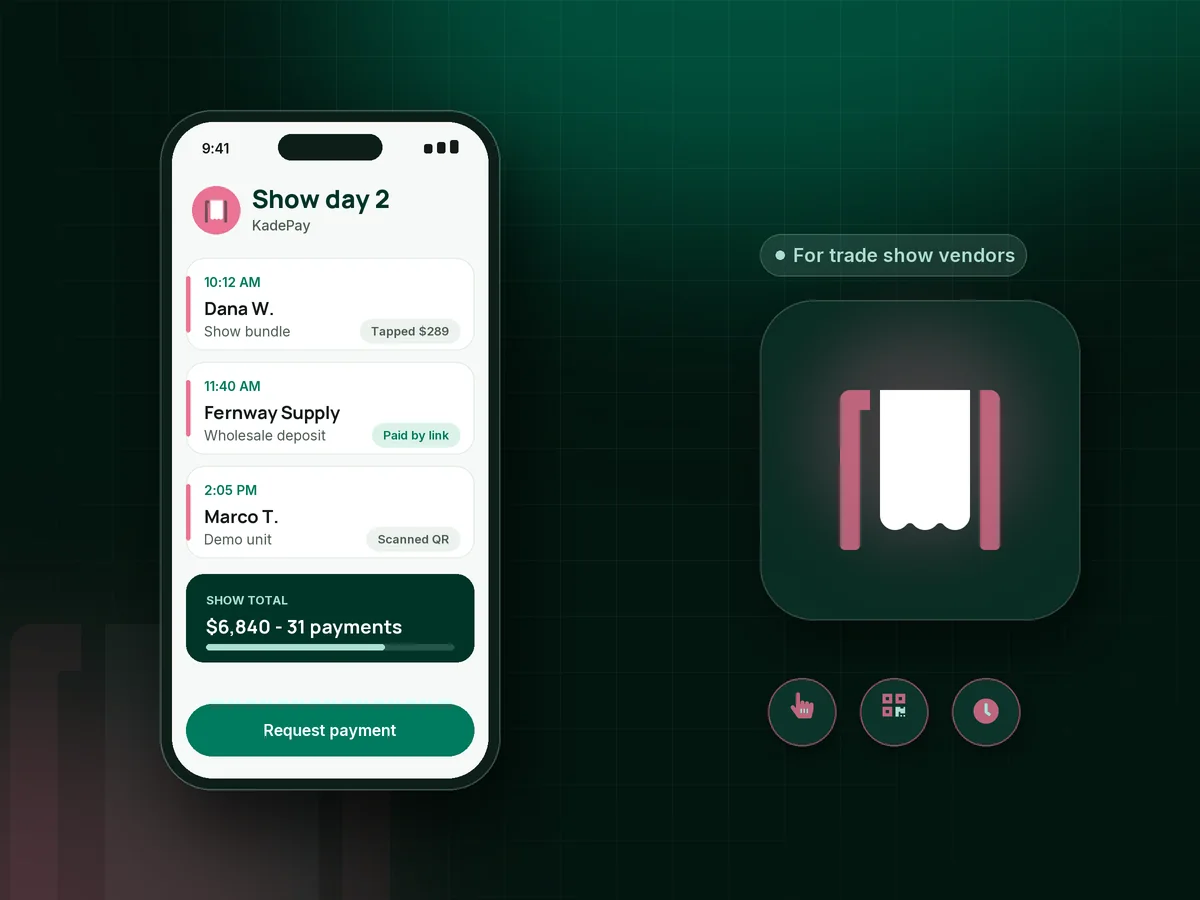
Illustration of a trade show payment app in KadePay with Tap to Pay sales at a booth, a wholesale order deposit and a show special link

Sound familiar?

Three days, one booth, and every sale counts

Exhibitors pay for the space, the travel and the shipping long before the doors open. These are the payment moments that decide whether the show pays for itself, and how KadePay handles each one at the booth.

01

A line at the booth and one card reader for four staff

Your product demo is drawing a crowd, two buyers are ready to pay, and the only reader is in the back pocket of the rep on break.

With KadePay

Every staff member with a compatible phone and the KadePay app can take Tap to Pay after payment setup. On Team or Pro, give each one their own login and permissions.

Tap to Pay and card readers
02

Orders that ship after the show with no money down

A boutique owner orders 48 units for spring and promises to pay on delivery. By March she has forgotten the show and the order.

With KadePay

Take a wholesale order deposit at the booth with a link or Tap to Pay, then send the balance as a bill with the order sheet attached when it ships. A card authorization makes that second charge simple.

Payment links and QR codes
03

Show pricing that is hard to honor after the doors close

Attendees want the show price but need to check with a partner first, and by Monday nobody remembers which price you promised.

With KadePay

Offer the deal as a vanishing bill on Team or Pro: a payment link that expires when the show closes. Attendees scan the QR on your sign and pay before the deadline.

Vanishing bills
04

Cash boxes, Venmo screenshots and receipts in a shoebox

Three days of sales come back as card slips, a cash envelope and a dozen Venmo notifications, and your bookkeeper wants it reconciled by Friday.

With KadePay

Card, wallet and QR payments land in one Transactions list, Venmo and Zelle payments you record sit alongside them, and you can download the full show for your bookkeeper.

Ways to get paid
05

Consumer expo interest that never becomes an appointment

At the home show, a couple wants an in-home consultation for their patio. Scheduling it from a crowded booth means a scribbled date and a phone call nobody returns.

With KadePay

Show your booking link as a QR on the table. They request a consultation time from their own phone, you confirm it after the show, and a fixed-amount link can take a deposit if your policy calls for one.

Appointment booking

How it fits your week

How a show runs with KadePay at the booth

  1. Before the show

    Ask Kady to draft your show special and a deposit link for wholesale orders, then review and save them. Tape a single Store Pay Direct QR to the booth counter.

  2. Doors open

    Staff take cards with Tap to Pay on compatible phones, buyers scan the QR to pay the agreed amount, and you confirm each one in Transactions.

  3. Orders that ship later

    Wholesale buyers pay a deposit at the booth and authorize their card. When the order ships, you send the balance bill with the packing list attached.

  4. After the show

    Refund a return, send any bills that are still open and download every show payment for your bookkeeper in one file.

Every way your customers pay

  • Visa
  • Mastercard
  • American Express
  • Discover
  • Apple Pay
  • Google Pay
  • Tap to Pay
  • ACH bank transfer
  • Affirm, where eligible
  • Venmo
  • Zelle
  • QR codes
  • Text and email links

Availability depends on your account setup and eligibility. You confirm Venmo and Zelle payments after checking they arrived.

KadePay for trade show vendors

Choosing a trade show payment app that keeps up with a busy booth

A common exhibitor question is simple: how do I accept credit cards at a trade show without slowing the booth down? With KadePay, the answer is your team's own phones. Tap to Pay on a compatible phone takes contactless cards, and a printed QR lets buyers pay from their own phone while your staff keeps talking.

Expo vendor payments rarely end at the booth. Wholesale orders, custom builds and pre-orders often ship weeks later, so a deposit at the show and a bill with the order sheet attached when it ships keeps the sale from cooling off. A buyer who authorizes a card on file makes that second charge a few taps.

Consumer shows, from home and garden expos to bridal fairs, bring a different buyer. A homeowner who wants an in-home visit can request a time through your booking link right at the convention booth, and you confirm it once you are back at the office.

KadePay needs a data connection to take payments, so check signal at the venue and bring a charger. It does not scan badges or collect leads; keep your lead tool for that and use KadePay for the money.

CLEAR ANSWERS

Trade show & expo exhibitors: your questions, answered.

What is the best trade show payment app for a small exhibitor?

One your whole team can use from their own phones without a long setup. KadePay gives you Tap to Pay on compatible phones, a printed QR for the booth, deposit links for orders that ship later and staff logins on Team or Pro.

Does Tap to Pay at trade shows need a separate card reader?

No. Tap to Pay works on a compatible iPhone or Android phone with the KadePay app once payment setup is complete. Some exhibitors still buy a card reader for chip cards or a counter setup, and those are available to purchase.

How do I take a deposit on an order that ships after the show?

Take the deposit at the booth with Tap to Pay or a link that asks for the ship-to address. Have the buyer authorize their card, then charge or bill the balance when the order ships, with the packing list attached.

Can several booth staff take payments at the same time?

Yes. Each staff member uses the KadePay app on their own compatible phone. On Team or Pro, add them as team members with permissions, and every payment shows under your business in one Transactions list.

Can KadePay scan attendee badges or capture leads?

No. KadePay does not scan badges or capture leads, so use your show's lead retrieval tool for that. KadePay handles the money: Tap to Pay, QR payments, deposits, bills, refunds and transaction downloads.

How much does KadePay cost for trade show exhibitors?

Pay-As-You-Go starts at $0 monthly. Payment and usage fees apply. Team at $10 per month adds staff logins and vanishing bills for show deals, and Pro is $35 per month. Plan details live on the pricing page.

YOUR WORK COMES FIRST

Make room for more customers.

Get started for free