Skip to content
KadePayGet started

KADEPAY FOR MARKET & CRAFT FAIR VENDORS

The payment app for market vendors who sell from a folding table.

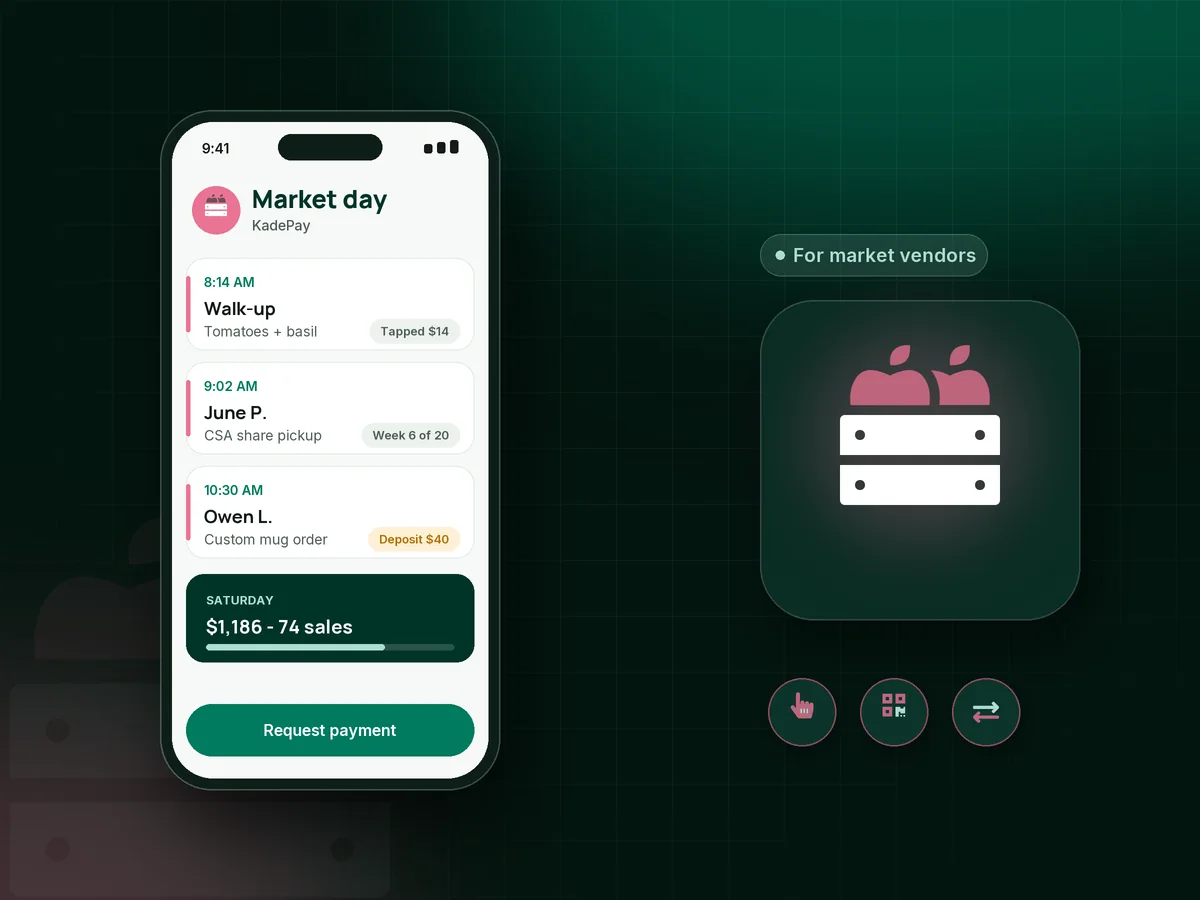
Saturday starts at 5 AM with a tent, a table and a line before the bell. KadePay lets you take cards with Tap to Pay on a compatible phone, gives you one printed QR for the table, and keeps every card, Venmo and Zelle sale in one list for tax time.

Pay-As-You-Go starts at $0 per month. Usage and payment fees apply.

Illustration of a payment app for market vendors showing Tap to Pay sales, QR code payments at a craft fair table and a CSA share in KadePay

Sound familiar?

Long lines, thin margins and a cash box in the sun

Market and craft fair vendors sell dozens of small things to people who did not plan to buy them. These are the payment moments that cost sales, and how KadePay keeps your table moving.

01

Shoppers who walk away because they only carry cards

Someone loves the cutting board, checks their wallet, finds no cash and says they will come back. They never come back.

With KadePay

Take the card on the spot with Tap to Pay on a compatible iPhone or Android phone after payment setup. No separate card reader for craft fairs is required, though you can buy one.

Tap to Pay and card readers
02

One phone, two helpers and a line ten people deep

Your daughter is bagging, you are making change, and the person at the front is waiting while you dig for your phone in the tote.

With KadePay

Print one Store Pay Direct QR for the table. Shoppers scan, enter the total on your sign and pay with their own phone, and you confirm each payment in Transactions while you bag.

Payment links and QR codes
03

Venmo and Zelle payments you cannot match at night

Regulars love paying by Venmo, but by Sunday evening you have twenty notifications and no idea which one was the $12 jar of jam.

With KadePay

Record each Venmo or Zelle payment in KadePay so it sits with your card sales. Recorded payments carry no KadePay fee, and your full market day downloads in one file.

Venmo, Zelle and cards
04

CSA members who pay a season up front, or not at all

Your twenty-week share is $520, half the members want to split it, and you are tracking who paid what on a clipboard by the scale.

With KadePay

Sell a 20-week CSA share as a package and record each weekly pickup, or let members pay through agreed installments from a card they authorized.

Packages and sessions
05

Custom orders taken at the booth with a handshake

A shopper wants a custom quilt in her granddaughter's colors. You write it on a napkin, and she never pays the deposit.

With KadePay

Take a custom order deposit on the spot with Tap to Pay, or text a fixed-amount link that asks for colors, size and pickup date as customer questions. The balance goes out as a bill when it is ready.

Payment links and QR codes

How it fits your week

How a market Saturday runs with KadePay

  1. The night before

    Ask Kady to draft a market pre-order link for Saturday pickup, review it and share it from your social bio through a Flex Link.

  2. Setup

    Clip the printed QR to your table sign, check that your phone is charged and has signal, and open the KadePay app before the first shopper arrives.

  3. The rush

    Tap cards on your phone, let the line scan the QR, and record the regular who pays by Venmo. Everything lands in one list.

  4. Pack-up and Sunday

    Check the day's total, send bills for custom order balances and download the week for your records instead of sorting a shoebox.

Every way your customers pay

  • Visa
  • Mastercard
  • American Express
  • Discover
  • Apple Pay
  • Google Pay
  • Tap to Pay
  • ACH bank transfer
  • Affirm, where eligible
  • Venmo
  • Zelle
  • QR codes
  • Text and email links

Availability depends on your account setup and eligibility. You confirm Venmo and Zelle payments after checking they arrived.

KadePay for market vendors

Picking a payment app for market vendors and craft fair sellers

A market table needs three things from payments: a short line, little gear and one place to see the day. KadePay gives you Tap to Pay on a compatible phone, a printed QR for QR code payments when the line backs up, and recorded Venmo and Zelle so cash-light shoppers still buy.

If you have wondered how to accept cards at a farmers market without a stack of hardware, your phone is often enough. KadePay needs a data connection to take a payment, so check signal at your stall and keep a battery pack in the bin. Card readers are available to buy if you want a dedicated device.

Farms with a CSA share program or regular market pre-order customers can sell those ahead of time. Packages track each weekly pickup, payment plans split a season into installments, and fixed-amount links with pickup questions handle Saturday orders without a website shop.

Makers who take custom work at the booth can collect a deposit on the spot and send the balance as a bill when the piece is ready. When the season ends, download every transaction for your bookkeeper or tax preparer in one file.

CLEAR ANSWERS

Farmers market & craft fair vendors: your questions, answered.

What is the best payment app for market vendors and craft fairs?

One that takes cards fast, works from your phone and keeps every sale together. KadePay offers Tap to Pay on compatible phones, a printed QR shoppers scan to pay, recorded Venmo and Zelle, packages for farm shares and deposits for custom orders.

Do I need a card reader for a farmers market or craft fair?

Not necessarily. Once payment setup is done, the KadePay app turns a compatible iPhone or Android phone into your checkout with Tap to Pay. Some vendors like a separate reader for chip cards or a second checkout, and those can be purchased.

Does KadePay work at markets with poor cell signal?

KadePay needs a data connection to take a card payment, so test the signal at your stall before the first market. A phone hotspot or the market's Wi-Fi can help, and shoppers can also pay by scanning your QR with their own connection.

Can shoppers pay me with Venmo or Zelle at the market?

Yes. They send it from their own app, you confirm it arrived and record it in KadePay with no KadePay fee, so your market day total includes every sale.

Can I sell CSA shares or pre-orders through KadePay?

Yes. Sell a share as a package and record each pickup, or split the season into installments with a payment plan. For pre-orders, a fixed-amount link can ask for the pickup day. KadePay has no shop page or stock counts.

How much does KadePay cost for a market vendor?

There is a $0 per month Pay-As-You-Go plan. Payment and usage fees apply. Team at $10 per month adds helper logins and subscriptions, and Pro is $35 per month. Compare everything on the pricing page before your first market.

YOUR WORK COMES FIRST

Make room for more customers.

Get started for free