Skip to content
KadePayGet started

KADEPAY FOR EVENT VENUES

Event venue software that turns tours into booked, paid dates.

A venue's calendar is its income, so every soft hold, tour and unpaid deposit matters. KadePay handles tour requests, holds that expire on their own, signed rental agreements and the installments that lead to the event date, in one record per client.

Pay-As-You-Go starts at $0 per month. Usage and payment fees apply.

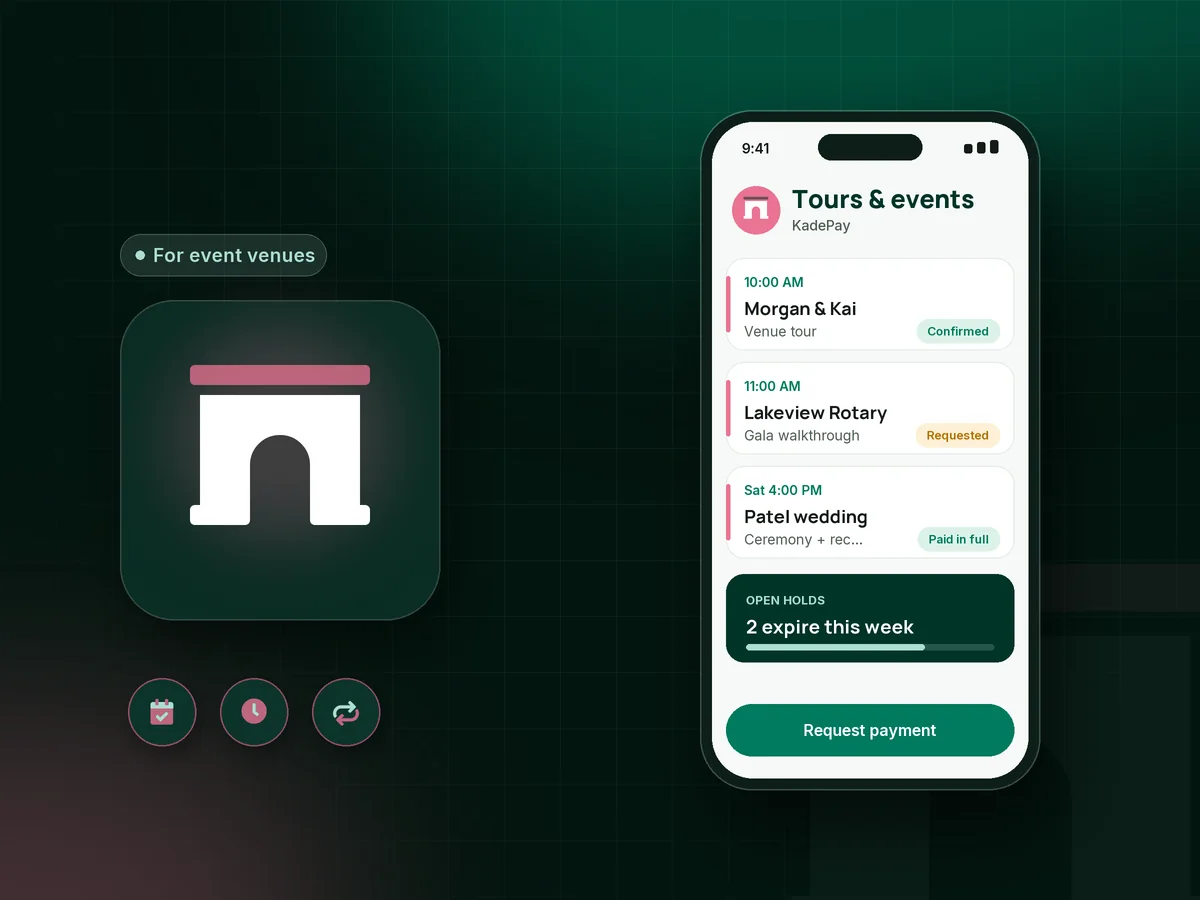
Illustration of event venue software in KadePay with Saturday venue tours, an expiring date hold and a paid wedding venue deposit

Sound familiar?

Every Saturday is worth too much to leave on hold

Venues sell a fixed number of dates, and each one tied up by an unpaid hold or a slow decision is lost income. These are the places venue owners lose time and money, and how KadePay helps.

01

Tours that end with 'we'll let you know' and an open date

The couple loved the barn, asked you to hold June 14, and then went quiet while two other couples called about that weekend.

With KadePay

Send the wedding venue deposit as a vanishing bill on Team or Pro that expires with your date hold. When the link expires, you know the hold is over and can offer the date to the next couple.

Vanishing bills
02

Tour scheduling by phone tag and Instagram DMs

Couples want weekend tours, you are busy setting up an event, and tour requests pile up in three different inboxes.

With KadePay

Share a venue tour booking link with your open tour times. Couples request a slot, you confirm the ones that fit around events, and automatic reminders help them arrive on time.

Appointment booking
03

Large rental fees with a payment schedule kept in a spreadsheet

Your $12,000 Saturday rate is split into four payments over eighteen months, and you track every due date in a spreadsheet you are afraid to sort.

With KadePay

Run the venue payment schedule as a KadePay payment plan: agreed installments collected from the client's authorized card, with the final one due before the event. Both of you see what is paid.

Payment plans
04

Damage and cleanup after the guests leave

Confetti cannons were against the rules, the dance floor proves otherwise, and the cleanup crew needs two extra hours.

With KadePay

Collect a damage deposit with the final payment and refund it after the walkthrough, or have the client authorize a card on file and charge the fee your signed agreement describes.

Card on file
05

Rental agreements signed on paper during the tour

Couples sign on a clipboard at the end of a tour, take a photo of it, and then ask you three months later what the decor rules were.

With KadePay

Send your venue rental agreement, decor rules and vendor requirements as a form the client signs on their phone. It stays on their profile, and you can attach it to every bill.

Forms and signatures

How it fits your week

From first tour to the last dance

  1. Tour request

    A couple requests a tour from the Flex Link on your website or wedding listing. You confirm a time, and they get an automatic reminder before the visit.

  2. Hold and deposit

    After the tour, send a deposit link with questions for the date, guest count and event type. On Team or Pro, it expires with the hold.

  3. Agreement signed

    They sign the rental agreement and vendor rules on their phone. Floor plans and approved decor photos go into a shared folder on their profile.

  4. Payments on schedule

    Installments come from the authorized card on the agreed dates. The last one lands before the final walkthrough, so the event date arrives paid.

  5. After the event

    Refund the damage deposit after your walkthrough, or charge the cleaning fee your agreement describes and send the client a receipt.

Every way your clients pay

  • Visa
  • Mastercard
  • American Express
  • Discover
  • Apple Pay
  • Google Pay
  • Tap to Pay
  • ACH bank transfer
  • Affirm, where eligible
  • Venmo
  • Zelle
  • QR codes
  • Text and email links

Availability depends on your account setup and eligibility. You confirm Venmo and Zelle payments after checking they arrived.

KadePay for event venues

What event venue software should handle for an independent venue

Large venue platforms manage banquet orders, floor plans and catering details. Independent barns, lofts and garden venues often need something lighter for the business side. KadePay covers venue tour booking requests, date holds that expire, deposits, installments and signed agreements, with the client's whole history on one profile. Booking requests never take payment, so couples pay only after you agree on terms.

A wedding venue deposit is often one of the first large payments a couple makes, so the details matter. Attach the signed agreement to the bill, ask for the date and guest count on the link, and let the receipt explain the next installment.

Not every event space rental is a wedding. Corporate offsites, birthday dinners and nonprofit galas often want a single bill with bank transfer, which KadePay bills support along with card and wallet payments. Your bookkeeper can download every transaction for the month, and recorded Venmo or Zelle payments carry no KadePay fee.

Venues also host their own events. Open house tickets, tasting nights and showcases can sell through ticket links with QR check-in, and Tap to Pay on a compatible phone handles add-ons at the door on the night.

CLEAR ANSWERS

Event venues: your questions, answered.

What is the best event venue software for a small wedding venue?

For an independent venue, the best fit handles tours, holds, deposits, installments and signed agreements without months of setup. KadePay does those with booking requests, vanishing bills, payment plans and forms. It does not build banquet orders or seating charts, so keep those where they are.

How do I hold a date for a couple until they pay the deposit?

Send the deposit as a vanishing bill on Team or Pro and set it to expire when your hold ends. If they pay, mark the date as booked on your calendar; if the link expires, the hold is over and you can offer the date to someone else.

Can couples pay the venue rental fee in installments?

Yes. Agree on the venue payment schedule in your rental agreement, and KadePay collects each installment from an eligible saved method the couple authorized. Every completed and upcoming payment shows on their profile.

How do I collect and refund a damage deposit?

Collect it as part of the final payment or as its own bill, then refund all or part from KadePay after your walkthrough. Or ask the client to authorize a card on file and charge only what your signed agreement describes.

Does KadePay manage my venue calendar and floor plans?

Partly. Tours and meetings go on the KadePay calendar as requests you confirm, and floor plans can live in shared folders. KadePay does not check event-date availability or build banquet orders and seating charts.

How much does KadePay cost for an event venue?

Pay-As-You-Go carries a $0 monthly price. Payment and usage fees apply. Vanishing bills for date holds and team members for your coordinators come with Team at $10 per month; Pro is $35 per month. Check the pricing page for each plan.

YOUR WORK COMES FIRST

Make room for more clients.

Get started for free