Skip to content
KadePayGet started

KADEPAY FOR BROW ARTISTS & MICROBLADING

Microblading booking software that remembers the six-week touch-up.

A microblading appointment is a two-hour commitment, a healing period and a touch-up six to eight weeks later. KadePay keeps the deposit, consent and pre-care forms, healed photos, the touch-up and your lamination regulars in one place, so a $450 brow set is paid, signed and documented from consult to final stroke.

Pay-As-You-Go starts at $0 per month. Usage and payment fees apply.

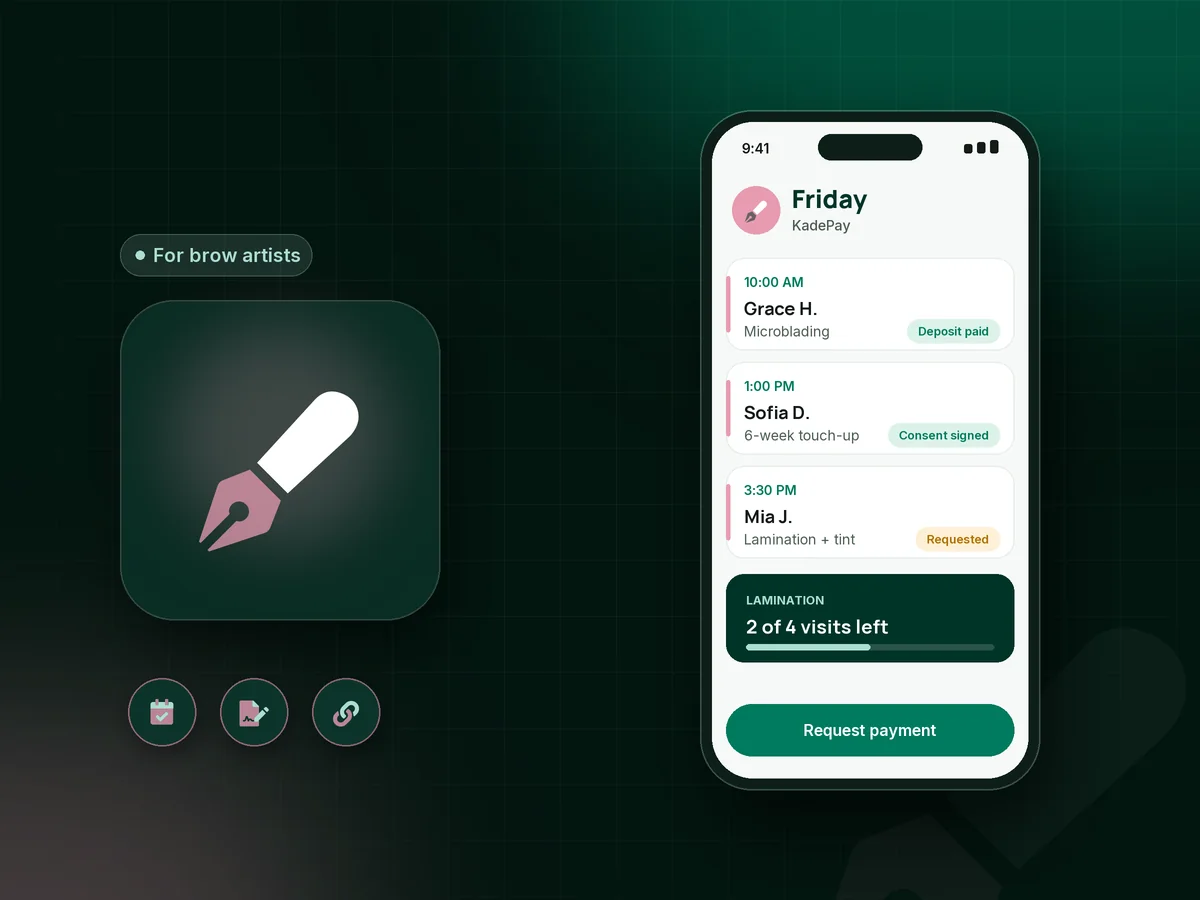
Illustration of microblading booking software with a brow artist's Friday: a microblading session, a touch-up and a brow lamination

Sound familiar?

Brows take weeks to heal. Payments should not.

Microblading is a high-ticket, multi-step service with real paperwork, and brow bars live on quick repeat visits. These are the moments brow artists say cost them time and money, and how KadePay handles each one.

01

A two-hour microblading slot lost to a no-show

You mapped the shape, planned the pigment and blocked the morning, then she cancels by text an hour before the appointment.

With KadePay

Send a microblading deposit link when you confirm the consult, such as $100 toward a $450 set. Add your cancellation terms to a signed form, and keep a card on file for the fee they describe.

Payment links and QR codes
02

Consent and pre-care forms that live in a binder

Clients skim your pre-care list on the way in, and the signed consent ends up in a binder you cannot search later.

With KadePay

Send the microblading consent form and pre-care acknowledgment before the appointment. Clients sign on their own phone after signing in, and the form stays on their profile for the touch-up.

Forms and signatures
03

Touch-ups that slip past the window

The microblading touch-up belongs at six to eight weeks, but some clients disappear until month five and still expect the included price.

With KadePay

Book the touch-up before she leaves the chair and note on her profile whether it is included or billed separately. Automatic reminders help her arrive inside your window.

Appointment booking
04

Healed results you cannot prove later

Fresh brows look darker on day one, and when a client questions the healed shape you need photos from both days.

With KadePay

Save fresh and healed photos in a Gallery folder on her profile and share it read-only when you compare results. Private notes hold the pigment, blade and shape details for your team.

Customer profiles and notes
05

A $500 service some clients cannot pay at once

Plenty of clients want powder brows but hesitate at the full price, and you lose the booking to the cheapest artist nearby.

With KadePay

Offer a payment plan with a set number of installments from an eligible saved card, or Affirm pay-over-time where eligible. You can also pass eligible credit card fees to clients where permitted.

Payment plans

How it fits your week

From consult to healed brows with KadePay

  1. Consult request

    A client taps your Flex Link and requests a consultation or a microblading session. You look at her photos and confirm the time that fits your week.

  2. Deposit and forms

    She pays the deposit link, signs consent, reads your pre-care list and answers your patch test questions, all on her own phone before the visit.

  3. The procedure

    Your notes list her shape preferences, and the before photo goes into her Gallery folder. Charge the balance with Tap to Pay on a compatible phone.

  4. Healing and touch-up

    Your aftercare can go in the payment link receipt text, and the touch-up is already on the calendar six weeks out.

  5. Lamination regulars

    Clients who come back for lamination and tint every six weeks buy a four-visit package that you redeem at each appointment.

Every way your clients pay

  • Visa
  • Mastercard
  • American Express
  • Discover
  • Apple Pay
  • Google Pay
  • Tap to Pay
  • ACH bank transfer
  • Affirm, where eligible
  • Venmo
  • Zelle
  • QR codes
  • Text and email links

Availability depends on your account setup and eligibility. You confirm Venmo and Zelle payments after checking they arrived.

KadePay for brow artists

How to pick the best microblading booking software as a PMU artist

Microblading booking software has to handle a longer story than most beauty services: consultation, deposit, consent, the procedure, healing and a touch-up weeks later. A brow artist booking app that only holds a calendar leaves the rest to texts and binders. KadePay keeps every step on the client profile, from the first request to the healed photo.

Powder brows or microblading at $450 is a big decision for a client, so the deposit and the payment options matter. A fixed microblading deposit sent when you confirm the consult protects your time, and payment plans or Affirm where eligible help clients say yes to the full set.

Paperwork is part of the craft. A consent form, permanent makeup aftercare instructions and brow tint patch test questions can each be signed on the client's phone before she sits down. Lamination and tint clients who visit every six weeks often prefer a prepaid package, which keeps your brow bar days full of familiar faces.

Every PMU artist knows healed results sell the next booking. Keep fresh and healed photos in a Gallery folder, share them read-only with the client, and keep your mapping and pigment notes private.

CLEAR ANSWERS

Brow artists & microblading: your questions, answered.

What is the best microblading booking software for a solo brow artist?

Choose one that covers the full process, not only the appointment. KadePay pairs booking requests you confirm with deposit links, signed consent and pre-care forms, touch-up appointments, healed photo folders, payment plans and Tap to Pay on a compatible phone.

How do I take a deposit for microblading?

Clients request a time from your link, and payment does not happen at that step. When you confirm the consult, text a fixed deposit link, for example $100, and bill the balance on procedure day.

Can clients sign a microblading consent form on their phone?

Yes. Send your consent form with your pre-care questions and any patch test questions. The client signs in, completes it on her own phone and signs. The signed response stays on her profile, ready for the touch-up.

How do I manage microblading touch-ups?

Schedule the touch-up before the client leaves and note on her profile whether it is included or charged. Booked appointments get automatic reminders, and your healed photos are ready for comparison when she arrives.

Can I offer payment plans for powder brows?

Yes. Agree on a set number of installments, and KadePay collects them from the client's eligible saved card. Clients can also apply for Affirm pay-over-time where eligible; approval is up to the provider.

How much does KadePay cost for a brow artist?

Pay-As-You-Go starts at $0 per month for a brow artist on her own, and payment and usage fees apply. Team is $10 per month and Pro is $35 per month for studios with staff. See the pricing page for the full fee list.

YOUR WORK COMES FIRST

Make room for more clients.

Get started for free