Skip to content
KadePayGet started

KADEPAY FOR ESTHETICIANS & SKIN CARE

Esthetician booking software for results that take a series.

Skin rarely changes in one facial. It changes over a series of peels, a monthly maintenance visit and the homework your client does in between. KadePay keeps booking requests, intake and consent forms, packages, memberships and before and after photos together, so the business side of your studio is as consistent as your protocol.

Pay-As-You-Go starts at $0 per month. Usage and payment fees apply.

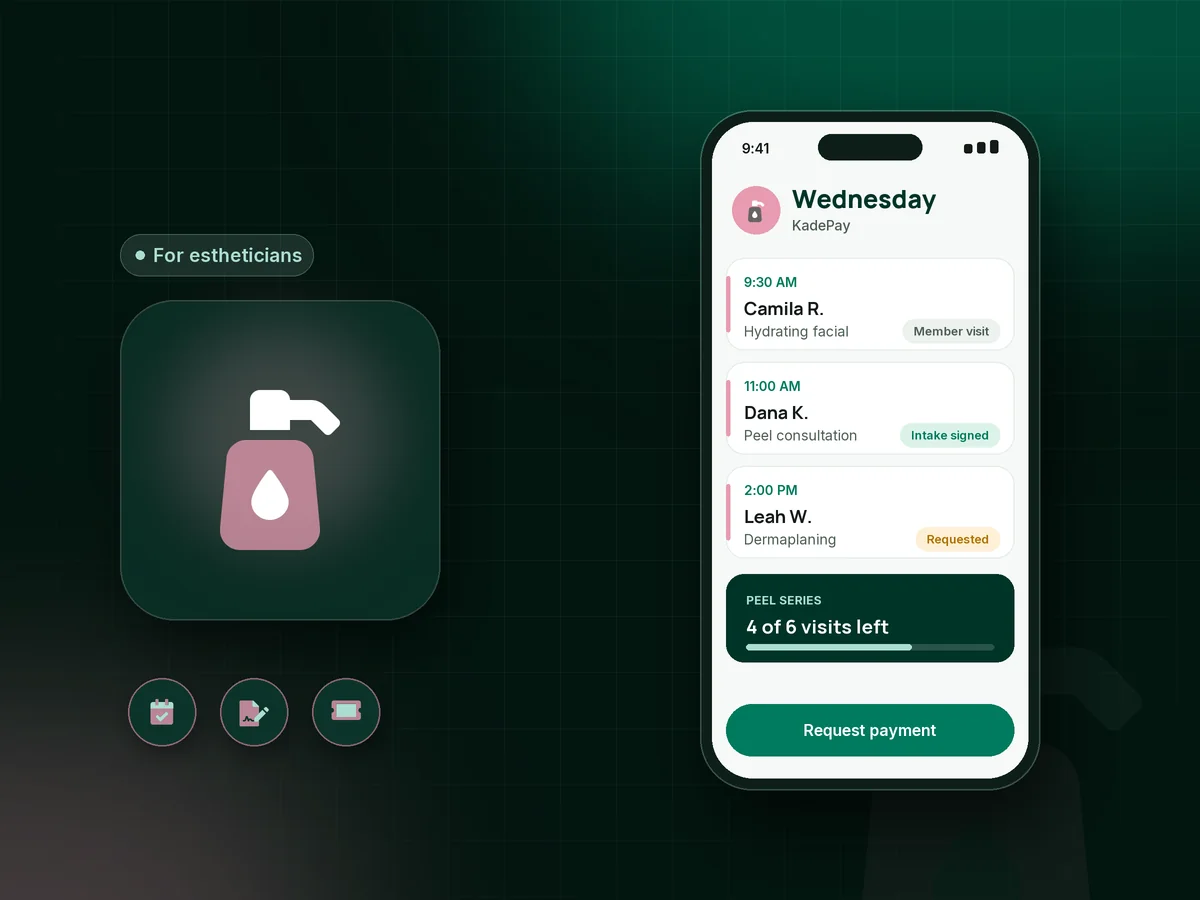
Illustration of esthetician booking software showing a peel series, a signed intake form and a facial membership visit on a Wednesday

Sound familiar?

Great skin takes a plan. So does getting paid.

Estheticians sell results that build over weeks, which means more paperwork, more repeat visits and more ways for a booking to slip. Here is how KadePay handles the moments that cost a treatment room its afternoon.

01

Intake and consent forms filled out in the lobby

A new client arrives with a clipboard, and your 60-minute facial starts 15 minutes late while you read through her skin history.

With KadePay

Send your esthetician intake form and a chemical peel consent form before the first visit. Clients sign in and finish both on their phone, and the answers stay with their profile.

Forms and signatures
02

Late cancellations on a 90-minute signature facial

A same-day cancel on your longest treatment leaves a gap that is too late to fill and too long to shrug off.

With KadePay

Make your esthetician cancellation policy part of the signed intake and ask for card-on-file authorization. A missed or late-cancelled treatment can then be charged the fee your signed policy describes.

Card on file
03

A peel series that falls apart after visit two

Clients start a six-peel series with good intentions, then reschedule, forget and pay visit by visit until the plan quietly ends.

With KadePay

Sell the series as one package and record each peel as it is redeemed, so both of you see what remains. Booking stays separate, so put the next peel on the calendar before she leaves.

Packages and sessions
04

Monthly maintenance clients with no membership

Your regulars come every four weeks anyway, yet you have no steady income to plan around when bookings dip in January.

With KadePay

On Team or Pro, set up a facial membership as a monthly recurring bill, for example $95 for one signature facial a month, charged to a saved card the client authorized.

Recurring billing
05

Progress photos lost in your camera roll

Week-one photos sit between vacation pictures, and you cannot find them when a client asks how far her skin has come.

With KadePay

Save before and after photos in a Gallery folder on each client profile, share it read-only when you review progress together, and keep product and preference notes private to your team.

Customer profiles and notes

How it fits your week

A treatment week in a skin studio with KadePay

  1. Consult requests come in

    Clients tap your link and request a skin consultation or a treatment from your menu, each with its real duration. You confirm the ones that fit your room.

  2. Forms before the first visit

    Intake, consent and your policies go out by text. The client completes them on her phone, so the first minutes go to her skin, not her paperwork.

  3. Treatment, then checkout

    Charge the visit with Tap to Pay on a compatible phone, a card she authorized, or a payment link she pays from the treatment chair.

  4. Plan the series

    Sell the six-visit package or the monthly membership, record today's visit, and add a before photo to her Gallery folder while she is still glowing.

  5. Keep the plan on schedule

    Book the next appointment together before she leaves. Automatic reminders go out ahead of each visit, and your notes show which products you used last time.

Every way your clients pay

  • Visa
  • Mastercard
  • American Express
  • Discover
  • Apple Pay
  • Google Pay
  • Tap to Pay
  • ACH bank transfer
  • Affirm, where eligible
  • Venmo
  • Zelle
  • QR codes
  • Text and email links

Availability depends on your account setup and eligibility. You confirm Venmo and Zelle payments after checking they arrived.

KadePay for estheticians

What to look for in esthetician booking software for a solo studio

A solo esthetician wears every hat: provider, front desk and bookkeeper. The right esthetician software takes the desk work out of the treatment room. KadePay handles booking requests, signed forms and payments from one phone, so a client can request a dermaplaning appointment at night and you can confirm it over coffee.

Results in esthetics come from consistency, which is why facial packages and a facial membership matter to a skin care business. A package turns a six-peel plan into one decision, and a monthly membership turns maintenance into income you can plan around. Both live on the client profile next to her before and after photos.

Paperwork protects you and your client. An esthetician intake form, a chemical peel consent form and a written esthetician cancellation policy can all be signed on the client's phone before she arrives. KadePay keeps forms, photos and business notes; it is not a medical chart, so keep any clinical records your services require in a dedicated system.

When it is time to pay, clients can tap a card on your compatible phone, pay a text link, or use the card on file they authorized. Clients who prefer Venmo or Zelle send it from their own app, and you record it with no KadePay fee.

CLEAR ANSWERS

Estheticians & skin care: your questions, answered.

What is the best esthetician booking software for a solo studio?

The best fit keeps booking, forms and payments together without a front desk. KadePay gives estheticians booking requests you confirm, intake and consent forms signed on the client's phone, packages, memberships on Team or Pro, and Tap to Pay on a compatible phone.

How do I enforce a cancellation policy as an esthetician?

Put the policy in your intake form so the client signs it, and ask for authorization to keep a card on file. If she cancels late or misses the treatment, charge the fee your signed policy describes and she receives a receipt.

Can I sell facial packages and memberships?

Yes. A package sells a set number of treatments, such as six peels, and you record each one as it is used. Memberships are monthly recurring bills on Team or Pro. Buying either one does not book a visit; each appointment is scheduled separately.

Can clients sign a chemical peel consent form online?

Yes. Build the consent form with your own questions and a signature, and send it before the appointment. The client completes it on her phone after signing in, and the signed response stays with her profile for every future peel.

Is KadePay a medical charting system for estheticians?

No. KadePay handles payments, booking requests, forms, packages, photos and business notes. It does not keep medical charts. Use private notes for preferences and products, and keep any clinical documentation your services require in a system built for it.

How much does KadePay cost for an esthetician?

An esthetician working alone can start on Pay-As-You-Go at $0 per month, with payment and usage fees. Team ($10 per month) and Pro ($35 per month) add memberships through recurring bills and team members. Compare them on the pricing page.

YOUR WORK COMES FIRST

Make room for more clients.

Get started for free

CHOOSING YOUR BUSINESS TOOLS

Compare the workflow before you choose.

Explore documented features, cost questions and relevant alternatives.