Skip to content
KadePayGet started

KADEPAY FOR TATTOO ARTISTS & STUDIOS

Tattoo booking software for custom pieces, flash and long sessions.

Custom work starts with a DM, a reference photo and a deposit, and big pieces stretch over months. KadePay gives you consultation requests you confirm, deposit links with your own questions, signed consent forms, shared reference folders and payment at the station, so the business side of the shop is as clean as your linework.

Pay-As-You-Go starts at $0 per month. Usage and payment fees apply.

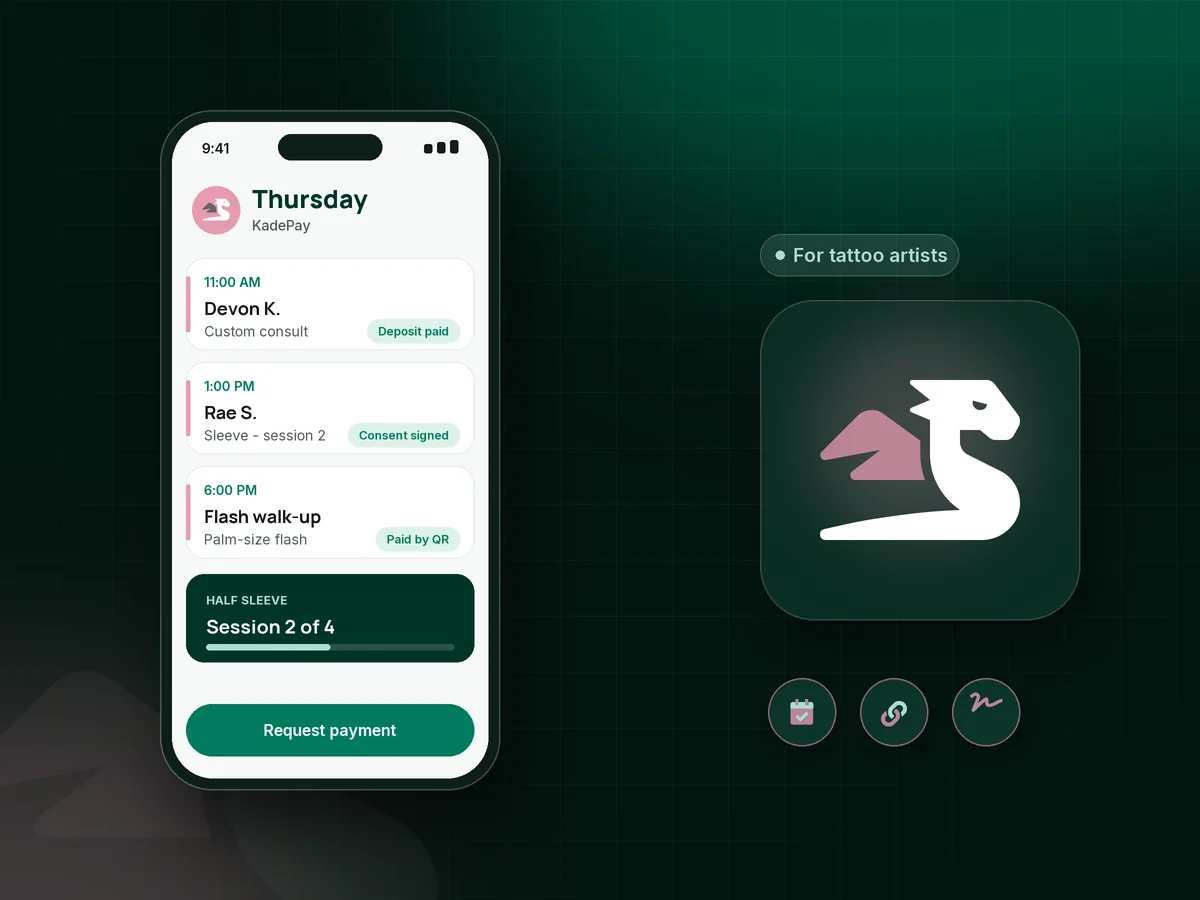
Illustration of tattoo booking software with a tattoo artist's Thursday: a custom consult, a sleeve session and a flash walk-up

Sound familiar?

Your art takes hours. Your admin should take minutes.

Tattooing mixes custom design, long sessions and policies that clients test. Here are the money and paperwork moments tattoo artists bring up most, and how KadePay keeps them out of your DMs.

01

Design time spent on clients who never show

You sketched for three hours on a custom piece, the client went quiet, and the chair sat empty on the day of the session.

With KadePay

Send a tattoo deposit link when you confirm the consultation, with questions for placement, size and color. The deposit holds the time, and your signed policy explains when it is non-refundable.

Payment links and QR codes
02

References scattered across DMs, email and texts

The idea is in one DM thread, the placement photo is in email, and the revised reference arrived by text at midnight.

With KadePay

Share a read/write Gallery folder on the client profile so the client adds references in one place. Your sketches and healed photos can live in the same folder.

Customer profiles and notes
03

Release forms on a clipboard by the door

Every session starts with paper forms and a pen that never works, and the signed pages pile up in a drawer.

With KadePay

Send your tattoo consent form and release before the appointment. The client signs on their own phone, answers your health and age questions, and the signed copy stays on their profile.

Forms and signatures
04

A sleeve that takes five sessions and months to pay

Big projects are paid session by session, and tracking what is left on a $2,400 half sleeve turns into notes on your phone.

With KadePay

Bill each session as you go, or agree on a tattoo payment plan with a set number of installments from the client's eligible saved card. Note on the profile how your deposit applies to the final session.

Payment plans
05

Flash events and conventions with a line and no cash

At a flash event or convention booth, people want small pieces fast, and very few of them carry cash anymore.

With KadePay

Print a Pay Direct QR for the station so clients enter the price and pay from their own phone, or take cards with Tap to Pay on a compatible phone. You confirm each payment in Transactions.

Tap to Pay and card readers

How it fits your week

From DM to healed piece with KadePay

  1. Requests replace DMs

    Your Flex Link points to consultation requests, your deposit link and your policies. Clients request a consult time, and you confirm the ones you want to take.

  2. Deposit and references

    After you confirm, the client pays the deposit, answers your placement questions and adds references to their shared Gallery folder.

  3. Consent before the stencil

    The consent form and release are signed on the client's phone before they sit, so the session starts with the stencil, not a clipboard.

  4. Pay at the station

    Charge the session with Tap to Pay, a card the client authorized, or a link. Tattoo aftercare can go in your payment link receipt text.

  5. Next session, next payment

    Book the next sitting for a multi-session piece, collect the next installment, and save a healed photo to the client's folder.

Every way your clients pay

  • Visa
  • Mastercard
  • American Express
  • Discover
  • Apple Pay
  • Google Pay
  • Tap to Pay
  • ACH bank transfer
  • Affirm, where eligible
  • Venmo
  • Zelle
  • QR codes
  • Text and email links

Availability depends on your account setup and eligibility. You confirm Venmo and Zelle payments after checking they arrived.

KadePay for tattoo artists

What good tattoo booking software does for a private studio

Tattoo shop software often focuses on the calendar, but custom work is decided long before the appointment. The tattoo deposit, the custom tattoo consultation and the reference images all come first. KadePay keeps them on one client profile, so you can open a client and see the deposit, the signed form and the references together.

Clear policies protect your design time. Put deposit, rescheduling and no-show terms in a form the client signs, and keep a card on file with their authorization if your policy allows a fee. Your tattoo consent form can sit in the same packet, so one link covers everything before the first session.

Large work needs patient billing. A tattoo payment plan with agreed installments, or a bill after each session, keeps a sleeve or back piece moving without awkward conversations at the station. Eligible credit card fees can be passed to clients where permitted.

For a flash day or a convention, a printed QR and Tap to Pay on a compatible phone let clients pay quickly without cash. Put tattoo aftercare in your receipt text, and keep tattoo reference photos next to the healed result for your portfolio.

CLEAR ANSWERS

Tattoo artists & studios: your questions, answered.

What is the best tattoo booking software for a solo artist?

Pick one that handles the consult, the deposit and the consent form as well as the calendar. KadePay offers consultation requests you confirm, deposit links with placement questions, signed consent forms, shared reference folders, payment plans and Tap to Pay on a compatible phone.

How do I take a tattoo deposit without DMs?

Clients request a consultation from your link, and no payment happens at that step. When you confirm, text a fixed deposit link with your own questions. If your policy applies the deposit to the final session, bill the rest when the piece is done.

Can clients sign a consent and release form before they arrive?

Yes. Send the consent and release form ahead of the session. The client signs in, answers your questions and signs on their phone, and the completed form stays on their profile for every future session.

Can a client pay for a sleeve in installments?

Yes. Agree on the number of installments, and KadePay collects each one from the client's eligible saved method on a payment plan. Some clients may also qualify for Affirm pay-over-time, subject to the provider's approval.

Can I take card payments at a convention or flash day?

Yes. Tap to Pay works on a compatible iPhone or Android phone after payment setup, and a printed QR lets walk-ups enter the agreed price and pay from their own phone. You confirm each payment in Transactions.

How much does KadePay cost for a tattoo artist or shop?

A solo artist can use Pay-As-You-Go, which starts at $0 per month; payment and usage fees apply. Shops with several artists usually look at Team at $10 per month or Pro at $35 per month for team members. The pricing page lists every fee.

YOUR WORK COMES FIRST

Make room for more clients.

Get started for free