Skip to content
KadePayGet started

KADEPAY FOR COFFEE CARTS & CAFES

A coffee cart payment app for the morning rush and the wedding bar.

Oat lattes at the farmers market on Saturday, a wedding espresso bar on Sunday, and regulars asking for a prepaid card. KadePay covers the counter with a scan-to-pay QR and contactless payments on a compatible phone, and it books events with deposits and balances from the same app.

Pay-As-You-Go starts at $0 per month. Usage and payment fees apply.

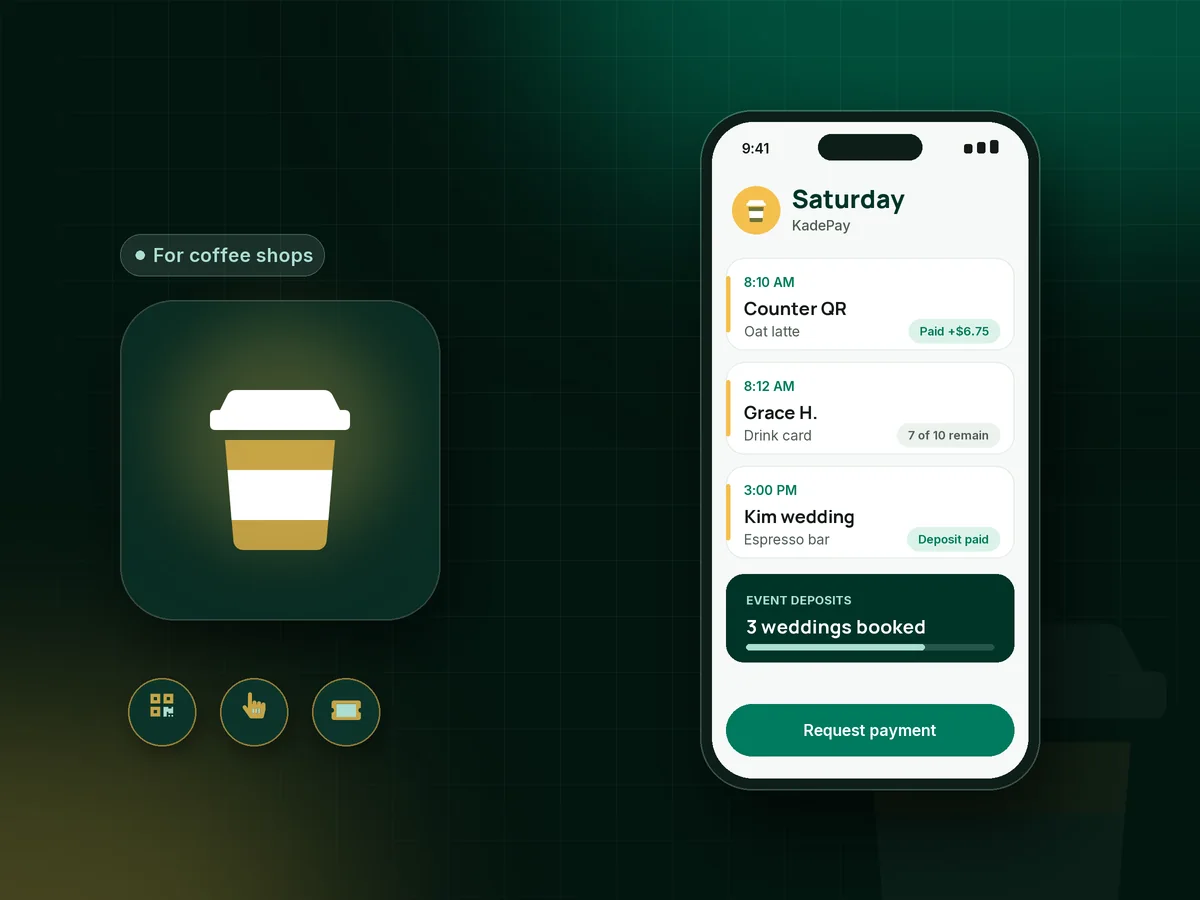
Illustration of a coffee cart payment app in KadePay with counter QR payments, a wedding espresso bar booking and a prepaid drink card

Sound familiar?

Pull the shot. Let the payment take care of itself.

Cart owners and small cafe teams work a short, intense morning and then chase event bookings in the afternoon. These are the money moments coffee owners mention most, and how KadePay fits behind the counter.

01

A line of commuters and one slow reader

Everyone wants a cortado before the 7:40 train, and the reader takes a few extra seconds per customer that you simply do not have.

With KadePay

Put a Pay Direct QR on the cart. Customers scan, type the amount you say and pay with a card or phone wallet while you steam the milk, and you confirm the payment in Transactions.

Ways to get paid
02

Wedding and corporate bookings without a deposit

A couple asks for an espresso bar for 120 guests, the date sits on hold for a month, and then they go with the venue's bar instead.

With KadePay

Take a coffee catering deposit through a fixed-amount link with questions for date, venue and guest count. Your cancellation and power terms go in a short form they sign before you hold the date.

Payment links and QR codes
03

Per-drink events billed after the fact

For some events you charge per drink served, and the clicker tally turns into an invoice you end up writing on Monday night.

With KadePay

Send the final bill from your phone as you pack up, attach a photo of the drink tally, and turn on reminders. Corporate clients can pay by bank transfer.

Ways to get paid
04

Punch cards that end up in the laundry

Regulars love a buy-ten card, but the paper ones get soaked, get lost and rarely come back to the counter with all ten stamps.

With KadePay

Sell a prepaid coffee card as a package of 10 drinks and record each drink as it is poured. The regular sees how many are left on your branded business page.

Packages and sessions
05

Weekly office coffee with a standing order

A local office wants your cart in their lobby every Friday, and invoicing them separately each week is one more chore before the weekend.

With KadePay

On Team or Pro, set up office coffee service billing as a recurring monthly bill, and the office manager pays by card or bank transfer from the same link each month.

Recurring billing

How it fits your week

From the morning rush to the evening event

  1. Open the cart

    Set out the printed QR and open the KadePay app on your phone. Tap to Pay on a compatible phone is ready for customers who prefer to tap a card.

  2. Serve the line

    Customers scan and pay or tap, you check Transactions, and the drink goes out. Prepaid card holders get one drink recorded from their package.

  3. Book events between rushes

    Couples and planners request coffee cart events through your booking link, with the venue as the appointment location. You confirm and send the deposit link.

  4. Settle the balance

    Send the balance bill about a week ahead with reminders, or bill per drink after the event with a photo of the tally attached.

  5. Wrap up the week

    Download transactions for your bookkeeper and refund any mistaken charge. Gift cards sold during the week sit alongside the rest of your payments.

Every way your customers pay

  • Visa
  • Mastercard
  • American Express
  • Discover
  • Apple Pay
  • Google Pay
  • Tap to Pay
  • ACH bank transfer
  • Affirm, where eligible
  • Venmo
  • Zelle
  • QR codes
  • Text and email links

Availability depends on your account setup and eligibility. You confirm Venmo and Zelle payments after checking they arrived.

KadePay for coffee shops

Running a coffee cart business: what a coffee cart payment app should handle

A coffee cart business earns money two ways: the daily line and the booked event. The line needs speed and the event needs paperwork. Many carts end up with one tool for each and a notebook to reconcile them. A coffee cart payment app should cover both from the same phone.

To accept cards at a coffee cart, you no longer need a countertop terminal and a power strip. A printed QR handles the line, and Tap to Pay on a compatible phone handles the customer who wants to tap. Payment setup takes a little time once, and then both work from the KadePay app.

A mobile coffee cart for weddings is usually priced by guest count or by drinks served, with a deposit to hold the date and the balance due about a week before. Put those terms in a short signed form, collect the deposit by link, and send the balance as a bill with reminders.

Small cafe payments follow the same pattern, plus repeat customers. Prepaid drink cards and coffee shop gift cards keep regulars coming back, and both live in the same record as your counter sales.

CLEAR ANSWERS

Coffee carts & cafes: your questions, answered.

What is the best coffee cart payment app for markets and events?

One that handles a fast line and booked events together. KadePay gives you a scan-to-pay QR and contactless payments on a compatible phone for the counter, plus booking requests, deposit links and balance bills for weddings and office events, all in a single app.

How do I take a deposit for a coffee cart wedding booking?

Confirm the date from the couple's booking request, then send a fixed-amount deposit link that asks for the venue and guest count. Have them sign your cancellation and power requirements in a form, and bill the balance with reminders before the wedding.

Can I offer a prepaid coffee card instead of a paper punch card?

Yes. Create a package such as 10 drinks for $45 and sell it from a link or at the counter. Record one drink each time the regular orders, and they can check the remaining count on your branded business page.

Can customers order ahead or see a menu in KadePay?

No. KadePay does not offer online ordering, menus or order screens for the bar. Customers order at the counter as usual and pay with the QR, a phone tap or a card reader you buy, and events are booked as requests you confirm.

Can corporate clients pay coffee catering by invoice?

Yes. Send a bill by email with the event details and, if useful, a photo of the drink tally attached. The office can pay by card or ACH bank transfer, and reminders go out until it is paid. Team and Pro can make weekly service recurring.

How much does KadePay cost for a coffee cart?

Pay-As-You-Go has a $0 monthly price, and payment and usage fees apply. Team at $10 a month and Pro at $35 a month add recurring billing and staff logins, and the pricing page has the full list.

YOUR WORK COMES FIRST

Make room for more customers.

Get started for free