Skip to content
KadePayGet started

KADEPAY FOR HOUSE CLEANERS & MAID SERVICES

The house cleaning business app built around your weekly regulars.

Your best clients are the ones on your calendar every other Tuesday. KadePay keeps their card authorization, their alarm code and their cleaning checklist in one place, so the bill is settled before you load the vacuum back into the car.

Pay-As-You-Go starts at $0 per month. Usage and payment fees apply.

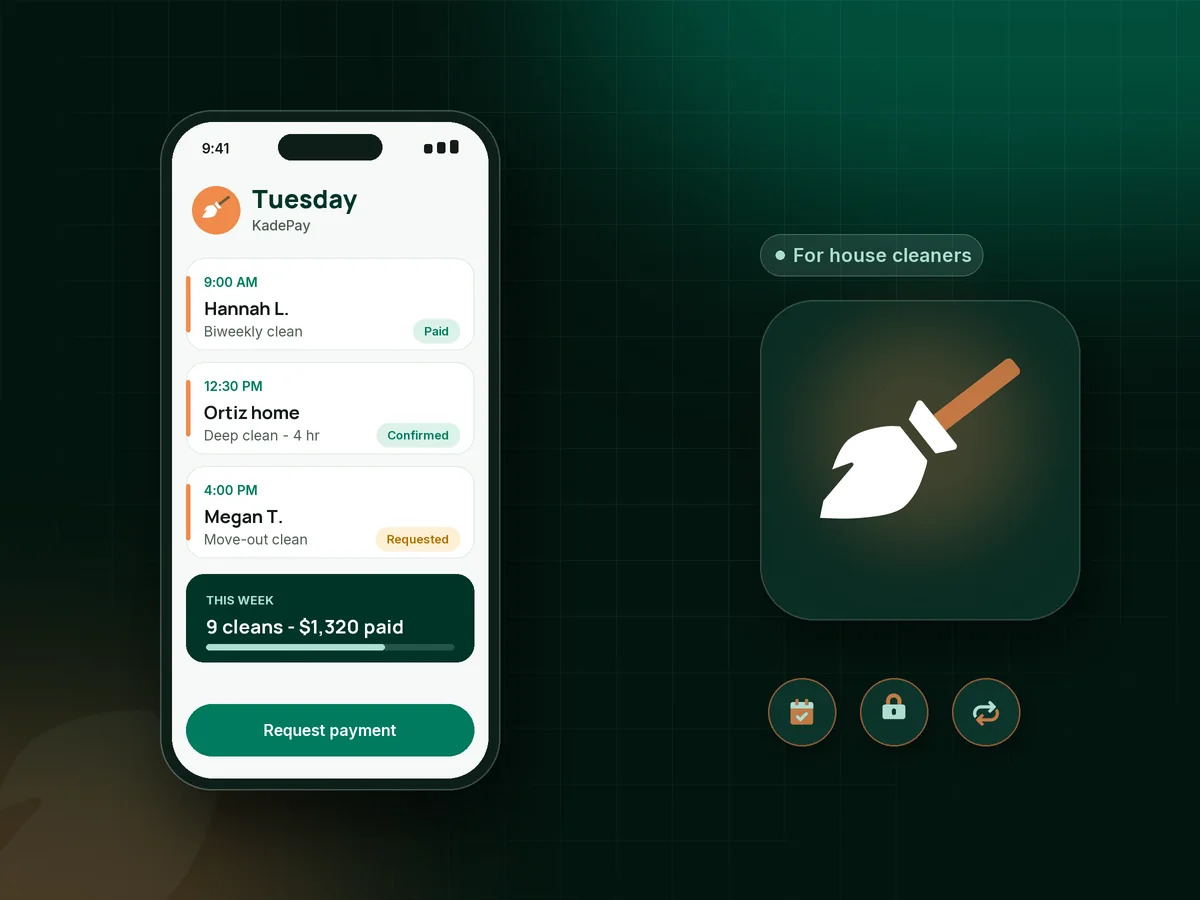
Illustration of a house cleaning business app showing a cleaner's Tuesday of recurring cleans, a move-out request and a paid deep clean

Sound familiar?

You cleaned the whole house. Now you chase the check.

Scrubbing grout is the part you know how to do. The money around it, from missing envelopes to a client who forgot you were coming, is where a cleaning week leaks. Here is how KadePay handles those moments.

01

The envelope that was supposed to be on the counter

You finish a three-hour clean, look for the payment and find nothing. Now it is a polite text, a wait and maybe a second drive back.

With KadePay

Ask each regular to authorize a card on file once. When the last room is done you charge the visit from your phone, and the client gets a receipt by text or email.

Card on file
02

Locked out with your team standing in the driveway

The garage code changed, nobody answers, and two cleaners just lost a paid morning. Charging for it feels awkward when nothing was ever put in writing.

With KadePay

Put your lockout and late-cancellation terms in a cleaning service agreement the client signs on their phone. With their card authorized, you can charge the fee your signed policy describes.

Forms and signatures
03

Weekly and biweekly regulars billed from memory

Every Friday you scroll back through texts to work out who was cleaned, who sent Zelle and who still owes from two weeks ago.

With KadePay

On the Team or Pro plan, put each regular on recurring cleaning billing at the rate and frequency you agreed, charged to the method they authorized, with every payment in their history.

Recurring billing
04

Alarm codes, pets and key spots buried in old texts

One client hides the key under the blue planter, another has a cat that must not get out, and none of it is written where your team can find it.

With KadePay

Keep entry details, pet instructions and products to avoid in private notes on each client profile. Your team can read them before the visit, and clients never see them.

Customer profiles and notes
05

Move-out leads who want a time and a price tonight

A renter texts at 9 PM asking how soon you can do a move-out clean and what it costs, and the back and forth runs for days.

With KadePay

Share a booking link listing standard, deep and move-out cleans with their durations. New clients request a time, and you confirm the one that fits your week.

Appointment booking

How it fits your week

How a cleaning week runs with KadePay

  1. A new client requests a first clean

    They tap the booking link on your website or social profile and ask for a deep clean on Thursday morning. You check the address and confirm the request.

  2. Paperwork done before day one

    They sign your service terms, tick the rooms that matter most on a walkthrough checklist and authorize a card for future visits, all from their own phone.

  3. Your team walks in prepared

    Every appointment carries its own address, and the client profile shows where the spare key is, which door the dog uses and the bathroom they care about most.

  4. Paid before you leave the curb

    Charge the authorized card when the clean is done, or text a bill with a payment link. Clients who prefer Venmo or Zelle send it, and you mark it received.

  5. Regulars stay on the calendar

    Automatic appointment reminders go out before each visit, and recurring billing on Team or Pro plans keeps your every-other-week clients paid without a Friday spreadsheet.

Every way your clients pay

  • Visa
  • Mastercard
  • American Express
  • Discover
  • Apple Pay
  • Google Pay
  • Tap to Pay
  • ACH bank transfer
  • Affirm, where eligible
  • Venmo
  • Zelle
  • QR codes
  • Text and email links

Availability depends on your account setup and eligibility. You confirm Venmo and Zelle payments after checking they arrived.

KadePay for house cleaners

Choosing the best house cleaning business app for recurring clients

Most maid service software is designed around large crews and an office manager. A solo cleaner or a three-person team needs something lighter: a way to take booking requests, keep client details private and get paid on the day of the clean. KadePay covers those jobs without asking you to learn an operations system first.

As a cleaning business invoice app, KadePay lets you text a bill with photos of the finished kitchen attached, charge an authorized card, or let the client pay from the link. If you want to accept payments as a house cleaner without carrying a card reader, Tap to Pay works on a compatible phone once your payment setup is complete.

A clear cleaning cancellation policy protects your income and your relationships. Write it in plain words, include your house cleaning lockout fee, and have new clients sign it before the first visit. When a lockout happens, you charge the amount your signed policy describes and the receipt goes out, instead of a long debate by text.

Plenty of cleaners juggle a separate house cleaning booking app, a payment app and a notes file. Keeping them together means a regular's schedule, card authorization, checklist and payment history sit on one profile you can open from the driveway.

CLEAR ANSWERS

House cleaning & maid services: your questions, answered.

What is the best house cleaning business app for a small team?

Pick one that handles the money around each clean, not only the calendar. KadePay combines booking requests, card on file with client authorization, recurring billing on Team and Pro plans, signed service terms and private entry notes, and it records Venmo or Zelle payments too.

How do I charge a lockout fee when I can't get into a client's home?

Include the lockout fee in terms the client signs before the first clean, and ask for card authorization at the same time. If your team is locked out, you can charge the fee your signed policy describes, and the client receives a receipt for it.

Can I bill weekly and biweekly cleaning clients automatically?

Yes, on the Team and Pro plans. Set up recurring billing for each regular at the agreed rate and frequency, charged to the method they authorized. Clients can see their bills on your branded business page, and you can see who has paid.

Can my cleaning clients pay me with Venmo or Zelle?

Yes. A client sends the money from their own Venmo or Zelle app, you check that it arrived, and you record it in KadePay so the visit shows as paid. KadePay charges no fee on a recorded Venmo or Zelle payment from a cleaning client.

Where do I keep alarm codes and key locations for each home?

Use private notes on each client profile for entry codes, key spots, pet instructions and product preferences. Team members see them according to the permissions you set, and clients never see them on your business page.

How much does KadePay cost for a house cleaning business?

For a solo cleaner, Pay-As-You-Go starts at $0 per month; payment and usage fees apply. The Team plan is $10 per month and adds team members and recurring billing, and Pro is $35 per month. The KadePay pricing page compares them.

YOUR WORK COMES FIRST

Make room for more clients.

Get started for free