Skip to content
KadePayGet started

KADEPAY FOR HOME INSPECTORS

The home inspector payment app that settles the fee before the attic.

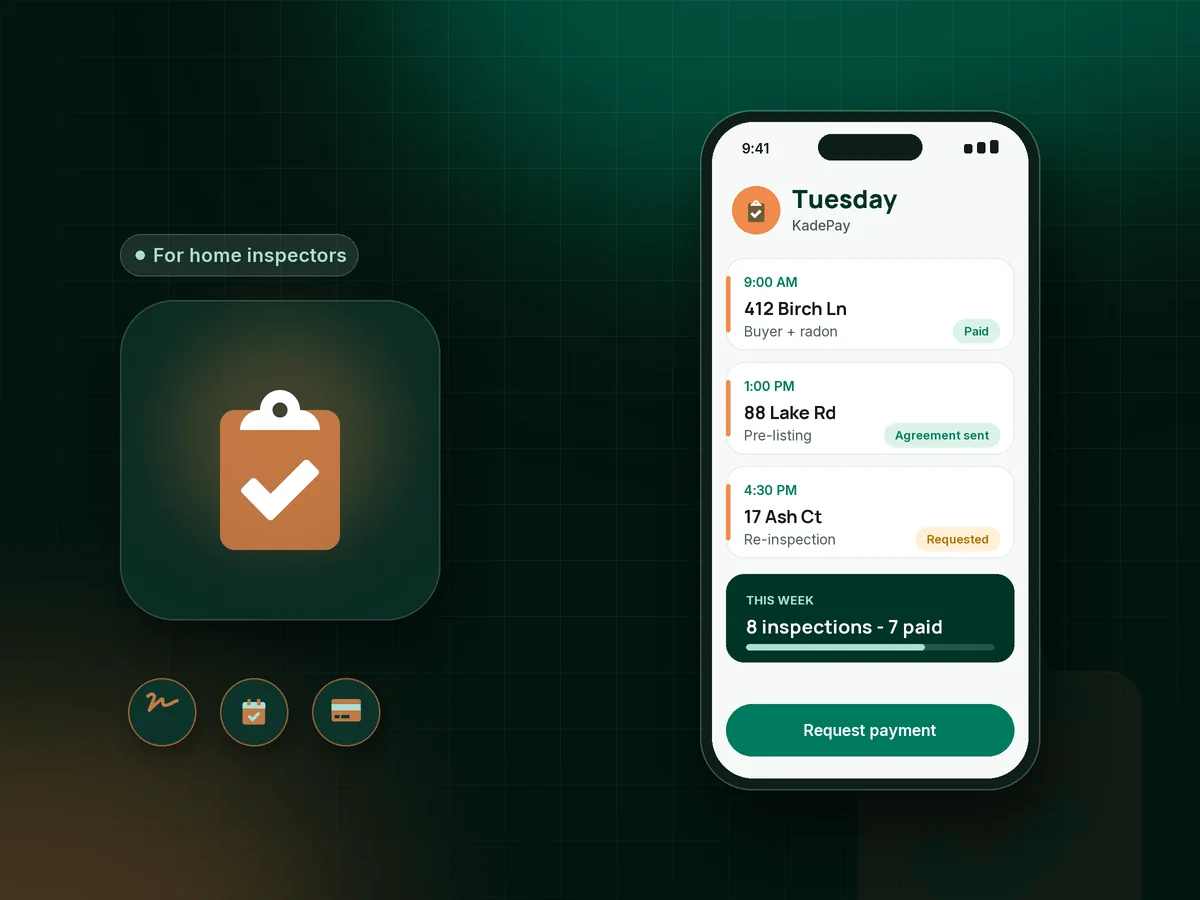
The buyer's agent books you for Tuesday at 9, the buyer is three states away and the closing date keeps moving. KadePay gets the agreement signed and the inspection fee paid before you pull the ladder off the truck, so the report is the only thing left to deliver.

Pay-As-You-Go starts at $0 per month. Usage and payment fees apply.

Illustration of a home inspector payment app with an inspector's Tuesday of buyer inspections, a signed agreement and a paid radon add-on

Sound familiar?

You found the roof leak. Then the deal fell through.

Home inspectors work inside someone else's transaction, with an agent, a buyer, a seller and a closing date that all move. These are the payment problems inspectors mention most, and how KadePay keeps them simple.

01

Waiting on a closing that may never happen

You agreed to be paid at closing, the buyer walked after reading your report, and now nobody returns your calls about the $475.

With KadePay

Send the bill as soon as the inspection is confirmed, so the client pays online before you arrive. The fee no longer depends on the sale going through.

Ways to get paid
02

Arriving to an agreement nobody has signed

The buyer is driving in from another city, and you are standing in the driveway with a paper agreement and a clipboard.

With KadePay

Send your pre-inspection agreement as a form the client completes and signs on their own phone after booking. The signed copy stays on their profile with the date.

Forms and signatures
03

Add-ons booked late and billed separately

The agent asks for radon the night before, the buyer adds a sewer scope on site, and now you have three charges to chase.

With KadePay

Put the inspection, radon test add-on and sewer scope on one bill with each item listed. The client pays the total from one link or the card they authorized.

Payment links and QR codes
04

Agents booking for clients you have never met

The agent texts you an address and a time, and you have no idea who is paying or how to reach them.

With KadePay

Give agents your booking link to request a time on the client's behalf. You confirm it, add the client's contact details and send the bill and agreement straight to them.

Appointment booking
05

Photos and documents scattered across email

Weeks later, the client asks for the photo of the water heater label, and it is buried in a thread with three agents.

With KadePay

Keep inspection photos and documents in a Gallery folder on the client's profile and share it read-only, so the client can find them without another email.

Customer profiles and notes

How it fits your week

How an inspection runs with KadePay

  1. A time is requested

    The buyer or their agent requests an inspection from your booking link, with the property address on the appointment. You confirm a time that fits your week.

  2. Agreement and payment first

    The client signs your inspection agreement on their phone and pays the bill for the inspection and any add-ons by card, bank transfer or phone wallet.

  3. Inspection day stays on the house

    No checks at the kitchen table. Private notes on the profile hold the lockbox code, the listing agent's number and the dog that stays in the garage.

  4. Add-ons handled on site

    If the buyer adds a mold sample or a sewer scope, text a second bill or charge the card they authorized when they booked.

  5. Photos easy to find later

    Share a read-only Gallery folder with photos and documents, and your transaction download is ready for your bookkeeper at month end.

Every way your clients pay

  • Visa
  • Mastercard
  • American Express
  • Discover
  • Apple Pay
  • Google Pay
  • Tap to Pay
  • ACH bank transfer
  • Affirm, where eligible
  • Venmo
  • Zelle
  • QR codes
  • Text and email links

Availability depends on your account setup and eligibility. You confirm Venmo and Zelle payments after checking they arrived.

KadePay for home inspectors

What the best app for home inspectors should handle besides the report

Home inspection software usually centers on report writing, and many inspectors are happy with the tool they already use for that. The money side is often the weak spot: agreements signed late, fees collected at closing and add-ons that slip through. A home inspector payment app fills that gap without replacing your report tool.

A pre-inspection agreement is easier to collect before inspection day than on a clipboard in the driveway. With KadePay, clients sign on their own phone and the signed copy stays with their profile. Home inspection booking requests come from the same link you give to agents.

Letting clients pay for home inspection online before the visit removes the most common risk in this trade. A home inspection fee at closing depends on the deal closing. A fee paid when the inspection is confirmed does not. Add a radon test add-on or a sewer scope inspection fee to the same bill and the client pays once.

Sellers increasingly order a pre-listing inspection, and the same steps work for them: request a time, sign the agreement, pay the bill and receive a shared photo folder when you are done.

CLEAR ANSWERS

Home inspectors: your questions, answered.

What is the best home inspector payment app to use with my report software?

Use one that handles agreements, booking requests and payments while your report tool handles the report. KadePay collects signed agreements, sends bills with add-ons as items, takes cards and bank transfer, and keeps private property notes.

Should I get paid at closing or at the inspection?

Many inspectors avoid waiting for closing because deals fall through after the inspection. Sending the bill when the inspection is confirmed, or collecting it on site, makes the fee independent of the sale.

Can clients sign the pre-inspection agreement on their phone?

Yes. Send your agreement as a KadePay form. The client signs in, completes and signs it on their own phone, and the signed copy stays with their profile. Have your attorney review the agreement wording for your state.

How do I bill radon, sewer scope and other add-ons?

Add each service as an item on the client's bill, so they see the inspection, the radon test and the sewer scope with their prices. If they add something on site, charge their authorized card or text a second bill.

Can a buyer's agent book the inspection for the client?

Yes. Agents can use your booking link to request a time, and you confirm it. Then send the agreement and bill directly to the buyer, who pays from the link wherever they are.

How much does KadePay cost for a home inspection business?

For an inspector working solo, Pay-As-You-Go starts at $0 per month; payment and usage fees apply. Team at $10 per month and Pro at $35 per month add more inspectors and office staff. The KadePay pricing page compares the plans.

YOUR WORK COMES FIRST

Make room for more clients.

Get started for free