Skip to content
KadePayGet started

KADEPAY FOR MOBILE IV THERAPY

A mobile IV therapy app that travels with your nurses.

Your nurse drives 25 minutes to a hotel suite or a living room, and the client should be ready, signed and paid before the drip starts. KadePay handles booking requests with each client's address, deposits, consent forms and payment at the door, plus monthly drip memberships for your regulars.

Pay-As-You-Go starts at $0 per month. Usage and payment fees apply.

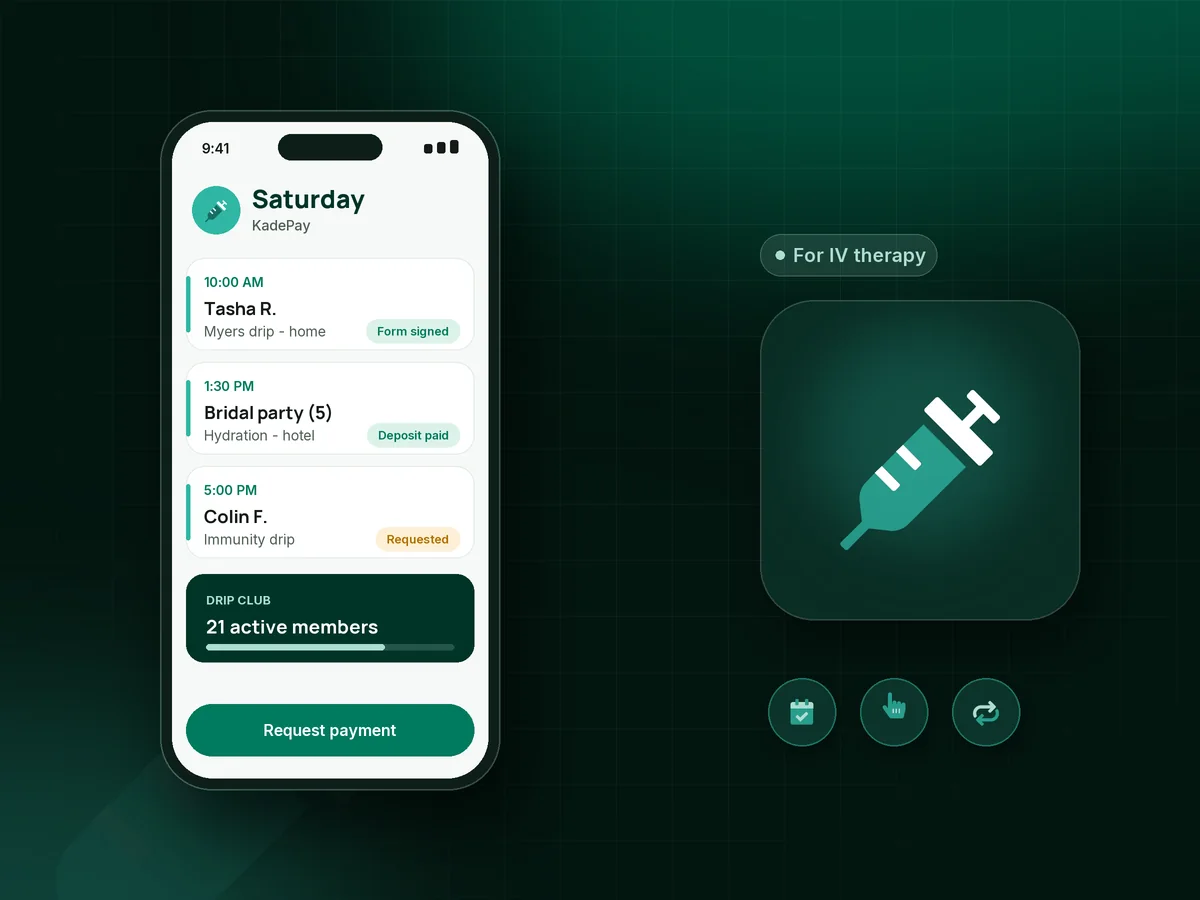
Illustration of a mobile IV therapy app in KadePay with booking requests at client addresses, a group event deposit and Tap to Pay

Sound familiar?

A no-show at a hotel 30 minutes away costs twice.

Mobile IV businesses lose drive time, prepared supplies and nurse hours when a booking falls through. These are the money moments mobile IV owners mention most, from bachelorette weekends to monthly regulars, and how KadePay covers them.

01

Driving across town for a client who does not answer the door

Your nurse loads the car, drives to the address, and the client who booked at midnight is asleep or gone. That is a lost slot, gas and a prepared bag.

With KadePay

Confirm each request, then send a deposit link for the amount your policy sets, such as $60. The client signs your cancellation policy and authorizes a card, so you can charge the fee that policy describes.

Payment links and QR codes
02

Group events where one person pays and five people drip

The maid of honor books a five-person hydration party, half the group pays her back late, and the final count changes the morning of the event.

With KadePay

Take one deposit from the organizer, then adjust the final bill at the event. Guests who pay for their own boosters can scan your printed QR, enter the agreed amount and pay while your nurse confirms it in Transactions.

Ways to get paid
03

Payment at the door with a kit that is already full

Card readers, cables and a laptop do not fit in a kit that is already packed, and asking for a card mid-infusion feels awkward.

With KadePay

Use Tap to Pay on a compatible iPhone or Android phone after payment setup, or charge the card the client authorized when booking. Checkout takes a moment at the door, not ten minutes on the couch.

Tap to Pay and card readers
04

Regulars who would come monthly if it were simple

Your marathon runners and frequent travelers pay full price every time and book whenever they remember, which is not often enough.

With KadePay

Offer a drip membership on the Team or Pro plan billed monthly to an authorized card, or sell a five-drip package and record each visit. Booking each drip stays separate, so you still confirm every visit.

Recurring billing
05

Consent paperwork filled out on a kitchen counter

Your nurse spends the first fifteen minutes on clipboards and signatures instead of starting care, and the pages ride home in the car.

With KadePay

Send consent and cancellation forms that clients sign on their own phone before you arrive. Keep health screening and charting in your clinical system; the signed business forms stay with the client profile.

Forms and signatures

How it fits your week

From the booking request to the last drip

  1. A request comes in

    A client requests a time from the link in your bio. You check the drive and your nurse's day, confirm it, and set the visit's address, whether a home, a hotel or an office.

  2. Deposit and consent

    A deposit link and your consent and cancellation forms go out. The client pays, signs and authorizes a card from their phone before your nurse leaves.

  3. Care at the door

    Your nurse focuses on the client. Add-on boosters go on the bill, and payment happens by saved card or Tap to Pay on a compatible phone.

  4. Groups and events

    For a wellness pop-up or an office event, sell tickets with QR check-in at the door, or take a deposit from the organizer and bill the rest afterward.

  5. Regulars come back

    Members renew monthly, package visits are recorded each time, and automatic appointment reminders help the next drip happen on schedule.

Every way your clients pay

  • Visa
  • Mastercard
  • American Express
  • Discover
  • Apple Pay
  • Google Pay
  • Tap to Pay
  • ACH bank transfer
  • Affirm, where eligible
  • Venmo
  • Zelle
  • QR codes
  • Text and email links

Availability depends on your account setup and eligibility. You confirm Venmo and Zelle payments after checking they arrived.

KadePay for IV therapy

Choosing a mobile IV therapy app that handles the business side

Most IV therapy booking software assumes clients come to a lounge. A mobile drip service works the other way around: every appointment has a different address and travel time, and a nurse who cannot easily reshuffle the day. KadePay lets each appointment carry its own location, and you confirm every request before anyone gets in the car.

The money side follows the same logic. An IV therapy deposit collected after confirmation, a signed policy and a saved card make an IV therapy no-show fee something you can actually collect. Mobile IV payments at the door are quick with Tap to Pay for mobile IV on a compatible phone, and the client gets a receipt by text or email.

Recurring revenue keeps the calendar steady between busy weekends. An IV drip membership billed monthly, IV hydration packages for regulars and deposits for group IV events each give you more predictable income. IV therapy consent forms and cancellation policies signed on the client's phone cut paperwork time on site.

KadePay is not an EMR. Your medical director's protocols, health screening and charting stay in your clinical system, and KadePay runs booking requests, forms, packages and payments around them.

CLEAR ANSWERS

Mobile IV therapy: your questions, answered.

What is the best mobile IV therapy app for payments and bookings?

A good fit lets every appointment have its own address, collects deposits before your nurse drives out and takes payment at the door. KadePay does those, adds Tap to Pay on compatible phones, drip memberships and packages, and keeps signed consent and cancellation forms with each client.

How do I charge a deposit for a mobile IV appointment?

After you confirm the request, text the client a fixed-amount deposit link, such as $60. Your signed cancellation policy explains when the deposit counts toward the drip and when it is kept. Bill the balance at the visit or charge the card they authorized.

Can I take card payments at a client's home or hotel?

Yes. Use Tap to Pay on a compatible iPhone or Android phone with the KadePay app once payment setup is complete, or a card reader you purchase. You can also charge a saved card the client authorized, or text a payment link before your nurse arrives.

Does KadePay store medical charts or work as an IV therapy EMR?

No. For an IV business, KadePay stays on the business side: payments, booking requests, forms, packages and business notes, not clinical or medical records, and it does not bill insurers. Keep good faith exams, health screening and infusion charting in your clinical system, and use KadePay notes for things like parking and gate codes.

How do IV drip memberships work in KadePay?

On the Team or Pro plan, create a monthly membership, for example $179 for one drip a month, and the member authorizes a saved card for it. The membership bills each month, you note the drips used on the member's profile, and members book each visit separately.

How much does KadePay cost for a mobile IV business?

Starting out with one nurse, Pay-As-You-Go runs $0 per month; payment and usage fees apply. Memberships, recurring billing and team logins for your nurses are part of Team at $10 per month and Pro at $35 per month. The pricing page has the breakdown.

YOUR WORK COMES FIRST

Make room for more clients.

Get started for free