Skip to content
KadePayGet started

KADEPAY FOR PEST CONTROL

Pest control billing software for quarterly visits and callbacks.

Most of your revenue is the same customers four times a year, plus a few termite jobs and a bed bug treatment that cannot wait. KadePay bills quarterly and monthly plans on Team or Pro, collects first-visit charges by link, and keeps signed treatment-prep forms with every account.

Pay-As-You-Go starts at $0 per month. Usage and payment fees apply.

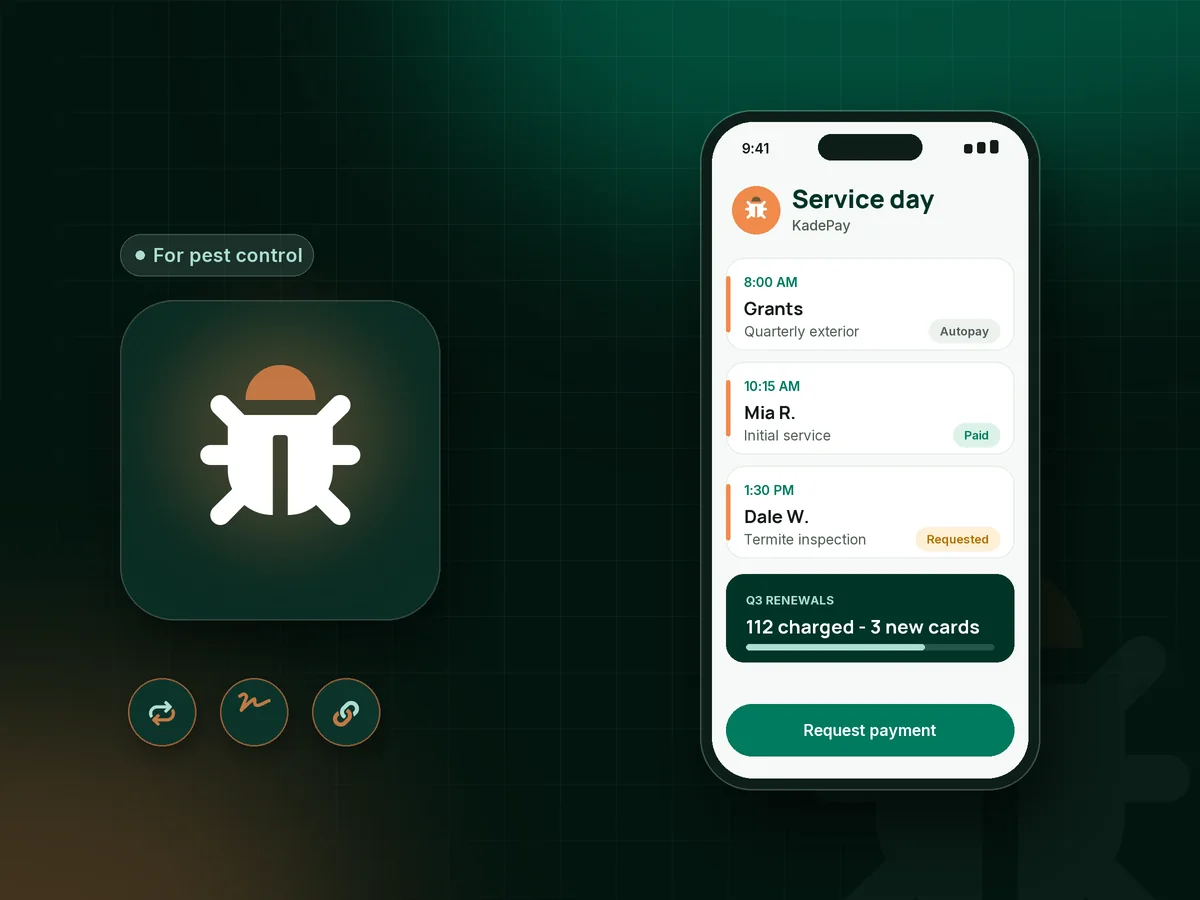
Illustration of a pest control tech's day in KadePay pest control billing software with quarterly visits, a termite job and a signed prep form

Sound familiar?

The bugs come back. So should the payments.

Pest control runs on repeat service, and the money only works when the recurring charge goes through on time. These are the billing headaches pest pros mention most, and how KadePay handles each one.

01

Quarterly invoices that customers forget between visits

Three months is long enough for a homeowner to forget they have a plan, and the $129 bill sits unopened in their email.

With KadePay

On Team or Pro, set up recurring pest control billing charged to the card each customer authorized, so you skip sending forty invoices after every service day.

Recurring billing
02

Customers who say they never agreed to a recurring plan

A homeowner signed up at the door in May and swears in September that they only ever wanted one spray.

With KadePay

Have new customers sign a pest control service agreement on their phone that states the visit schedule, price and cancellation terms. Their card authorization and the signed form sit on the same profile.

Forms and signatures
03

Expired cards that quietly stop paying

The card on file expired in March, nobody noticed, and that account has had two visits since without a cent coming in.

With KadePay

Review failed recurring charges after each billing day, text the customer a bill for the missed visit so they can pay with a current card, and ask them to authorize the new card going forward.

Card on file
04

Initial cleanouts and bed bug jobs done before payment

A first interior cleanout takes two hours and a heat treatment takes a full day, and both are easy to walk away from unpaid.

With KadePay

Collect the first-visit charge or a bed bug treatment deposit with a fixed-amount link before the visit, and use the after-payment receipt text to share your prep checklist.

Payment links and QR codes
05

Termite work priced too high for one payment

A $1,600 termite treatment is necessary, but many homeowners need time, and the colony will not wait for their next paycheck.

With KadePay

Offer a termite treatment payment plan with a set number of installments from an eligible saved method, or let the homeowner apply for Affirm at checkout where eligible.

Payment plans

How it fits your week

How a new pest control customer gets set up

  1. First request

    A homeowner who just saw ants in the kitchen requests an inspection time from your booking link. You confirm it, and the visit is saved with their address.

  2. Agreement and authorization

    Before the first treatment, they sign your service agreement and pet and child safety notice, and authorize a card for quarterly visits.

  3. First visit paid

    Collect the initial service fee at the door with Tap to Pay on a compatible phone, or by link before you arrive, so the cleanout is covered.

  4. Quarterly on autopay

    On Team or Pro, each quarterly visit is charged as a recurring payment, and notes record bait station locations and problem areas.

  5. Callbacks and add-ons

    Mosquito or rodent add-ons get their own bill, and any callback visit is logged on the same customer record for the next tech.

Every way your customers pay

  • Visa
  • Mastercard
  • American Express
  • Discover
  • Apple Pay
  • Google Pay
  • Tap to Pay
  • ACH bank transfer
  • Affirm, where eligible
  • Venmo
  • Zelle
  • QR codes
  • Text and email links

Availability depends on your account setup and eligibility. You confirm Venmo and Zelle payments after checking they arrived.

KadePay for pest control

Best pest control app for small business: pest control billing software

Pest control is one of the most recurring trades there is, and the billing should follow the same rhythm as your service. Quarterly pest control customers expect the same tech, the same visit and the same charge, and they expect paying to be easy. Pest control billing software that runs the charge on schedule, with the customer's authorization, removes most of the chasing.

On Team or Pro, KadePay bills recurring plans to a card the customer authorized, and the customer can see their bills on your branded business page. A signed pest control service agreement covers the visit schedule, price and cancellation terms, which matters when someone later disputes what they signed up for.

One-time work fits beside the plan. Charge an initial service fee by link, take a deposit before a heat treatment day, and offer agreed installments on termite work. Technicians can take payment on site with Tap to Pay on a compatible phone, and Venmo or Zelle payments can be recorded against the bill.

KadePay does not plan routes or log chemical applications. It handles payments, agreements and customer notes, so your current treatment records stay where they are and the money side gets simpler.

CLEAR ANSWERS

Pest control: your questions, answered.

What is the best pest control billing software for a one-truck operator?

One that charges recurring plans without you sending invoices after every service day. KadePay runs recurring billing on Team or Pro, collects first-visit charges by link, keeps signed agreements on file and takes Tap to Pay on a compatible phone.

How do I set up pest control autopay for quarterly service?

Create a recurring payment for each plan customer on Team or Pro and ask them to authorize a saved card. KadePay charges it on your schedule. Pair it with a signed service agreement that explains the visit cadence and how to cancel.

Should I charge an initial service fee for pest control?

Many pest companies do, because the first visit takes longer and uses more product. Send a fixed-amount link for it before the visit or collect it at the door with Tap to Pay on a compatible phone, and spell it out in your service agreement.

Can customers pay for termite treatment in installments?

Yes. A termite treatment payment plan splits the job into a set number of installments you agree on, collected from an eligible saved method. Customers can also apply for Affirm pay-over-time at checkout where eligible.

What happens when a customer's card on file expires?

The recurring charge will not go through, so check your transactions after each billing day. Text the customer a bill for the missed visit and ask them to authorize their new card for future charges.

How much does KadePay cost for a pest control business?

Pest pros can start on Pay-As-You-Go at $0 per month; payment and usage fees apply. Recurring billing for quarterly and monthly plans is included with Team at $10 per month and Pro at $35 per month. The pricing page has the full comparison.

YOUR WORK COMES FIRST

Make room for more customers.

Get started for free