Skip to content
KadePayGet started

KADEPAY FOR POOL SERVICE PROS

The pool service billing app that gets paid before you clean the pool.

You test, brush and vacuum forty pools a week, and the hardest stop is still the customer who is three months behind. KadePay charges monthly service to an authorized card, bills repairs with photos and keeps gate codes where your techs can find them.

Pay-As-You-Go starts at $0 per month. Usage and payment fees apply.

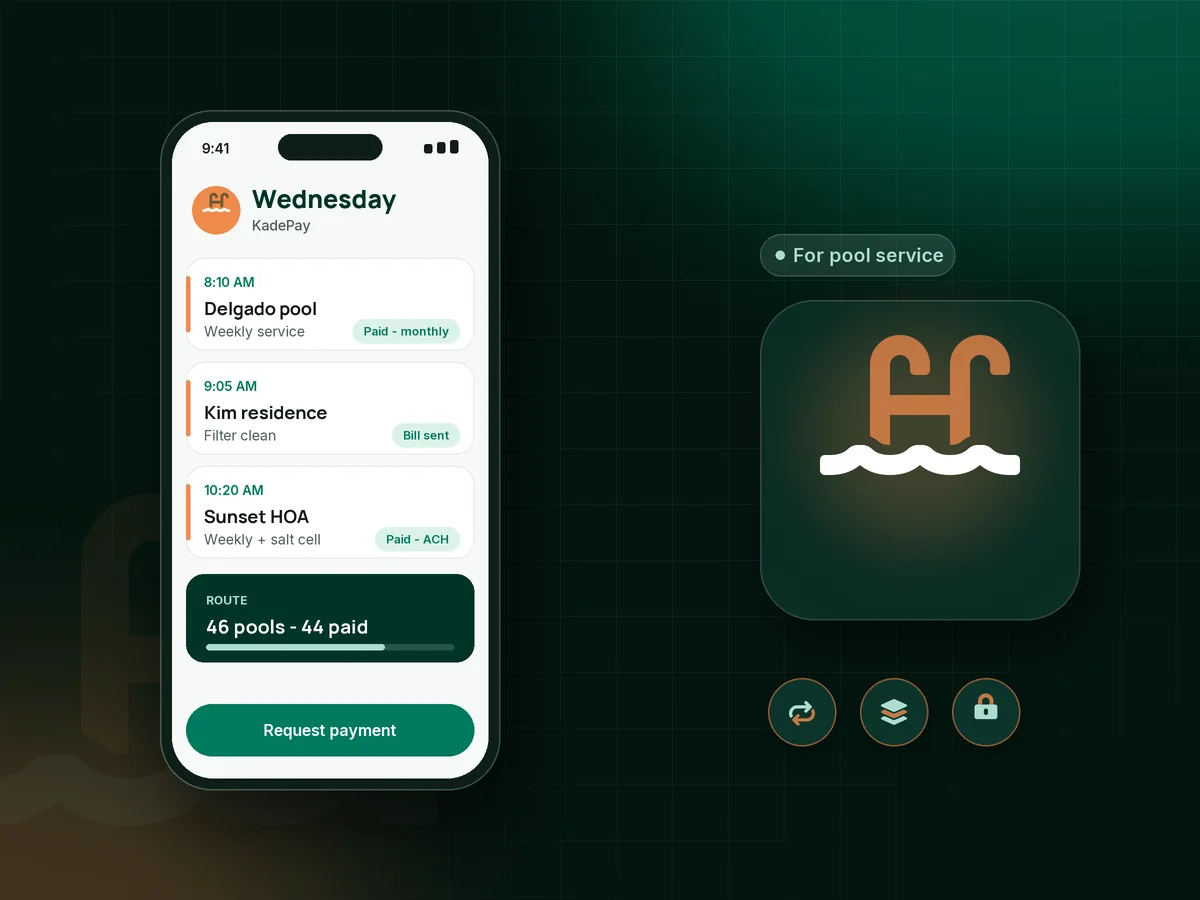
Illustration of a pool service billing app with a tech's Wednesday route stops, a monthly service charge and a filter repair bill

Sound familiar?

Clear water, cloudy receivables.

Pool service is recurring work by nature, yet a lot of pros still bill after the fact and chase it for weeks. These are the money problems pool techs mention most, and how KadePay handles each one.

01

Servicing pools for customers who stopped paying

A $160 account slips to 30 days, then 60, and by the time you notice you have treated the pool eight times for free.

With KadePay

On the Team or Pro plan, bill monthly service in advance as a recurring charge to the card or bank account the customer authorized. You see right away which accounts did not go through.

Recurring billing
02

Repairs and extra chemicals blended into a vague invoice

A green-to-clean, a new filter cartridge and extra chlorine all land on one line, and the customer calls to ask what they are paying for.

With KadePay

Send repairs and extra work as a separate bill with a photo of the cracked lid or the dirty cartridge attached. The customer pays from the link or you charge their authorized card.

Card on file
03

Locked gates and dogs in the backyard

You drive across town, the gate code changed, the dog is out, and the stop is lost while your next pool waits.

With KadePay

Keep gate codes, dog notes, the breaker location and where the pump timer lives in private notes on each customer profile. Customers never see them, and your techs can check them on the way in.

Customer profiles and notes
04

Openings and closings booked with no commitment

Every spring, customers ask for an opening the same week, and a few cancel after you have already set aside the chemicals.

With KadePay

Share a fixed-amount deposit link for spring openings and fall closings. Customers request a date, you confirm it, and you bill the balance once the pool is running.

Payment links and QR codes
05

A $1,450 pump replacement the customer cannot pay at once

The motor is done, the customer needs the pool running, and paying the whole amount this week is a stretch.

With KadePay

Offer a payment plan with a set number of installments you agree on, collected from an eligible saved method, or let eligible customers use Affirm to pay over time.

Payment plans

How it fits your week

How a pool route runs with KadePay

  1. A new customer signs up

    They request a start date from your booking link and sign your service agreement with the monthly rate, what it covers and when service pauses for unpaid bills.

  2. Billing set before the first visit

    The customer authorizes a card or bank account, and on Team or Pro plans the monthly service amount is charged on the same day every month.

  3. Every stop has its own notes

    Each customer profile holds the gate code, the dog's name, equipment details and any special instructions, private to you and your techs.

  4. Repairs billed while you are there

    Snap a photo of the failed part, attach it to a bill and text it before you leave. Approved repairs are charged to the authorized card.

  5. Seasonal work handled in advance

    Deposit links for openings and closings, payment plans for large equipment, and a transaction download your bookkeeper can use at tax time.

Every way your customers pay

  • Visa
  • Mastercard
  • American Express
  • Discover
  • Apple Pay
  • Google Pay
  • Tap to Pay
  • ACH bank transfer
  • Affirm, where eligible
  • Venmo
  • Zelle
  • QR codes
  • Text and email links

Availability depends on your account setup and eligibility. You confirm Venmo and Zelle payments after checking they arrived.

KadePay for pool service

Why a pool service billing app beats chasing checks

Pool cleaning business software often starts with routes and chemical readings. Many owner-operators already have that covered and still lose money on collections. KadePay focuses on the billing side: monthly pool service billing charged in advance, repair bills with photos and a payment history for every customer.

Pool route billing works best when customers know the rhythm. On Team and Pro plans, set the monthly amount once and charge it on the 1st to an authorized card or bank account. If a card fails, you know before your tech opens the gate again, not four months later.

Keep extras off the monthly charge. A clear pool service invoice for a green-pool recovery or a salt cell replacement, with a photo attached, prevents most of the calls that start with what is this charge. For bigger jobs, a pool equipment repair payment plan lets the customer approve the work today.

Spring is when a pool opening and closing deposit earns its keep. A fixed-amount link holds the date and covers your chemicals, and a signed pool service agreement sets the rules for pauses, gate access and late payments before the season starts.

CLEAR ANSWERS

Pool cleaning & service: your questions, answered.

What is the best pool service billing app for a one-truck business?

For a single route, the most useful features are monthly billing in advance, a card on file the customer authorized, repair bills with photos and private gate notes. KadePay covers those, with recurring billing on the Team and Pro plans.

How do I set up pool service autopay for my customers?

Ask each customer to authorize a card or bank account for current and future bills. On the Team or Pro plan, create a recurring bill for their monthly service so it is charged on the same day each month.

How do I accept card payments for pool service on site?

Use Tap to Pay on a compatible iPhone or Android phone with the KadePay app once payment setup is complete, or text the customer a payment link. You can also charge a card they already authorized.

Should I bill pool service before or after the month?

Many pool pros bill in advance so they are not paying for chemicals and labor on pools that end up unpaid. With recurring billing, the charge happens at the start of the month and repairs are billed separately as they come up.

Can customers pay their pool bill with Zelle or Venmo?

Yes. Customers send Zelle or Venmo from their own app, and you record the payment against their bill in KadePay. There is no KadePay fee on recorded Zelle or Venmo payments, but you confirm the money arrived.

How much does KadePay cost for a pool service business?

On a single route, Pay-As-You-Go starts at $0 per month; payment and usage fees apply. Recurring monthly billing and team members come with the Team plan at $10 per month or Pro at $35 per month, listed on the KadePay pricing page.

YOUR WORK COMES FIRST

Make room for more customers.

Get started for free