Skip to content
KadePayGet started

KADEPAY FOR PRIVATE CHEFS & MEAL PREP

Personal chef software for dinner parties and weekly meal prep.

A six-course anniversary dinner on Saturday, four meal prep households on Monday, and a $186 market receipt in your apron pocket. KadePay keeps private chef booking requests, deposits, grocery bills and weekly billing together, so the business side never crowds the cutting board.

Pay-As-You-Go starts at $0 per month. Usage and payment fees apply.

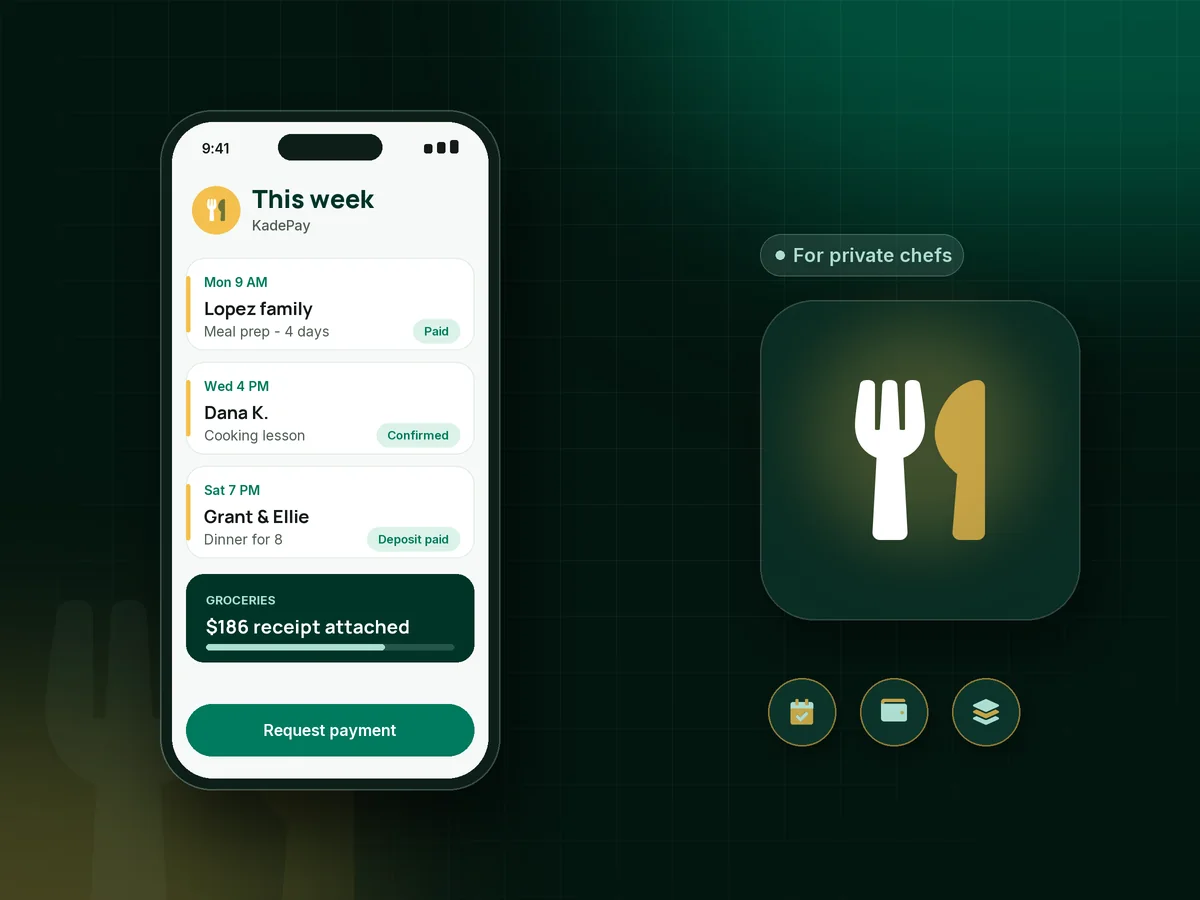
Illustration of personal chef software in KadePay showing a dinner party request, a paid deposit and a weekly meal prep bill with a grocery receipt

Sound familiar?

Cook the dinner, not the spreadsheet.

Private chefs plan, shop, cook and clean in someone else's kitchen, then send the bill from the car. These are the money moments personal chefs describe most, and how KadePay takes them off the prep list.

01

Fronting the groceries on your own card

You spent $186 at the market and the butcher on Friday, and the money comes back two weeks later, if you remember to ask for it.

With KadePay

Bill groceries separately with photos of the receipts attached, so grocery reimbursement is clear and the client sees exactly what was spent. Clients pay by card or bank transfer from the link.

Ways to get paid
02

Dinner party cancellations after the shopping

The host cancels on Friday night, and you have already bought the lamb, the cheese course and the flowers for the table.

With KadePay

Take a private chef deposit through a fixed-amount link when you confirm the date. Put your cancellation terms in a form the client signs, so the deposit rule is agreed before you shop.

Payment links and QR codes
03

Weekly meal prep clients billed one by one

Every Sunday you send four separate payment requests for the week's cooking, and every Tuesday you check who still owes you.

With KadePay

On Team or Pro, set each household up with a meal prep subscription as a recurring weekly or monthly bill, charged to a card the client authorized.

Recurring billing
04

Remembering who will not touch cilantro

One client is gluten-free, one has a son with a nut allergy, and one simply will not eat mushrooms, and the details live in old texts.

With KadePay

Keep client food preferences, kitchen quirks and gate codes in private notes on each profile. Clients never see them, and you read them before you shop.

Customer profiles and notes
05

Inquiries that arrive at every hour

Requests come by DM, email and voicemail, and working out the date, the guest count and the address takes six messages.

With KadePay

Share a booking link where clients request a date, pick a service and answer your questions about guests and dietary needs. Each event can have its own address, and you confirm it.

Appointment booking

How it fits your week

From inquiry to dishes done

  1. The inquiry

    A client requests a dinner date through your link and answers questions about guests, occasion and food preferences. You review it and confirm when the date works.

  2. The deposit and the agreement

    Send the dinner party deposit link and a short agreement form covering cancellation and kitchen access, signed on the client's phone.

  3. Shopping with receipts

    Snap the market receipts as you go. They attach to the grocery bill, so you never rebuild the total from memory at midnight.

  4. Service night

    Cook, plate and clean. Afterward, send the balance as a personal chef invoice with reminders, or charge the card the client authorized.

  5. The regulars

    Weekly meal prep households move onto recurring bills on Team or Pro, and photos of each week's labeled containers can go into a shared Gallery folder.

Every way your clients pay

  • Visa
  • Mastercard
  • American Express
  • Discover
  • Apple Pay
  • Google Pay
  • Tap to Pay
  • ACH bank transfer
  • Affirm, where eligible
  • Venmo
  • Zelle
  • QR codes
  • Text and email links

Availability depends on your account setup and eligibility. You confirm Venmo and Zelle payments after checking they arrived.

KadePay for private chefs

Personal chef software: what the best app for private chefs keeps track of

Personal chef software has one job that generic invoicing tools miss: keeping food money and labor money apart. Your fee pays for planning, cooking and cleanup, while groceries pass straight through. Bill them separately, attach the receipts, and both you and the client can see what each payment covered.

Private chef booking works best when the request already holds the details: date, address, number of guests and dietary needs. Confirm it, send the deposit, and the event is real. For a $1,200 dinner for eight, a $400 deposit covers the shopping if plans change late in the week.

Weekly clients are the backbone of a meal prep business. A recurring bill means you are not sending reminders every Sunday, and an authorized card means nobody forgets. You can still bill groceries on their own when a week's shopping runs bigger than usual, such as a holiday week with extra guests or a client hosting family from out of town.

Cooking classes and supper clubs add a third income stream. Sell tickets with QR check-in, keep guests' allergies in private notes, and point everyone to your branded page for the next date on the calendar.

CLEAR ANSWERS

Private chefs & meal prep: your questions, answered.

What is the best personal chef software for a solo chef?

A solo chef needs booking requests that carry the event details, deposits, bills with grocery receipts, and recurring billing for weekly clients. KadePay handles all of those from one phone app and keeps each household's notes and payment history on one profile.

How much deposit should a private chef take?

Enough to cover your shopping and the date you are holding. Many chefs set it at the grocery estimate or a share of the total. Send it as a fixed-amount link when you confirm the event, and put the cancellation terms in a form the client signs.

How should a personal chef bill for groceries?

Many chefs bill groceries separately from their fee. In KadePay, create a bill for the grocery total, attach photos of the receipts, and send it by text or email. The client sees each receipt and can pay by card, Apple Pay, Google Pay or bank transfer.

Can clients book a dinner and pay in one step?

Not in one step. A client requests a date through your booking link, and no payment is taken with the request. Once you confirm, send the deposit link or a bill. That keeps you in charge of which dates you accept.

Can I charge weekly meal prep clients automatically?

On Team or Pro, you can set a recurring weekly or monthly bill, and clients can authorize a saved card to be charged for it. They are notified of each charge and can revoke the authorization at any time.

What does KadePay cost for a private chef?

Getting started on Pay-As-You-Go costs $0 per month, and payment and usage fees apply. Recurring meal prep bills and team logins come with Team at $10 or Pro at $35 per month; the pricing page lays out each plan.

YOUR WORK COMES FIRST

Make room for more clients.

Get started for free