Skip to content
KadePayGet started

KADEPAY FOR REMODELERS

Remodeling contractor payments, from the deposit to the final draw.

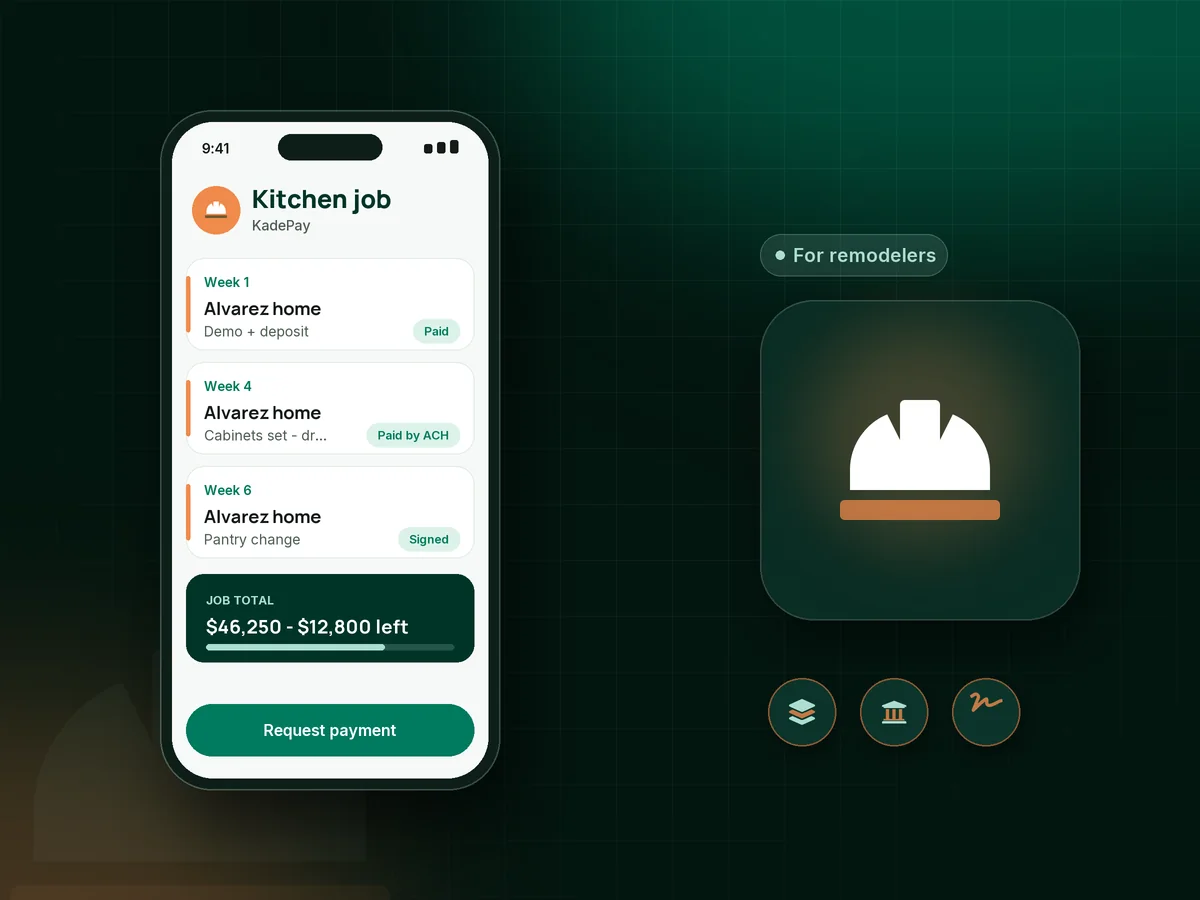
A kitchen remodel can run eight weeks with a deposit, three draws and a surprise pantry upgrade. KadePay keeps every stage as its own bill with photos, collects large draws by ACH bank transfer, gets change requests signed on the homeowner's phone, and shows the whole job on one customer record.

Pay-As-You-Go starts at $0 per month. Usage and payment fees apply.

Illustration of remodeling contractor payments in KadePay with a kitchen deposit, an ACH progress draw and a signed change form

Sound familiar?

Long jobs, big draws, and a lot riding on each one

Remodeling cash flow depends on getting each draw paid on time while subs, cabinets and tile are already committed. These are the payment problems renovation contractors raise most, and where KadePay helps.

01

Cabinet orders that need money weeks before install

Custom cabinets have a six-week lead time and the supplier wants half down, so the kitchen remodel deposit has to clear before demo day.

With KadePay

Send the kitchen remodel deposit as a bill with the signed scope attached, payable by ACH bank transfer or card. Place the cabinet order once it shows paid.

Ways to get paid
02

Draws that slip one week, then three

Rough-in passed on Tuesday, the draw was due on Wednesday, and by the next Friday the homeowner still has not gotten around to it.

With KadePay

Write your remodeling payment schedule into the agreement the homeowner signs, then send each draw as its own bill with photos of the finished stage and reminders turned on.

Forms and signatures
03

Extras agreed in the hallway and forgotten at billing

The homeowner asked for a niche in the shower and two more outlets, you said yes, and the extra $1,800 never made it onto paper.

With KadePay

Get each change order signed on the homeowner's phone with a short form listing the work and price, then bill it separately so the contract total and the extras stay distinct.

Forms and signatures
04

Card fees on a $20,000 draw

The homeowner wants to put a big progress draw on a rewards card, and the processing cost comes straight out of your margin.

With KadePay

Steer large draws to ACH bank transfer, which costs less per payment, and where permitted pass eligible credit-card fees to homeowners who still choose a card.

Plans and fees
05

Homeowners who love the design but stall on the price

The bathroom plan is approved, the tile is picked, and the couple hesitates because the total is more than they have saved.

With KadePay

Offer agreed installments through a payment plan collected from a saved method, or let the homeowner apply for Affirm at checkout where eligible. Affirm handles approval and terms.

Payment plans

How it fits your week

How a remodel gets paid, stage by stage

  1. Design consult

    Homeowners request a consultation from your booking link, and you confirm a time to see the space. Inspiration photos go into a shared Gallery folder.

  2. Contract and deposit

    The homeowner signs your agreement and payment schedule on their phone. The deposit bill goes out with the scope PDF attached.

  3. Draws by stage

    After demo, rough-in and cabinets, send each draw as its own bill with photos. Large amounts go by ACH bank transfer to keep costs down.

  4. Changes signed first

    Every change gets a signed form and its own bill, so the contract total stays clean and nothing is argued at the end.

  5. Punch list and final

    Walk the punch list, collect the final draw by ACH, card or Tap to Pay on a compatible phone, and share the finished photos read-only.

Every way your homeowners pay

  • Visa
  • Mastercard
  • American Express
  • Discover
  • Apple Pay
  • Google Pay
  • Tap to Pay
  • ACH bank transfer
  • Affirm, where eligible
  • Venmo
  • Zelle
  • QR codes
  • Text and email links

Availability depends on your account setup and eligibility. You confirm Venmo and Zelle payments after checking they arrived.

KadePay for remodelers

Best app for remodeling contractors: getting paid at every stage

Remodeling contractor payments are fewer and larger than most trades, and each one is tied to a stage of work. A kitchen or bath job may carry a deposit, two or three draws and a final, plus changes along the way. The tool you bill with should keep those pieces apart, show the homeowner proof for each one and make a large payment easy.

KadePay does that with ordinary bills. A bathroom remodel invoice for the tile stage carries photos of the waterproofing and the finished shower, goes out by text or email with reminders, and can be paid by card, Apple Pay, Google Pay or ACH bank transfer. Bank transfer makes the most sense on draws above a few thousand dollars.

Changes are where profit leaks. A signed form for each addition, billed on its own, keeps the original contract clean and gives you a record if a question comes up at the final walkthrough. Shared Gallery folders give the homeowner a place to see progress without a dozen texts.

KadePay is not a project management or job costing system, and it does not build estimates or schedules. It handles the payment side of a remodel: deposits, progress payments, change bills, financing options and the homeowner record that ties them together.

CLEAR ANSWERS

Remodeling & renovation contractors: your questions, answered.

What is the best app for remodeling contractors to collect payments?

For small and mid-size remodelers, look for staged bills, ACH and signed changes. KadePay sends deposits and draws as bills with photos, collects large payments by ACH bank transfer, gets changes signed on the homeowner's phone and records Zelle or Venmo.

How should I set up a remodeling payment schedule?

Tie each payment to a visible stage, such as signing, rough-in, cabinets or tile, and final. Check your state's limits on deposits. Put the schedule in the agreement the homeowner signs, then send each stage as its own bill when the work is done.

How do I collect a kitchen remodel deposit?

Deposit limits vary by state, so confirm yours before setting an amount. Once agreed, send the deposit as a bill with the signed scope attached, let the homeowner pay by ACH or card, and order cabinets after it shows paid.

How do I bill a change order during a remodel?

Write the change on a short form with the work and the price, have the homeowner sign it on their phone, and send it as a separate bill. The original contract total stays the same and the extras are easy to trace.

Can homeowners finance a renovation through KadePay?

You can offer a payment plan with a set number of agreed installments collected from an eligible saved method. Homeowners can also apply for Affirm pay-over-time at checkout where eligible; Affirm decides approval and terms. KadePay does not lend money itself.

How much does KadePay cost for a remodeling company?

Remodelers can start on Pay-As-You-Go at $0 per month; payment and usage fees apply, and ACH carries its own lower fee. Team at $10 per month adds team members with permissions, and Pro at $35 per month suits higher volume. The pricing page has the details.

YOUR WORK COMES FIRST

Make room for more homeowners.

Get started for free