Skip to content
KadePayGet started

KADEPAY FOR SWIM SCHOOLS & INSTRUCTORS

A swim lesson booking app for the pool deck and the backyard.

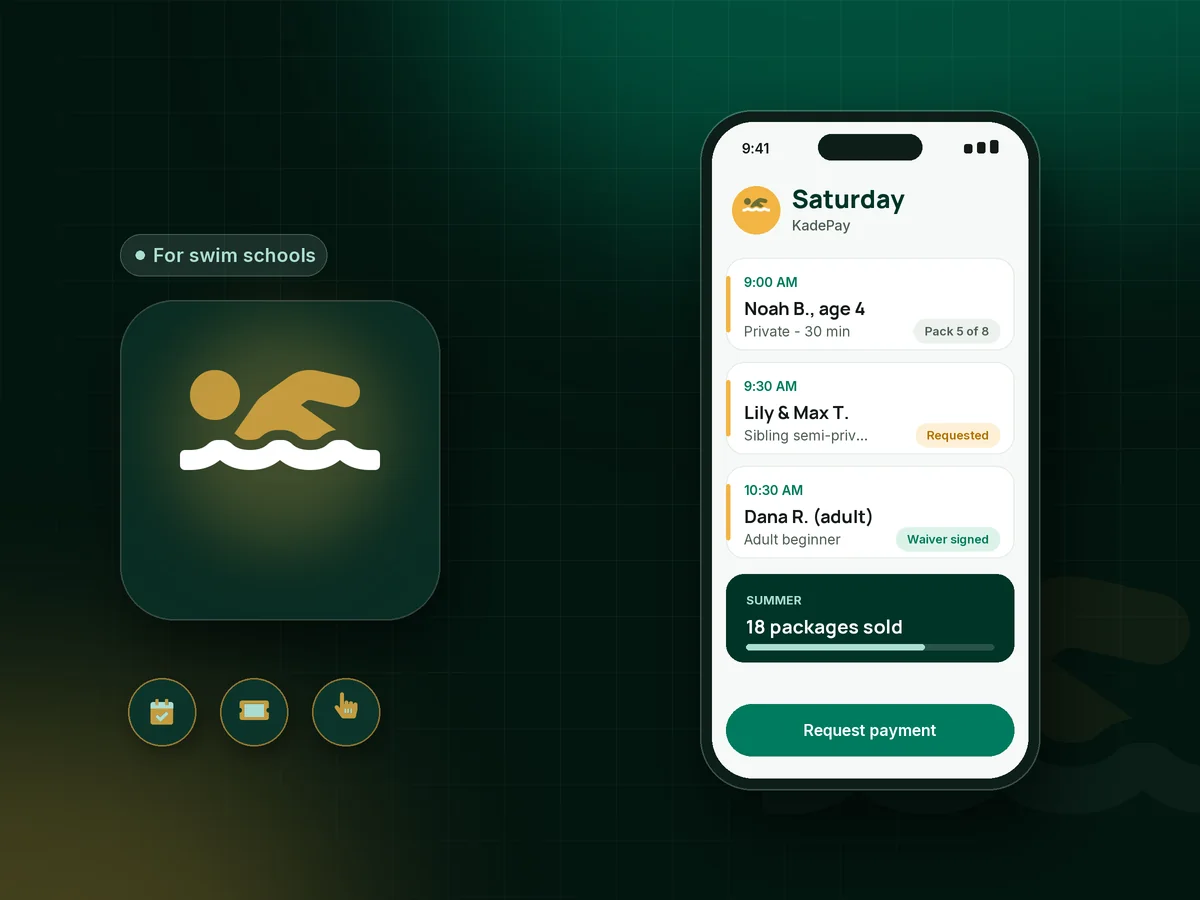
Your hands are in the water and your phone is wrapped in a towel. KadePay lets families request lesson times, buy packages of 8 or 12 lessons, sign your swim waiver and pay before day one, so the pool deck is for teaching kids to float, not for settling up.

Pay-As-You-Go starts at $0 per month. Usage and payment fees apply.

Illustration of a swim lesson booking app showing private lesson requests, a lesson package count and a signed swim waiver

Sound familiar?

Wet hands, a full schedule and a stack of unpaid lessons.

Swim instructors work in short seasons and short lessons, so every missed slot and unpaid package hurts more. These are the moments swim schools and backyard instructors describe, and how KadePay helps with each one.

01

Summer schedules built through a hundred texts

Every May, parents text asking for any morning in July, and you spend your evenings fitting siblings into the gaps between other families.

With KadePay

Share a booking link with 20- and 30-minute lessons and your summer hours. Parents request times, you confirm the ones that fit, and vacation blocks keep your days off clear.

Appointment booking
02

No-shows in a business built on 30-minute slots

A family skips the 10 AM lesson without a word, and that half hour at the pool is time you never get back.

With KadePay

Put your swim lesson cancellation policy in a form parents sign, with card authorization at the same time. A no-show then becomes the fee your signed policy describes, charged with a receipt.

Card on file
03

Package lessons counted on a pool office whiteboard

The whiteboard says the Garcias have three lessons left, the mom says five, and the marker smudged when someone leaned on it in a wet towel.

With KadePay

Sell swim lesson packages of 4, 8 or 12 and record each lesson as it happens. The count lives on the family's profile, not a whiteboard. Requesting each lesson time stays a separate step.

Packages and sessions
04

Getting paid at someone else's pool

As a mobile swim instructor, you finish a backyard lesson dripping wet, and the parent asks whether you take cards.

With KadePay

Use Tap to Pay on a compatible phone at the pool gate, or text a link before you drive to the next house. Each appointment carries its own address on your calendar.

Tap to Pay and card readers
05

Waivers and swimmer details on soggy paper

Every new family fills out a paper waiver and a skills sheet, and by August the clipboard has been dropped in the pool twice.

With KadePay

Send a swim waiver form with your pool rules and a short swimmer questionnaire, signed on the parent's phone. Private notes on the profile keep each swimmer's level and goals.

Forms and signatures

How it fits your week

From the first float to the last lesson of summer

  1. Parents request a time

    A parent taps the link on your website or in the neighborhood parents group, chooses private or semi-private, and requests a time. You confirm it around your other lessons.

  2. Paperwork before the pool

    The parent signs your waiver, pool rules and cancellation policy on their phone and authorizes a card for any fees your policy describes.

  3. Package or pay per lesson

    Families buy a package of eight lessons up front or pay per lesson by link. Siblings can each have their own package, so the counts stay clear.

  4. Lessons in the water

    Record each lesson against the package. Automatic reminders go out before the next one, and your notes remind you who is still working on rotary breathing.

  5. End of the season

    Send a link for fall lessons, or sell a gift card for the holidays, so families who loved summer can come back without searching for your number.

Every way your swimmers pay

  • Visa
  • Mastercard
  • American Express
  • Discover
  • Apple Pay
  • Google Pay
  • Tap to Pay
  • ACH bank transfer
  • Affirm, where eligible
  • Venmo
  • Zelle
  • QR codes
  • Text and email links

Availability depends on your account setup and eligibility. You confirm Venmo and Zelle payments after checking they arrived.

KadePay for swim schools

Choosing a swim lesson booking app for a small swim program

Full swim school software is built for large aquatic centers with levels, rosters and dozens of instructors. Many smaller programs and private instructors need less: a place where parents request times, packages that track what is left, a signed waiver and an easy way to get paid at the pool.

Private swim lessons, backyard swim lessons and summer swim lessons pack into a short season, so speed matters. A booking link gathers requests in spring, packages collect money up front, and Tap to Pay or a text link handles the family who wants one more lesson before vacation.

Schools that teach year round can bill monthly on Team or Pro, charged to the payment method each parent authorized, and add instructors as team members with their own permissions. Every lesson, payment and signed form stays on the family's profile, and a grandparent can buy a business gift card toward next summer's lessons as a birthday surprise.

KadePay does not track swim levels or run group class rosters. Keep each swimmer's level in private notes, and use KadePay for booking requests, packages, payments and the paperwork that comes before the first splash.

CLEAR ANSWERS

Swim schools & instructors: your questions, answered.

What is the best swim lesson booking app for private instructors?

A good fit lets parents request times, buy lesson packages and sign waivers before the first lesson, then pay without cash at the pool. KadePay covers that, with Tap to Pay on a compatible phone, payment links and a different address per lesson for backyard pools.

How should I handle swim lessons cancelled for weather?

Decide your rule in advance, such as rescheduling for thunder and lightning but teaching through light rain, and put it in the policy parents sign. When you cancel for weather, the lesson simply stays on their package to use later.

Can I sell swim lesson packages for siblings?

Yes. The parent is your customer, and you can sell a package for each child or one package of semi-private lessons for both. Record each lesson as it is used. Buying a package does not book times; parents still request each lesson.

How do mobile swim instructors take payment?

Use Tap to Pay on a compatible phone at the end of the lesson, text a payment link, or let the parent scan your printed QR code. Families can also send Zelle or Venmo, which you record in KadePay without a KadePay fee.

Do parents sign the swim waiver online?

Yes. Send your waiver and pool rules as a form. The parent signs in, completes and signs it on their phone before the first lesson, and the signed copy stays with their profile.

How much does KadePay cost for a swim instructor?

Pay-As-You-Go starts at $0 per month for a summer-only instructor; payment and usage fees apply. Year-round schools that want recurring billing or staff accounts can choose Team at $10 per month or Pro at $35 per month, compared on the pricing page.

YOUR WORK COMES FIRST

Make room for more swimmers.

Get started for free