Skip to content
KadePayGet started

KADEPAY FOR SUMMER CAMPS

Summer camp registration software for deposits, forms and balances.

Registration opens in February, deposits trickle in through spring, and every form has to be signed before the first morning of camp. KadePay brings deposit links, payment plans, weekly camp fees and signed medical and permission forms together, so June starts with the paperwork already done.

Pay-As-You-Go starts at $0 per month. Usage and payment fees apply.

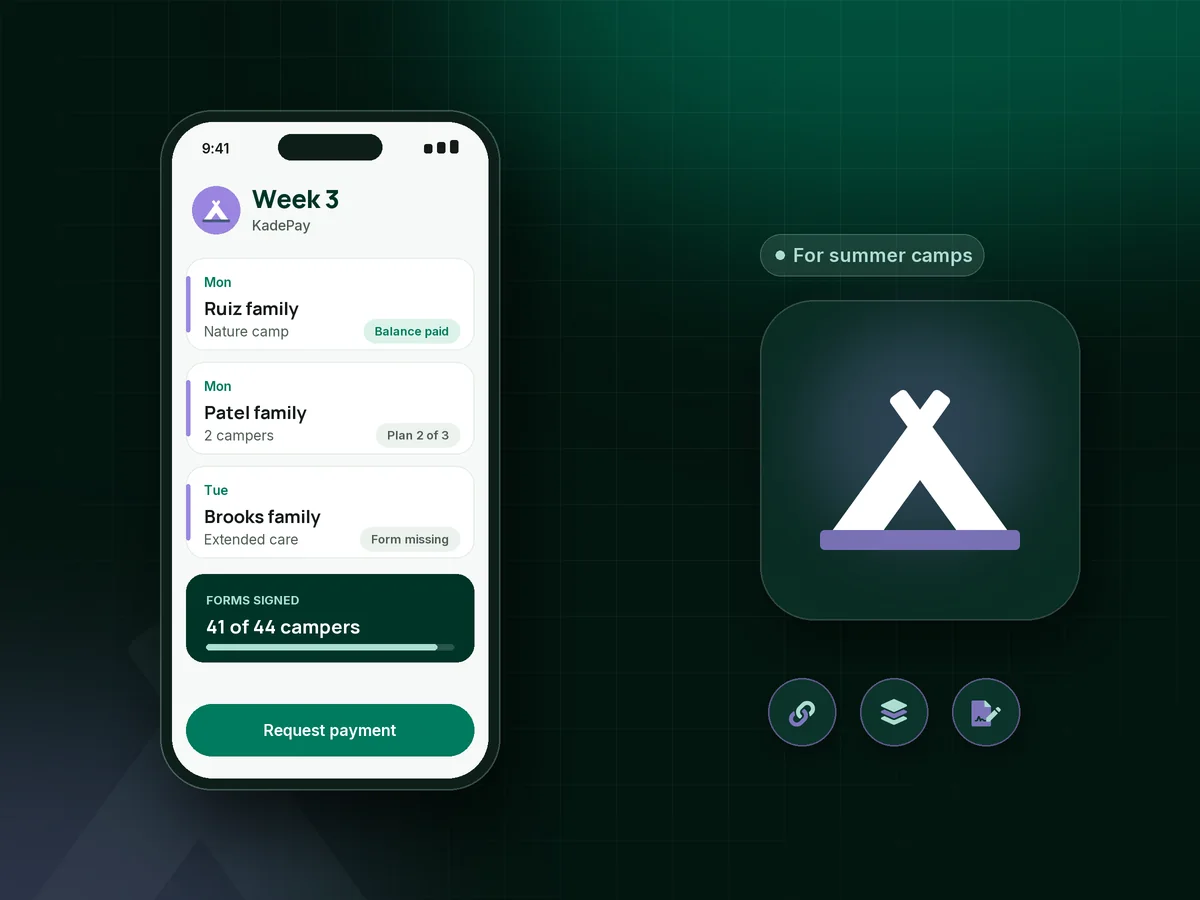
Illustration of summer camp registration software in KadePay showing camp deposits, a payment plan and signed camp medical forms

Sound familiar?

Camp lasts a summer. The paperwork lasts all year.

Camp directors start selling summer in winter and finish collecting in spring. These are the money and form moments camp owners bring up again and again, and how KadePay helps with each of them.

01

Deposits that arrive by check, Venmo and promise

Families want to hold week three, the deposit comes in five different ways, and you are matching names to payments at the kitchen table.

With KadePay

Share one fixed-amount camp deposit link with questions for camper name and weeks, so each payment arrives labeled. You confirm each place on your own roster, since the link does not count campers for you.

Payment links and QR codes
02

Balances due right when spring gets busy

The deposit was easy in February, but the $600 balance due May 15 needs three reminders and a phone call to collect.

With KadePay

Send the balance as a bill with reminders well before the due date, or agree a camp payment plan of three installments collected from an eligible saved method the family authorizes.

Payment plans
03

Medical and permission forms missing on day one

The first morning should be about name tags and sunscreen, not a line of parents filling out allergy sheets on clipboards.

With KadePay

Send the camp medical form, permission slip and camp waiver weeks ahead. Parents complete and sign them on their phone, and responses stay with each family's profile for your staff.

Forms and signatures
04

Siblings spread across different weeks

One child does soccer camp in weeks one and two, the younger one does art camp in week four, and the parent wants one total.

With KadePay

Keep both campers under one family profile with private notes on weeks and pickup, and bill the family once for everything they signed up for.

Customer profiles and notes
05

Early bird deadlines and add-ons

The early rate ends March 1, extended care is $50 a week extra, and somebody always asks for the discount on March 3.

With KadePay

On Team or Pro, send early bird camp pricing as a vanishing bill that expires on your deadline, and offer camp extended care as its own weekly fee link.

Vanishing bills

How it fits your week

A camp season in KadePay

  1. Winter: registration opens

    Post one Flex Link on your website and flyers. Families open the registration form, list the weeks they want and pay the deposit from the same page.

  2. Spring: balances and plans

    Balances go out as bills with reminders, families on a payment plan are charged on the dates you agreed, and Affirm pay-over-time is available to eligible families with provider approval.

  3. May: paperwork done early

    Medical information, permission slips and waivers go out weeks ahead, and parents sign on their phone. Responses stay on each family's profile for your counselors.

  4. Summer: weekly camp fees and extras

    Families adding a week, extended care or a field trip day pay from a link or a bill. Tap to Pay on a compatible phone covers the parent who pays at drop-off.

  5. Fall: everything on record

    Download transactions for your bookkeeper, issue refunds where your policy allows, and keep each family's history ready for next year's returning campers.

Every way your families pay

  • Visa
  • Mastercard
  • American Express
  • Discover
  • Apple Pay
  • Google Pay
  • Tap to Pay
  • ACH bank transfer
  • Affirm, where eligible
  • Venmo
  • Zelle
  • QR codes
  • Text and email links

Availability depends on your account setup and eligibility. You confirm Venmo and Zelle payments after checking they arrived.

KadePay for summer camps

Summer camp registration software: what the best app for summer camps does

Day camp software ranges from full enrollment suites with bunk assignments to a spreadsheet and a generic payment page. Small and specialty camps often need the middle: registration forms, deposits, balances and signed paperwork, without paying for tools designed for a large overnight camp.

A camp deposit does two jobs. It tells you the family is committed, and it funds the counselor hiring and supplies you buy in spring. Set it at a fixed amount per week, such as $75, put the refund terms in your registration policy, and send the balance with a clear due date.

Weekly camp fees and installment plans make camp possible for more families. A three-payment plan from April to June spreads a $900 summer, and a family can add a week in July from a link without filling out registration again. Returning families already have a profile, so next year's forms and deposits start from what you know.

KadePay is honest about its edges. A deposit link records money; it does not reserve a numbered place or count campers. Forms are signed paperwork rather than a medical record system. Keep your roster and camp nurse records where you manage them now.

CLEAR ANSWERS

Summer camps: your questions, answered.

What is the best summer camp registration software for a small day camp?

A small camp needs registration forms, deposit and balance payments, installment plans and signed medical and permission forms in one place. KadePay covers those for one director or a team, without enrollment features you would never use. You keep the roster yourself.

How much should a summer camp deposit be?

Camps commonly set a fixed deposit per week, such as $50, and say in writing whether it is refundable. In KadePay, create a fixed-amount deposit link for that amount and include the refund terms in the registration form parents sign.

Can families pay for camp in installments?

Yes. Agree a payment plan with the family, for example three payments between April and June, and KadePay collects each installment from an eligible saved method they authorized. Eligible families can also choose Affirm pay-over-time, subject to provider approval.

Does a deposit reserve the camper's place automatically?

No. A deposit link records the payment and the answers on it, such as the camper's name and weeks. It does not count campers or hold a place on its own, so confirm each enrollment on your roster and reply to the family.

How do I collect camp medical forms and waivers online?

Build a form with allergy, medication and emergency contact questions, a photo release and your liability waiver, then send it to each family. Parents sign in, complete and sign it on their phone, and responses stay on the family profile. It is not a health record system.

How much does KadePay cost for a summer camp?

A camp can open on Pay-As-You-Go for $0 per month, and payment and usage fees apply. Vanishing early bird links, recurring bills and staff logins are part of Team at $10 or Pro at $35 per month, as described on the pricing page.

YOUR WORK COMES FIRST

Make room for more families.

Get started for free