Skip to content
KadePayGet started

KADEPAY FOR WEB DESIGNERS & DEVELOPERS

Invoicing software for web designers: paid before the site goes live.

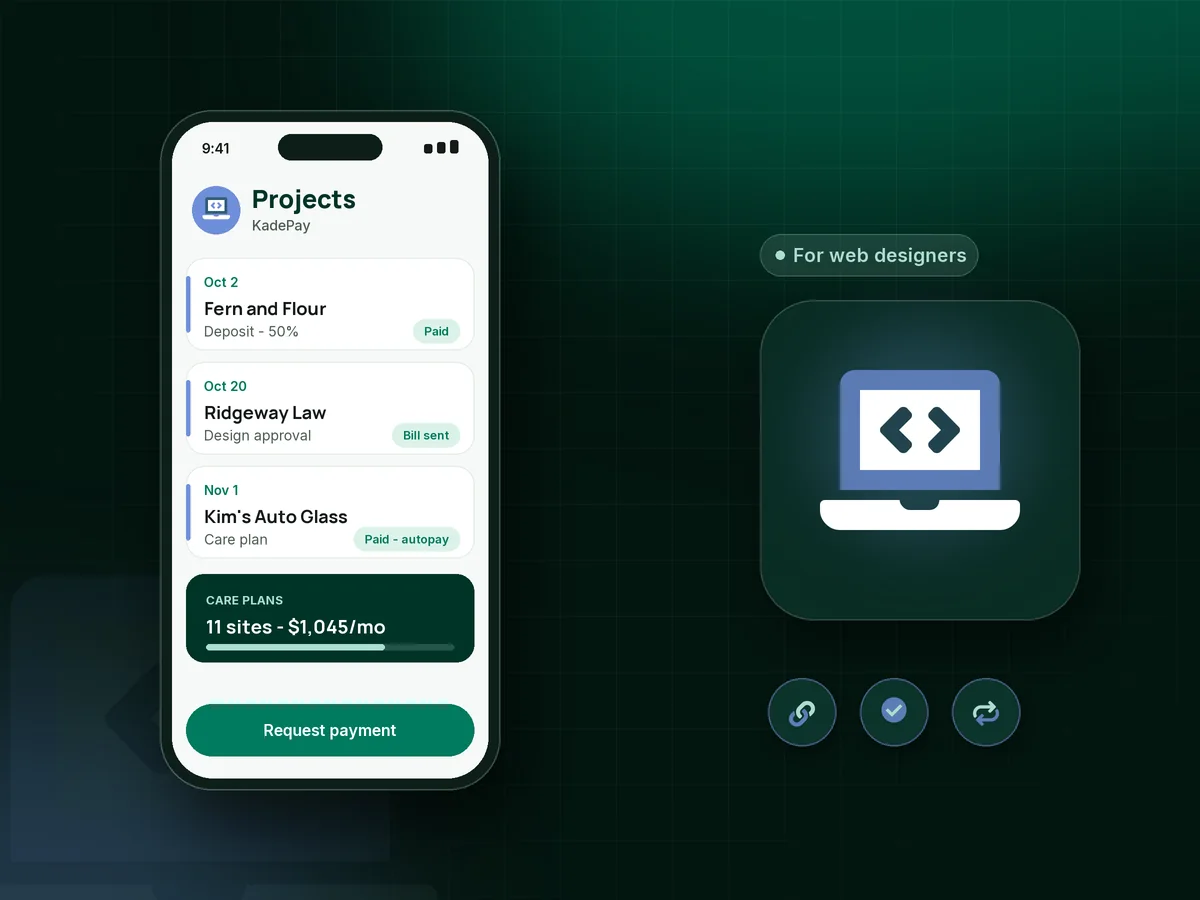
You can push a site live in seconds, but getting the last invoice paid can take months. KadePay takes the web design deposit before the first mockup, bills each milestone with screenshots attached, collects the final payment before launch and keeps care plans billing every month.

Pay-As-You-Go starts at $0 per month. Usage and payment fees apply.

Illustration of invoicing software for web designers in KadePay with a paid project deposit, a milestone bill and a monthly care plan

Sound familiar?

The site is done. The final invoice isn't paid.

Freelance web designers and small studios trade the same stories: content that never arrives, launches stuck waiting on approval and final invoices that go quiet. These are the payment moments KadePay is built to handle.

01

Clients who vanish after the site goes live

You launched on trust, handed over the admin access, and the final 50% invoice has gone unread for six weeks.

With KadePay

Make final payment before launch part of the plan. Send the last bill with screenshots of the finished site attached, and go live or transfer the domain once it shows as paid.

Ways to get paid
02

Projects that start before the deposit lands

The client is excited, you sketch wireframes over the weekend, and the deposit invoice is still sitting unopened in their inbox.

With KadePay

Send a fixed-amount web design deposit link together with your web design contract, and put the project on your calendar only when the deposit is paid.

Payment links and QR codes
03

Milestones nobody remembers agreeing to

The contract said 30% at design approval, but approval happened in a comment thread and nobody sent the invoice.

With KadePay

Send milestone invoices the day each stage is approved, with the mockup or staging screenshots attached, and turn on reminders so the bill follows up while you keep building.

Ways to get paid
04

Hosting and care plans billed by hand

Forty small sites on a $75 care plan means forty invoices every month, and one or two always slip through until a plugin breaks.

With KadePay

Put each care plan on a recurring bill on Team or Pro, charged to the card or bank account the client authorized. Website maintenance plan billing then runs monthly without a spreadsheet.

Recurring billing
05

Small business clients who can't pay $6,000 at once

A local shop wants a proper site but cannot cover a four-figure project in a single payment.

With KadePay

Agree a payment plan with a set number of installments collected from the client's saved card or bank account, so the build is affordable and you are not floating the cost.

Payment plans

How it fits your week

From inquiry to launch, and every month after

  1. Intro call requested

    A prospect taps the link on your portfolio and requests a 30-minute call. You confirm it, and automatic reminders help them show up on time.

  2. Questionnaire and contract signed

    Your project questionnaire covers pages, features and brand colors, and the client signs your web design contract on their phone. Both stay on their profile.

  3. Deposit, then design

    The client pays the deposit from a link by card, Apple Pay, Google Pay or ACH. Wireframes start once it shows as paid.

  4. Milestones billed with proof

    At design approval and staging, send milestone invoices with screenshots attached. Reminders go out by text and email until each one is settled.

  5. Launch, then care plan

    Collect the last payment before going live, then move the client to a monthly hosting and care plan on Team or Pro, charged to their authorized card.

Every way your clients pay

  • Visa
  • Mastercard
  • American Express
  • Discover
  • Apple Pay
  • Google Pay
  • Tap to Pay
  • ACH bank transfer
  • Affirm, where eligible
  • Venmo
  • Zelle
  • QR codes
  • Text and email links

Availability depends on your account setup and eligibility. You confirm Venmo and Zelle payments after checking they arrived.

KadePay for web designers

What the best invoicing software for web designers should handle

Freelance web designer payments arrive in three shapes: a deposit to start, milestone invoices along the way, and recurring fees for hosting and care once the site is live. Software that handles all three on one client profile saves you from stitching together invoices, payment links and a spreadsheet.

Web developer payment terms matter more than the tool. Write the deposit, milestones and final payment before launch into your web design contract, have the client sign it before you start, and send each bill the day a stage is approved. A signed agreement and a bill with the scope summary attached keep most disputes short, even when a client asks for one more round of revisions after approval.

Website maintenance plan billing is where small studios build steady income. Put each care plan on a recurring bill, ask the client to authorize a card or bank account, and the work of chasing $95 a month mostly goes away. Annual hosting renewals can run the same way, so a client's domain and server costs never land on your personal card.

KadePay does not host sites, log hours or manage tasks. It covers the money and paperwork side: intro call requests, signed questionnaires, deposits, milestone bills, payment plans and transaction downloads for your accountant.

CLEAR ANSWERS

Web designers & developers: your questions, answered.

What is the best invoicing software for web designers working solo?

One that handles deposits, milestone bills and monthly care plans without extra tools. KadePay does all three, accepts cards, Apple Pay, Google Pay and ACH, and keeps signed questionnaires and contracts on each client profile.

How much deposit should a web designer ask for?

Many designers ask for 30 to 50 percent before starting, with the rest split across design approval and launch. Whatever you choose, put it in your contract and send the deposit as a fixed-amount link so the project starts on a paid footing.

How do I avoid unpaid final invoices on website projects?

Tie launch, domain transfer or file handover to the last payment in your contract. Send the final bill with screenshots of the finished site, keep reminders on, and go live once it shows as paid.

Can I bill clients monthly for hosting and website maintenance?

Yes, on Team or Pro. Create a recurring bill for each care plan and ask the client to authorize a card or bank account, which they can revoke later. Each month's bill also appears on your branded business page for the client.

Is KadePay a project management tool for web designers?

No. KadePay has no task boards, proposals or hour logs. Web designers use it for the business around the build: intro call requests, project questionnaires, deposits, milestone bills, payment plans and care plan billing.

How much does KadePay cost for a freelance web developer?

You can start on Pay-As-You-Go at $0 per month for deposits and project bills, and payment and usage fees apply. Monthly care plans and vanishing bills need Team at $10 per month or Pro at $35 per month. The pricing page compares them.

YOUR WORK COMES FIRST

Make room for more clients.

Get started for free