Skip to content
KadePayGet started

KADEPAY FOR AUTO DETAILERS

The auto detailing app for bookings, deposits and a clean checkout.

Clients ask for a full detail, then the forecast changes, the SUV turns out to be covered in dog hair and payment waits until Friday. KadePay handles the booking request, the coating deposit, the before photos and the payment, whether you work from a bay or a van.

Pay-As-You-Go starts at $0 per month. Usage and payment fees apply.

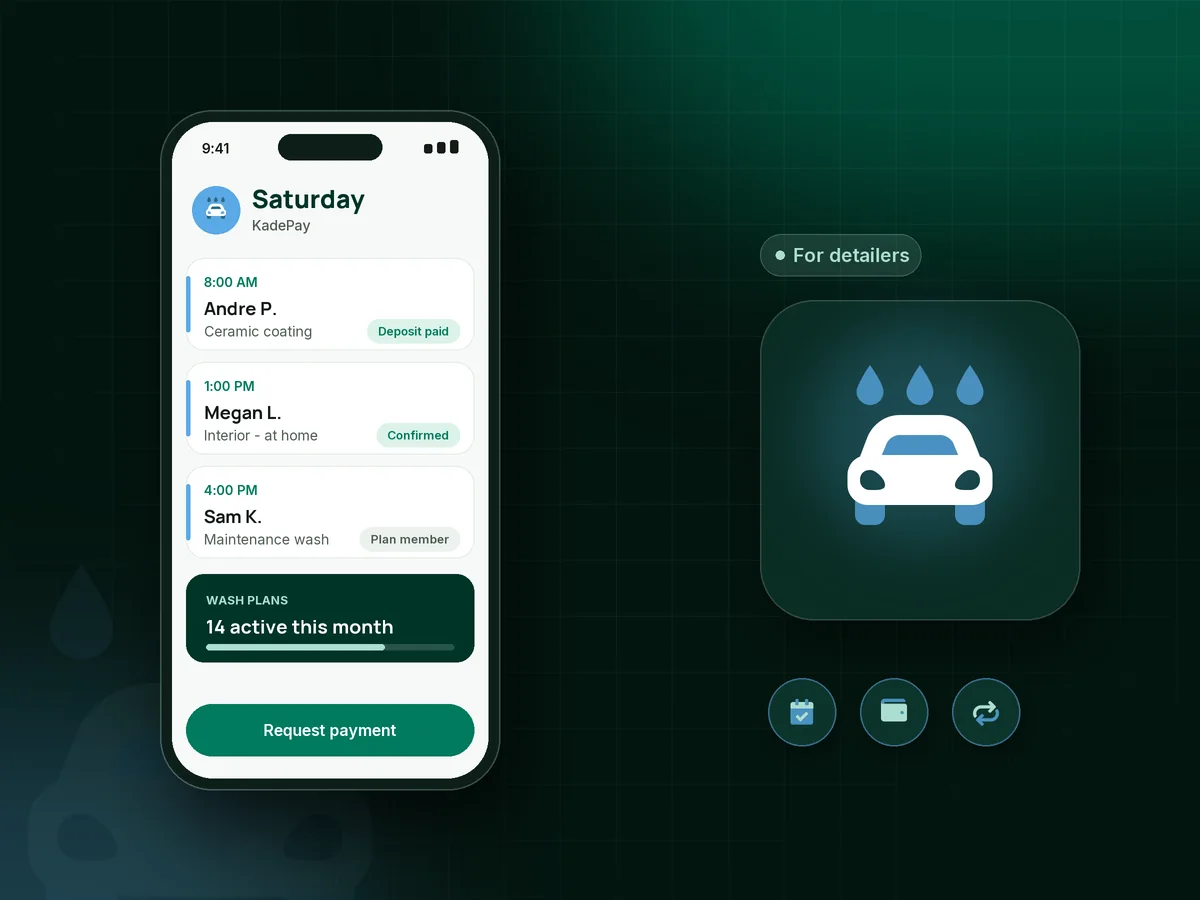
Illustration of an auto detailing app with a ceramic coating deposit, a mobile interior detail at a client's home and a monthly wash plan

Sound familiar?

Your work is spotless. Your booking and billing are not.

Detailing is long, careful work in a tight schedule window. One no-show or one surprise upcharge argument can wipe out the day. Here is where detailers lose money and time, and what KadePay does about it.

01

No-shows on an eight-hour coating day

You blocked Saturday for a paint correction and coating, turned down two interiors, and the client stopped answering at 7:45.

With KadePay

Take a ceramic coating deposit with a fixed-amount link when you confirm the date, and have the client sign your cancellation policy so a missed day is not all on you.

Payment links and QR codes
02

Arguments over the pet hair and sand upcharge

The booking said 'light interior.' The car arrives with two seasons of golden retriever in the carpet and a beach trip in the trunk.

With KadePay

Snap condition photos into a Gallery folder on the client's profile before you start, and attach them to the bill so the pet hair upcharge explains itself.

Customer profiles and notes
03

Rain days that scramble the whole week

Mobile exterior work and coatings depend on the weather, so one storm means rescheduling five clients by text, one at a time.

With KadePay

Use a booking link so clients request a new time on their own, then confirm the ones that fit. Time blocks keep rain days and shop days off the calendar.

Appointment booking
04

Maintenance washes that never get rebooked

You told them a coated car needs a maintenance wash every few weeks. They meant to book it and then six months went by.

With KadePay

Offer a detailing maintenance plan as a monthly recurring bill on the Team or Pro plan, or sell a five-wash package and record each visit as it is used.

Recurring billing
05

Being blamed for chips and scratches that were already there

A week after a buff and polish, the client calls about a scratch on the bumper. You are fairly sure it was there before.

With KadePay

Have clients sign a pre-existing damage waiver on their phone before you start, and keep your walkaround photos with their profile. Both are there the day that call comes in.

Forms and signatures

How it fits your week

From booking request to a car that shines and is paid

  1. The client requests a detail

    From your social bio, a client opens your Flex Link, picks an interior and exterior detail and requests Thursday at their office. You review it and confirm.

  2. Deposit and paperwork first

    Bigger jobs get a deposit link. The client signs your damage waiver and cancellation policy on their phone, so nothing is left for the driveway.

  3. Walkaround and photos

    Before you touch the paint, take condition photos into the client's Gallery folder. After the job, add the finished shots so they can see the difference.

  4. Checkout without the wait

    Send the bill with any upcharge explained, take Tap to Pay on a compatible phone, or let them scan your printed QR and pay the agreed amount.

  5. Keep them on a schedule

    Offer a monthly wash plan or a package of maintenance washes, and automatic appointment reminders help them show up with a car you can actually finish.

Every way your clients pay

  • Visa
  • Mastercard
  • American Express
  • Discover
  • Apple Pay
  • Google Pay
  • Tap to Pay
  • ACH bank transfer
  • Affirm, where eligible
  • Venmo
  • Zelle
  • QR codes
  • Text and email links

Availability depends on your account setup and eligibility. You confirm Venmo and Zelle payments after checking they arrived.

KadePay for detailers

What the best auto detailing app does for shop and mobile detailers

A car detailing booking app should protect your longest jobs first. A full correction and coating can take a day or more, so a ceramic coating deposit and a signed cancellation policy matter more than a pretty calendar. KadePay handles both alongside the booking request, and nothing lands on your schedule until you confirm it.

Mobile detailing software also has to know where the car is. Each KadePay appointment can have its own address, and notes on the client profile record whether there is water and power on site, where to park the van and which car is the daily driver. A pet hair upcharge is easier to explain with photos attached to the bill.

Repeat work is where detailing pays. A detailing maintenance plan billed monthly on the Team or Pro plan keeps coated cars coming back, and wash packages suit clients who prefer to pay up front. Detailing gift cards make an easy holiday present for the car person in the family.

At checkout, the car detailing invoice can carry your before and after photos, and clients pay by card, Apple Pay, Google Pay or bank transfer. Venmo and Zelle payments can be recorded with no KadePay fee, so every job ends up in one list.

CLEAR ANSWERS

Auto detailing: your questions, answered.

What is the best auto detailing app for a small detailing business?

The one that protects long jobs and gets you paid on the spot. KadePay handles booking requests with addresses for mobile work, deposits, signed waivers, condition photos, maintenance plans and Tap to Pay on a compatible phone in one app.

How do I take a deposit for ceramic coating?

Decide the amount that covers your day and the product, then send it as a fixed-amount payment link when you confirm the date. Put your cancellation terms in a form the client signs, and bill the balance once the coating is done.

Can I charge a no-show fee for a missed detail?

Yes, if the client agreed to it. Put the fee in a cancellation policy they sign, ask them to authorize a card on file, and if they miss the appointment you can charge the fee your signed policy describes.

Does KadePay work as mobile detailing software?

Yes for booking requests with a different location per appointment, deposits, photos, forms and payment on site. It does not plan your driving between jobs or track the van, so keep your map app for that.

How do I set up a monthly detailing membership?

On the Team or Pro plan, create a recurring bill for the monthly price, and the client is billed each month from their saved method. If they prefer to pay ahead, sell a package of washes and record each visit.

How much does KadePay cost for a detailer?

For a solo detailer with one van, Pay-As-You-Go starts at $0 per month; payment and usage fees apply. Recurring maintenance plans need Team or Pro. Compare them on the pricing page.

YOUR WORK COMES FIRST

Make room for more clients.

Get started for free