Skip to content
KadePayGet started

KADEPAY FOR MOBILE MECHANICS

The mobile mechanic app that gets you paid before you pack up.

Your shop is a van and your bay is someone's driveway. KadePay takes the booking request with the job address, collects money for parts before you order, and gets the final bill paid by text or Tap to Pay on a compatible phone while the tools are still out.

Pay-As-You-Go starts at $0 per month. Usage and payment fees apply.

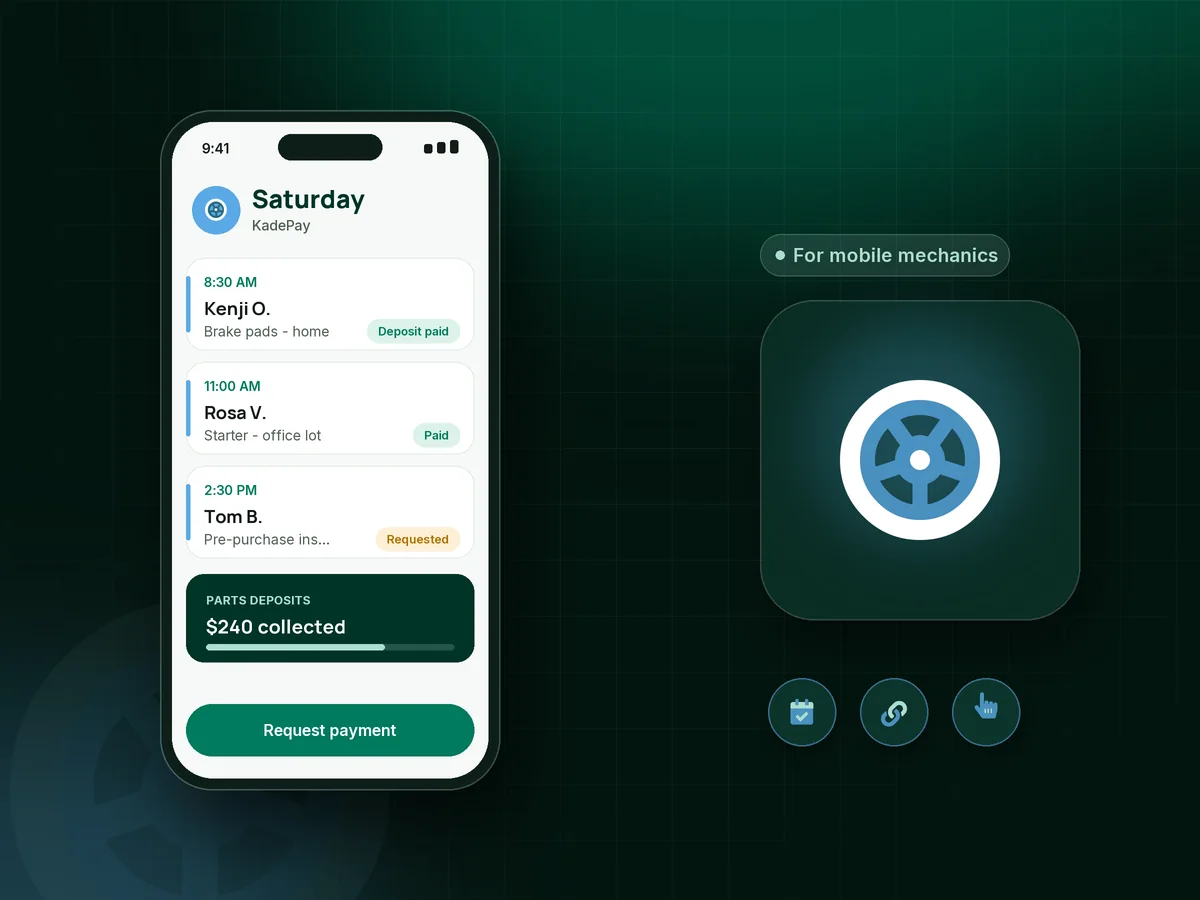
Illustration of a mobile mechanic app showing driveway jobs at different addresses, a parts deposit and a starter swap paid by Tap to Pay

Sound familiar?

You fix cars in parking lots. Getting paid should be easy.

Working mobile means no front counter, no waiting room and no office to send the bill from. These are the money problems mobile techs run into most, and how KadePay fits in the van with you.

01

Buying parts for a customer who then cancels

You picked up a $310 alternator on your own card, drove 25 minutes, and the customer texts that a buddy is going to do it.

With KadePay

Send a fixed-amount parts deposit link when you confirm the job, and order once it is paid. Then bill the balance when the job is done.

Payment links and QR codes
02

No card reader in the toolbox and a customer with no cash

The car starts, the customer is thrilled, and then asks if you take cards. Your old reader is dead in the glovebox.

With KadePay

Use Tap to Pay on a compatible iPhone or Android phone with the KadePay app after payment setup, or text the bill so they pay with Apple Pay, Google Pay or bank transfer.

Tap to Pay and card readers
03

Booking by text with no address, no year and no make

'Can you look at my car tomorrow?' turns into fifteen messages before you know where it is or what engine it has.

With KadePay

Share a booking link so customers request a time for the service they need. Each appointment can have its own address, and you keep the vehicle details in notes on their profile.

Appointment booking
04

Invoices written on the hood and lost on the seat

Paper tickets get grease on them, blow out the window or end up under the floor mat, and then tax season shows up.

With KadePay

Create the mobile mechanic invoice on your phone, attach before-and-after photos of the old part, and send it by text. Every payment is recorded, and you can download transactions for your bookkeeper.

Ways to get paid
05

Installing parts the customer bought online

They ordered the cheapest pump on the internet and want you to put it in. When it fails in a month, guess whose phone rings.

With KadePay

Send a customer-supplied parts waiver with your labor terms. They sign it on their phone before you start, and the signed copy stays with their profile in case the question comes up later.

Forms and signatures

How it fits your week

A mobile repair day, start to finish

  1. The request comes in

    A customer taps your booking link from your website or social bio, requests Saturday morning and picks a service. You check the address and confirm the time.

  2. Parts are covered first

    Text a deposit link for the pads and rotors. Once it shows paid, you place the order with your parts store and plan the stop.

  3. The job happens on site

    Before-and-after photos go into a Gallery folder on the customer's profile, and any waiver they needed is already signed on their phone.

  4. Paid before you pull away

    Send the bill for the balance or take Tap to Pay on a compatible phone. The customer gets a receipt and you get on to the next address.

  5. They call you next time

    Notes remember the car, where to park the van and that the dog stays inside. Automatic reminders help them keep the next appointment you book.

Every way your customers pay

  • Visa
  • Mastercard
  • American Express
  • Discover
  • Apple Pay
  • Google Pay
  • Tap to Pay
  • ACH bank transfer
  • Affirm, where eligible
  • Venmo
  • Zelle
  • QR codes
  • Text and email links

Availability depends on your account setup and eligibility. You confirm Venmo and Zelle payments after checking they arrived.

KadePay for mobile mechanics

The best mobile mechanic app is the one you can run from the driver's seat

Full mobile mechanic software often comes from the shop world: repair orders, labor guides and parts catalogs sized for six bays. A solo tech or two-van operation usually needs less. You need a way to take a request, cover the parts, get the bill out from the curb and know who has paid.

That is the core of how to get paid as a mobile mechanic. Take a parts deposit when you book, finish the job, and send the mobile mechanic invoice before you close the hood. KadePay bills can carry photos, and customers pay by card, wallet, bank transfer or Affirm where eligible.

Mobile auto repair also means a new address every stop. Each KadePay appointment holds its own location, and notes on the customer profile keep the gate code, the parking spot and the car's history together, so you do not dig through old texts on a busy Saturday.

If you have been filling in a mechanic invoice template at night, KadePay saves that step: the bill goes out from your phone, the payment lands in the same record, and your bookkeeper downloads the transactions at month end, ready for tax time.

CLEAR ANSWERS

Mobile mechanics: your questions, answered.

What is the best mobile mechanic app for a one-person business?

One that handles booking, money for parts and payment from a phone. KadePay lets customers request a time with their address, takes deposits by link, texts bills with photos and takes Tap to Pay on a compatible phone, so the whole job lives in one place.

How do mobile mechanics take card payments without a card reader?

With Tap to Pay on a compatible iPhone or Android phone running the KadePay app, after payment setup is complete. You can also text a bill or show a printed QR so the customer pays on their own phone.

Should a mobile mechanic charge a parts deposit?

It protects you when parts are special order or cannot be returned. Send a fixed or flexible-amount link when you confirm the job and order the parts once it is paid. The rest goes on the final bill.

Can I send a mobile mechanic invoice by text?

Yes. Create the bill on your phone, describe the work done, attach photos and send it by text or email, once or with reminders. The customer pays from the link and you both have the record.

Does KadePay work as full mobile mechanic software?

It covers booking requests, deposits, bills, payments, waivers and customer notes. It does not include labor guides, parts ordering, VIN lookup or a live map of your van, so pair it with those tools if you use them.

How much does KadePay cost for a mobile mechanic?

Working out of one van, Pay-As-You-Go starts at $0 per month; payment and usage fees apply. If you add a second tech with their own login, the Team plan adds team members. See the pricing page for current plans.

YOUR WORK COMES FIRST

Make room for more customers.

Get started for free