Skip to content
KadePayGet started

KADEPAY FOR JANITORIAL & COMMERCIAL CLEANING

Janitorial billing software for crews that clean after everyone leaves.

Your team mops the lobby at 10 PM, and the office manager pays whenever the invoice reaches the right inbox. KadePay sends each contract its bill on time, follows up with reminders and lets accounts pay by bank transfer or card from the link.

Pay-As-You-Go starts at $0 per month. Usage and payment fees apply.

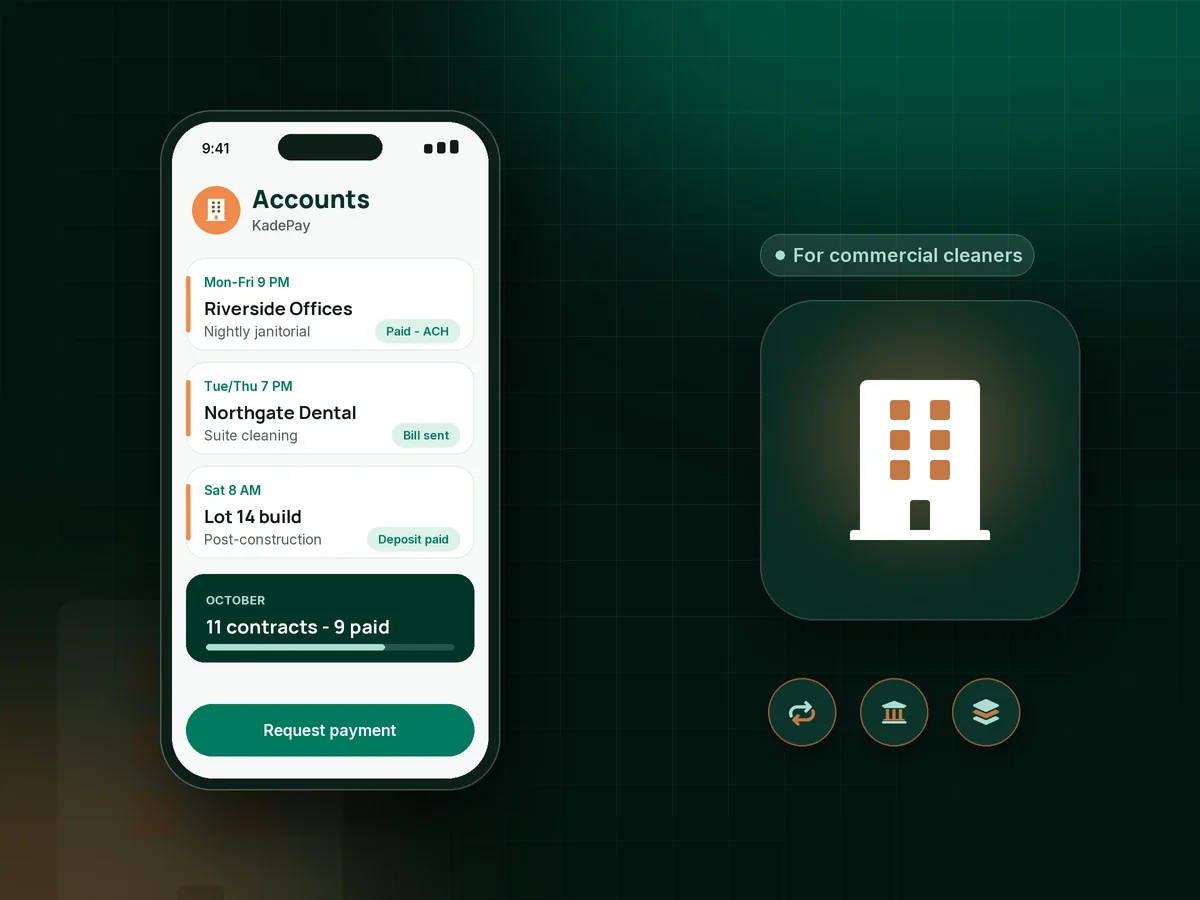
Illustration of janitorial billing software with a night crew's office cleaning accounts, a monthly contract bill and a bank payment

Sound familiar?

The building is spotless. The receivables are not.

Commercial accounts are steady work with slow money. Thirty-day terms stretch to sixty, extra work turns into a debate and site details live in one supervisor's head. These are the spots KadePay covers for janitorial owners.

01

Net 30 that quietly becomes net 60

The property manager approves the work, the invoice sits in accounts payable, and you are covering supplies and wages for two months before the money lands.

With KadePay

Send each account its bill by email with automatic reminders as the due date passes. Accounts pay by ACH bank transfer or card from the link, and you see who is still open.

Ways to get paid
02

Building the same monthly invoices by hand

Twelve buildings, twelve contract amounts, and on the first of every month you rebuild the same invoices one at a time.

With KadePay

On the Team or Pro plan, set each contract up as recurring billing at its monthly amount. Accounts that authorize a bank account or card are charged on schedule, and the rest receive a bill.

Recurring billing
03

Extra work the client says nobody approved

Your crew stripped and waxed the break room floor after a spill, and now the facility contact says it was never requested.

With KadePay

Bill extra work separately and attach before-and-after photos and the signed request to the bill, so the person paying sees exactly what was done and when.

Payment links and QR codes
04

Alarm codes and closets only one person knows

Your night lead knows the alarm code, which closet holds supplies and which suite never gets vacuumed. When she is out, the new crew calls you at 11 PM.

With KadePay

Keep the alarm code, supply closet location, trash routine and contact names in private notes on each client profile. Clients never see these notes, and your team can check them before a shift.

Customer profiles and notes
05

One-off cleans from a client you have never billed

A builder wants a post-construction clean on Saturday, and you have no idea whether the general contractor pays on time.

With KadePay

Send a fixed-amount deposit link before you book the crew and bill the balance when the punch list is clean. Bill the balance with photos attached so it gets approved faster.

Payment links and QR codes

How it fits your week

How a commercial account runs with KadePay

  1. The walkthrough becomes an agreement

    After the site walk, send a service agreement with scope, frequency and payment terms. The facility contact signs it on their phone and it stays with the account.

  2. Payment details on file

    The client authorizes a bank account or card for current and future bills, or chooses to receive a bill each month and pay from the link.

  3. Site notes ready for every shift

    Each account has its own address and private notes covering entry, alarm, supply storage and the suite that must be finished by 6 AM.

  4. Bills go out on the first

    Recurring contract billing on Team or Pro plans covers the monthly amount, and extra work goes out as a separate bill with photos attached.

  5. Follow-ups without awkward calls

    Reminders go out on bills that stay open, payments land in one place, and you download transactions for your bookkeeper at month end.

Every way your clients pay

  • Visa
  • Mastercard
  • American Express
  • Discover
  • Apple Pay
  • Google Pay
  • Tap to Pay
  • ACH bank transfer
  • Affirm, where eligible
  • Venmo
  • Zelle
  • QR codes
  • Text and email links

Availability depends on your account setup and eligibility. You confirm Venmo and Zelle payments after checking they arrived.

KadePay for commercial cleaners

What to look for in janitorial billing software for a small company

The best app for commercial cleaning business owners is usually the one that shortens the gap between finishing the work and getting paid. Large platforms bundle bidding, labor and crew tools. If your bigger problem is recurring cleaning contracts that are invoiced late and paid later, start with billing and collection.

A monthly janitorial invoice should be predictable for both sides. KadePay lets you set each contract amount once on Team or Pro plans, send it on the same day every month and attach anything the client needs to approve it. Net 30 cleaning invoices get reminders without you writing a single follow-up email.

Office cleaning payments move faster when paying is easy. ACH payments for cleaning companies keep card costs down on large contracts, and where permitted you can pass eligible credit-card fees to clients who prefer to pay by card. Either way, the payment lands next to the bill it settles.

Start each account with a commercial cleaning service agreement that spells out scope, frequency, extra-work rates and payment terms. For one-time work, a post-construction cleaning deposit protects your Saturday crew. Every commercial cleaning invoice then points back to an agreement the client already signed.

CLEAR ANSWERS

Janitorial & commercial cleaning: your questions, answered.

What janitorial billing software works for a company with 10 to 30 accounts?

Look for recurring contract billing, reminders on open bills, bank transfer and card payments, and a place for site notes. KadePay covers those on the Team and Pro plans, along with signed agreements, photos attached to bills and team member permissions.

Can commercial cleaning clients pay by ACH bank transfer?

Yes. Clients can pay a bill by ACH bank transfer from the payment link, or authorize a bank account for current and future bills. Many cleaning companies prefer bank transfer for large monthly contracts.

How do I get net 30 commercial cleaning invoices paid faster?

Send bills on the same day every month, put the due date on the bill, and let reminders follow up while the bill is open. A link they can pay by card or bank transfer removes the excuse of waiting for a check run.

How do I bill extra work outside the cleaning contract?

Send a separate bill for the extra work and attach before-and-after photos and the signed or written request. The client sees what was done and pays from the same kind of link they use for the monthly contract.

Does KadePay schedule janitorial shifts or crews?

No. KadePay does not plan crew shifts or handle wages. It covers billing, payments, signed agreements, site notes and appointments, so many owners keep a separate tool for staffing and use KadePay for the money side of each account.

How much does KadePay cost for a commercial cleaning company?

While you land your first few contracts, Pay-As-You-Go starts at $0 per month; payment and usage fees apply. Recurring contract billing and team members are on the Team plan at $10 per month and the Pro plan at $35 per month. See the KadePay pricing page for details.

YOUR WORK COMES FIRST

Make room for more clients.

Get started for free