Skip to content
KadePayGet started

KADEPAY FOR DJS & MOBILE ENTERTAINERS

DJ booking software that handles the money so you can read the room.

Between weekend gigs you are answering inquiries, sending contracts, chasing deposits and asking which song is the first dance. KadePay puts the deposit link, signed contract, planning form and final payment for each event in one place, so the week before a wedding is about the music.

Pay-As-You-Go starts at $0 per month. Usage and payment fees apply.

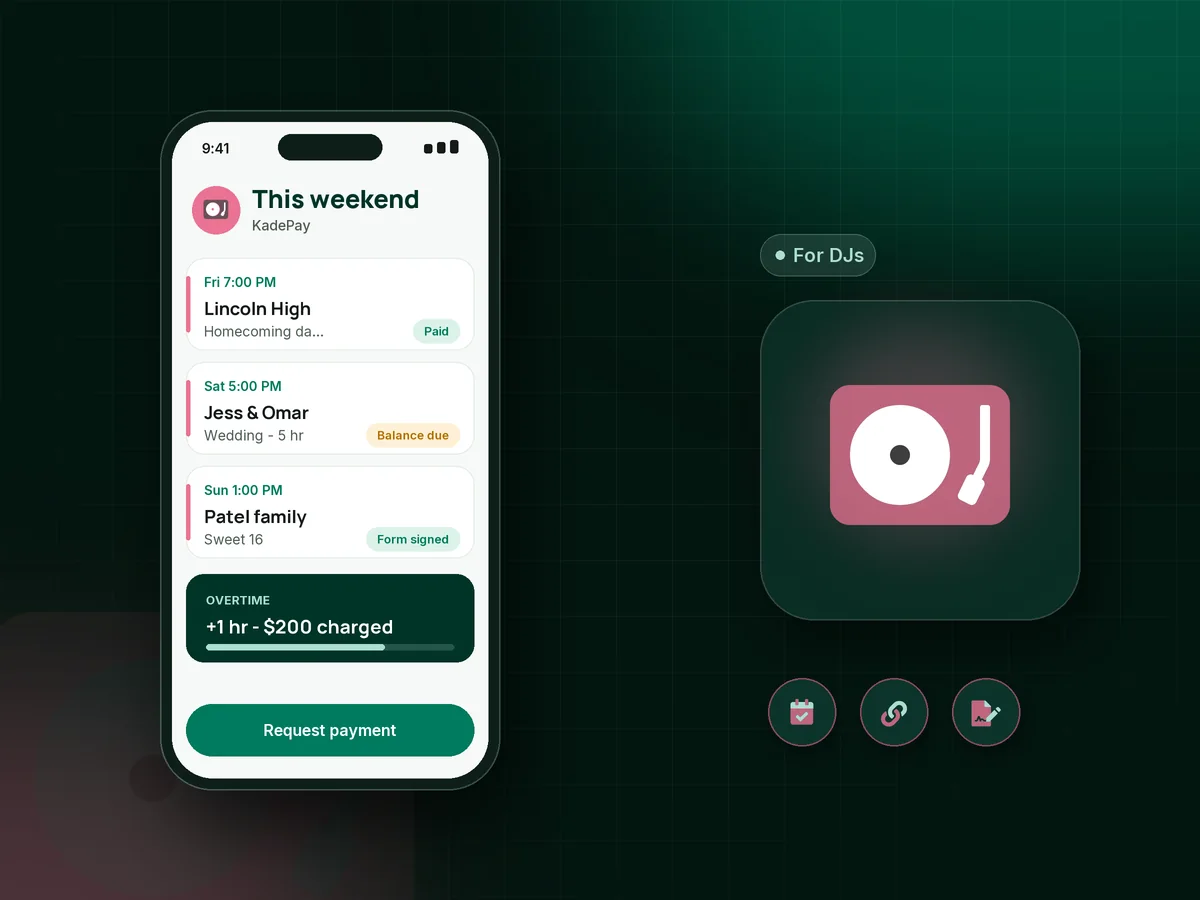
Illustration of DJ booking software in KadePay with a wedding deposit paid, a planning form with a must-play list and a booked school dance

Sound familiar?

Great sets, slow deposits and song lists at midnight

Mobile DJs juggle weddings, school dances and birthday parties, each with its own contract, deposit and timeline. These are the money and paperwork moments that eat a DJ's weekdays, and how KadePay handles each one.

01

Couples who book the date on a handshake and never pay a deposit

They said yes at the bridal show, you penciled in the date, and then nothing. Meanwhile you told a corporate party you were already booked.

With KadePay

Send a fixed-amount DJ deposit link right after the consult, with the contract attached and a question for the venue and start time. On Team or Pro, make it a vanishing bill that expires with your hold.

Vanishing bills
02

The balance due on the night, in an envelope, maybe

Your contract says final payment before the event, but somehow you end up asking the best man for a check while you pack up the speakers.

With KadePay

Agree on a wedding DJ payment plan at booking and collect each installment from the saved card the couple authorized. The last one lands two weeks before the wedding, so load-out is just load-out.

Payment plans
03

Planning forms that come back half empty the week of the event

Grand entrance names, the do-not-play list and the hora timing should be locked in a month out. Instead you are texting the bride on Thursday night.

With KadePay

Build your DJ planning form in KadePay with must-play and do-not-play lists, entrance names and pronunciation notes. The couple completes and signs it on their phone, and it stays on their profile.

Forms and signatures
04

Overtime agreed at 10:45 PM and never paid

The party is rolling, the couple begs for one more hour, and you say yes. Collecting that $200 a week later feels petty, so you write it off.

With KadePay

With the couple's card authorization on file, charge the overtime fee your signed contract describes as soon as the extra hour starts, or take it with Tap to Pay on a compatible phone.

Card on file
05

School and corporate clients who need a proper DJ invoice

The PTA treasurer needs an itemized bill for the board, and the HR coordinator needs something they can forward to accounts payable.

With KadePay

Send a DJ invoice as a KadePay bill with the itemized package and your contract attached. They can pay by card or bank transfer, and reminders follow up until it is paid.

Ways to get paid

How it fits your week

How a wedding gig runs, from first message to last song

  1. The inquiry lands

    A couple taps the link in your bio and requests a consult time. You confirm it and meet them on video or at the venue for a walkthrough.

  2. Contract and deposit the same night

    They sign your DJ contract as a form on their phone and pay the deposit from a link that asks for the venue address and ceremony time.

  3. Planning without phone tag

    Your planning form collects the timeline, special dances and song lists, and automatic appointment reminders nudge them before the final planning call.

  4. Balance done before the big day

    Installments from their authorized card finish before the wedding. On the night, overtime goes on that same card with their authorization, and the receipt arrives by text.

Every way your clients pay

  • Visa
  • Mastercard
  • American Express
  • Discover
  • Apple Pay
  • Google Pay
  • Tap to Pay
  • ACH bank transfer
  • Affirm, where eligible
  • Venmo
  • Zelle
  • QR codes
  • Text and email links

Availability depends on your account setup and eligibility. You confirm Venmo and Zelle payments after checking they arrived.

KadePay for DJs

Finding DJ booking software that fits a mobile DJ business

Most mobile DJ software is built around one idea: get the contract and the deposit in before someone else books the date. KadePay does that with a deposit link or bill that carries your contract, plus a form for the details you need from every client before you load the van.

Weddings are the long game. A $2,000 package booked a year out is easier for a couple to manage as installments, and easier for you to plan around when you know exactly when each payment arrives. A wedding DJ payment plan collects from a card they authorized, and you both see what is left.

School dances, corporate holiday parties and birthdays move faster. A bill with an itemized package and reminders works for a school office, while a family booking a Sweet 16 can pay the deposit by card, Apple Pay or bank transfer from their phone.

On the night, payments are rarely the priority. Tap to Pay on a compatible phone covers last-minute add-ons, and your signed contract plus the client's card authorization makes the overtime fee a quick charge instead of a negotiation. If you run several DJs, each one can work from their own login on Team or Pro.

CLEAR ANSWERS

DJs: your questions, answered.

What is the best DJ booking software for a mobile DJ?

One that gets a signed contract, a deposit and a complete planning form from every client without phone tag. KadePay covers booking requests, contract and planning forms, deposit links, installments and on-the-night charges, and keeps each client's history on one profile.

What is the easiest way to take a DJ deposit?

Text the client a fixed-amount link or a bill for the deposit, with your contract attached. They pay by card, Apple Pay, Google Pay or bank transfer, and your custom receipt text can confirm that their date is held under your contract.

Can I charge for overtime on the night of the event?

Yes, when the couple has authorized a card on file and your signed contract sets the rate. Charge the amount your contract describes in a few taps, and they get a receipt right away. You can also take the payment with Tap to Pay.

Can wedding clients pay their DJ in installments?

Yes. Agree on the number of payments when they book, and KadePay collects each one from an eligible saved method they authorized. Ending the plan a couple of weeks before the wedding keeps the night itself free of money talk.

Can I accept Venmo or Zelle for DJ gigs?

Yes. The client sends it from their own Venmo or Zelle app, you check that it arrived, then record it against their bill in KadePay. Recorded payments carry no KadePay fee and appear with the rest of the gig's history.

How much does KadePay cost for a DJ?

On Pay-As-You-Go you pay $0 per month. Payment and usage fees apply. If you run a multi-op company with several DJs, Team at $10 per month adds team member permissions, and Pro is $35 per month. The pricing page lists everything in each plan.

YOUR WORK COMES FIRST

Make room for more clients.

Get started for free