Skip to content
KadePayGet started

KADEPAY FOR PHOTO BOOTH RENTALS

Photo booth booking software that gets paid before the first print.

Weddings, quinceaneras and brand activations all want the booth on the same Saturday. KadePay takes the photo booth deposit that holds the date, collects the signed contract and the balance before setup, and lets you charge the extra hour on the spot with the client's authorization.

Pay-As-You-Go starts at $0 per month. Usage and payment fees apply.

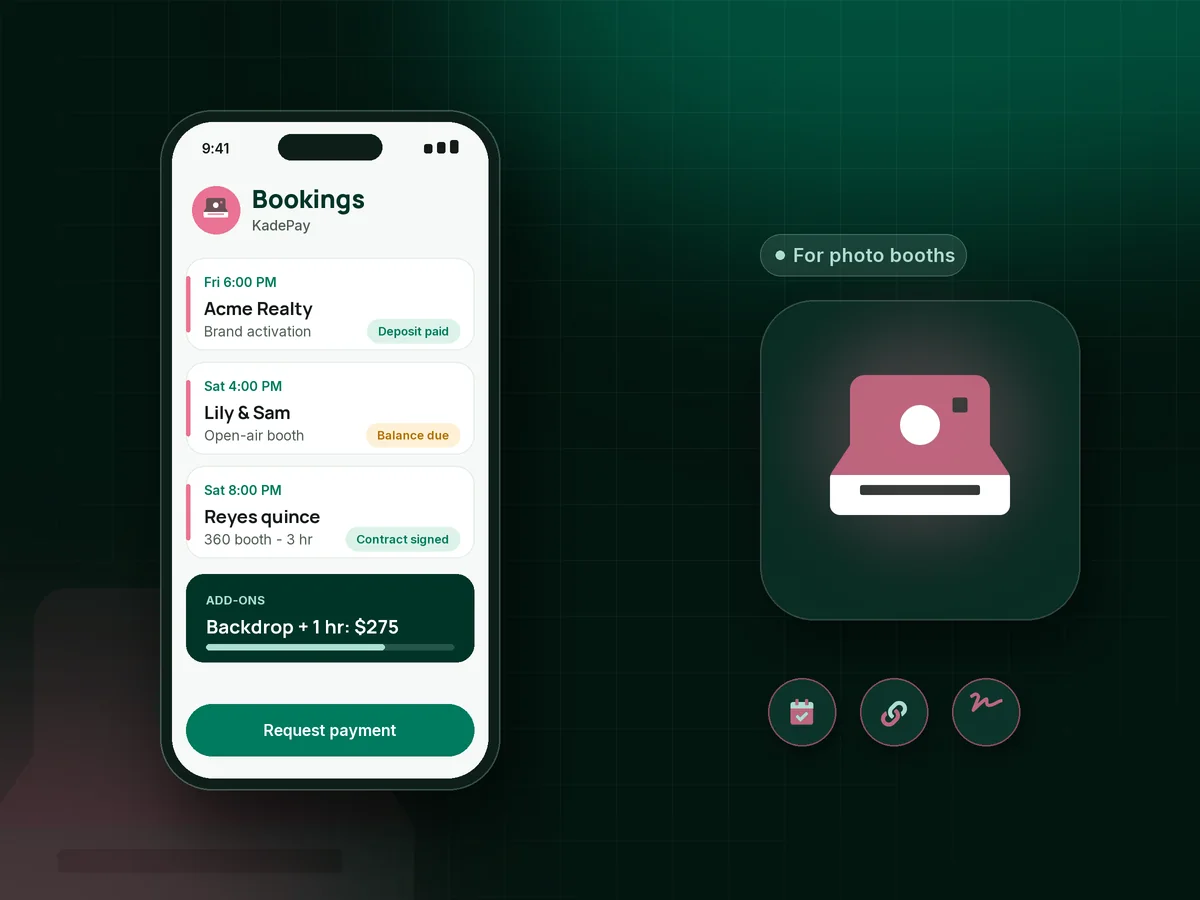
Illustration of photo booth booking software in KadePay with a held 360 booth date, a signed contract and an add-on charged at the event

Sound familiar?

The booth sets up in 20 minutes. The paperwork takes days.

Booth owners juggle inquiries, contracts, backdrops and balances for every event, often for several booths on the same night. These are the spots where money slips, and how KadePay catches it.

01

Clients who hold a Saturday but never send the deposit

Prom season and wedding season overlap, and you just told a corporate client you were booked because a couple promised to pay by Friday.

With KadePay

Send a fixed-amount deposit link right after the call, with questions for the venue, event date and booth type. On Team or Pro, a vanishing bill lets the hold end on the day you choose.

Vanishing bills
02

Contracts that do not mention power, space or overtime

You arrive and the only outlet is 60 feet away, there is no room by the dance floor, and the client swears the overtime was included.

With KadePay

Put your photo booth contract, venue requirements and overtime rate into one form the client signs on their phone. It stays on their profile, so the terms are clear before setup.

Forms and signatures
03

Balances still open on the day of the event

Your terms say the balance is due two weeks out, but you are hauling the booth into a ballroom and still waiting on $450.

With KadePay

Send the balance as a bill with reminders when the deposit clears, or set agreed installments from the client's authorized card. Either way the event arrives paid.

Payment plans
04

Add-ons sold at the event and never billed

Guests love the booth, the host asks for more time and a second print strip, and in the rush nobody writes down the price.

With KadePay

Charge the overtime your signed contract describes to the card the client authorized, or take it with Tap to Pay on a compatible phone before the next round of guests.

Card on file
05

Corporate events that need a formal photo booth invoice

The marketing team booked a brand activation, and accounts payable will not pay without an itemized bill and a W-9 on file.

With KadePay

Send a photo booth invoice as a KadePay bill with the itemized package and your W-9 attached. Finance can pay by card or ACH bank transfer, and reminders follow up.

Ways to get paid

How it fits your week

How a photo booth booking runs with KadePay

  1. Inquiry from your link

    A host taps the Flex Link in your bio and chooses to request a planning call or pay a deposit for a package you already discussed.

  2. Contract and deposit together

    They sign your contract form and pay the deposit with the venue, start time and backdrop choice as answers. The date is held per your terms.

  3. Design and balance

    A shared folder holds their logo or monogram for the print template. The balance goes out as a bill with reminders before the event.

  4. Event night extras

    More time or a custom backdrop goes on their authorized card with a receipt by text, and a printed QR at the booth takes tips from guests.

Every way your clients pay

  • Visa
  • Mastercard
  • American Express
  • Discover
  • Apple Pay
  • Google Pay
  • Tap to Pay
  • ACH bank transfer
  • Affirm, where eligible
  • Venmo
  • Zelle
  • QR codes
  • Text and email links

Availability depends on your account setup and eligibility. You confirm Venmo and Zelle payments after checking they arrived.

KadePay for photo booths

Choosing photo booth booking software for a growing booth business

A photo booth business runs on volume: several bookings a weekend, each with its own package, backdrop and venue rules. KadePay keeps the money side of each event in one place, from the first deposit to the last add-on, so you can run more booths without more spreadsheets. Booking requests, contract forms and bills all point back to one client profile.

The photo booth deposit holds the date, and the contract protects it. When both live together, with the venue requirements and overtime rate signed by the client, there is less to argue about at load-in. A vanishing bill on Team or Pro takes care of the client who never commits.

Brand activation work brings bigger budgets and stricter paperwork. Corporate clients can pay by ACH bank transfer or card from a bill that carries your itemized package, and you can pass eligible credit card fees to them where permitted.

At the event itself, Tap to Pay on a compatible phone, a printed QR at the booth and a card the client authorized all turn add-ons into payments before the night ends. Recorded Venmo and Zelle payments sit next to everything else, with no KadePay fee.

CLEAR ANSWERS

Photo booth rentals: your questions, answered.

What is the best photo booth booking software for a small rental business?

One that keeps deposits, contracts, balances and add-ons together without a long setup. KadePay does those through booking requests, contract forms, deposit links and bills, and it lets you charge extra time to an authorized card. Your booth's capture and sharing software stays as it is.

How do I collect a photo booth deposit?

Send a fixed-amount link or bill for the deposit, with questions for the date, venue and booth type. The client pays by card, wallet or bank transfer, and your receipt text confirms the date under your contract.

Can I charge for an extra hour during the event?

Yes, when the client has authorized a saved card and your signed contract sets the overtime rate. Charge the fee in a few taps and the client receives a receipt. You can also take the payment with Tap to Pay on a compatible phone.

How do I invoice a company for a photo booth at a corporate event?

Send a KadePay bill with the itemized package, event details and your W-9 attached. The company can pay by card or ACH bank transfer, reminders follow up with their finance contact, and you can download transactions for your books.

Does KadePay deliver or share the photos from my booth?

No. KadePay does not deliver event photos or run the booth's sharing station. Keep your booth software for capture and sharing, and use KadePay for bookings, contracts, deposits, balances and add-on payments.

How much does KadePay cost for a photo booth company?

Pay-As-You-Go has no monthly charge: $0 per month. Payment and usage fees apply. Team at $10 per month adds attendant logins and vanishing bills, and Pro is $35 per month. See the pricing page for every detail.

YOUR WORK COMES FIRST

Make room for more clients.

Get started for free