Skip to content
KadePayGet started

KADEPAY FOR PLUMBERS

The plumbing invoice app that gets you paid before the van leaves.

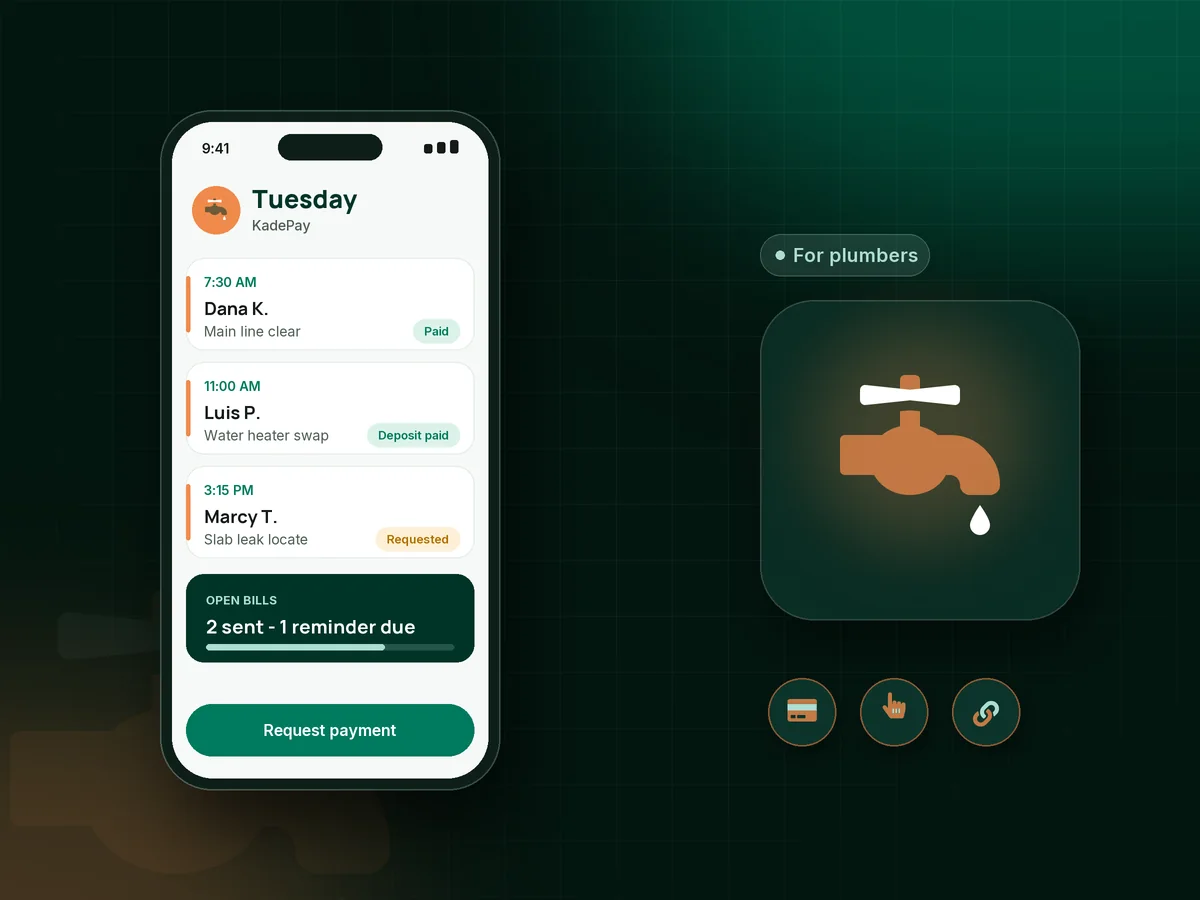
Snaked a main line at 7 AM, swapped a water heater by noon, chased a slab leak all afternoon? KadePay lets you text the bill with photos from the truck, take a card with Tap to Pay on a compatible phone, and keep gate codes and shutoff locations with every customer.

Pay-As-You-Go starts at $0 per month. Usage and payment fees apply.

Illustration of a plumber's day in the KadePay plumbing invoice app with a drain call, a water heater deposit and a paid leak repair

Sound familiar?

You fix leaks all day. Chasing invoices shouldn't be one.

A plumbing day rarely goes to plan: an emergency bumps the drain job, a part needs ordering, and the paperwork piles up in the cab. Here is where the money usually slips, and what KadePay does about it.

01

Customers who say 'just mail me the invoice' at the door

You finish a $385 kitchen drain at 6 PM, they promise to pay later, and three weeks on you are still texting them about it.

With KadePay

Take the card right there with Tap to Pay on a compatible phone, or text a bill before you pull away from the curb. Turn on reminders so an unpaid bill keeps showing up in their messages.

Tap to Pay and card readers
02

Buying a $1,400 water heater before the homeowner commits

You pick up the tank from the supply house, then the customer gets a second opinion and you are stuck returning it on a Saturday.

With KadePay

Send a fixed-amount deposit link once they say yes. The water heater goes on the truck after the deposit shows as paid, and the amount comes off the final bill.

Payment links and QR codes
03

Repipes and sewer lines customers can't pay in one go

A $7,800 repipe or a sewer line replacement is a hard yes when the homeowner has to find the money all in one week.

With KadePay

Agree on a payment plan with a set number of installments collected from a saved method, or let the customer apply for Affirm at checkout where eligible. Affirm sets approval and terms.

Payment plans
04

Hunting for the main shutoff on every return visit

Second visit to the same house, nobody remembers where the main shutoff or the cleanout is, and you lose twenty minutes in a crawlspace.

With KadePay

Private notes on each customer profile hold the shutoff location, water heater model, gate code and the dog's name. Gallery folders keep the photos you took of the cleanout.

Customer profiles and notes
05

Arguments over what was actually done under the sink

The bill says 'replaced P-trap and supply lines', the customer says it was a ten-minute job, and it is your word against theirs.

With KadePay

Attach before and after photos or your written estimate PDF to the bill, so the customer sees the corroded fitting and the new one right next to the $240 charge.

Ways to get paid

How it fits your week

How a plumbing service call runs with KadePay

  1. The call comes in

    A customer taps the booking link on your website or the QR on your van and requests a time for a running toilet. You confirm it, and the address is saved with the appointment.

  2. Authorization before you open a wall

    For bigger jobs, send a work authorization form the homeowner signs on their own phone, plus a deposit link for any fixture or tank you need to order.

  3. Fix it and document it

    Snap photos of the failed valve and the finished install. Notes on the customer profile keep the water heater model and shutoff location for next time.

  4. Get paid on site

    Tap a card on a compatible phone, show your truck QR for the agreed amount, or text the bill with photos attached and reminders turned on.

  5. Keep them for the next visit

    Offer an annual water heater flush or backflow test as recurring billing on Team or Pro, so repeat work is paid without a reminder call from you.

Every way your customers pay

  • Visa
  • Mastercard
  • American Express
  • Discover
  • Apple Pay
  • Google Pay
  • Tap to Pay
  • ACH bank transfer
  • Affirm, where eligible
  • Venmo
  • Zelle
  • QR codes
  • Text and email links

Availability depends on your account setup and eligibility. You confirm Venmo and Zelle payments after checking they arrived.

KadePay for plumbers

Picking the best app for plumbers: what a plumbing invoice app should do

Most plumbers do not need another office system. They need the bill out before the next call. A plumbing invoice app earns its spot on your phone if it lets you price the work you just did, attach the photo of the cracked fitting, and get the customer paying in the same driveway. KadePay focuses on that money side of the job and leaves the wrench work to you.

Card payments are where most small shops lose time. If you are wondering how to take card payments as a plumber without a clunky terminal, Tap to Pay on a compatible phone covers the kitchen counter, and a printed QR on the van covers the customer who wants to pay from their own phone. ACH bank transfer suits a $9,000 sewer replacement where card costs would bite, and you can pass eligible credit-card fees to the customer where permitted.

An emergency plumbing call brings its own risks: a stranger's house at night, no deposit and a stressed customer. A signed authorization form and a card authorization on file before you start protect both of you. For planned work, a plumbing deposit collected by link keeps you from fronting the cost of fixtures, and water heater replacement financing through a payment plan or Affirm, where eligible, helps the homeowner say yes today.

CLEAR ANSWERS

Plumbers: your questions, answered.

What is the best plumbing invoice app for a small plumbing business?

Look for one that lets you bill from the job, not from the kitchen table at night. KadePay sends bills with photos by text or email, takes cards with Tap to Pay on a compatible phone, collects deposits by link and records Venmo or Zelle, all in one record per customer.

How to take card payments as a plumber without a card reader?

Set up payments in the KadePay app and use Tap to Pay on a compatible iPhone or Android phone. Customers tap a card or wallet against your phone. You can also show a printed QR or text a payment link, and card readers can be purchased if you prefer one.

Should I charge a deposit before ordering a water heater or fixtures?

Many plumbers do for special-order or high-cost parts. Send a fixed-amount deposit link once the customer approves the job, order the unit after it shows as paid, and subtract it on the final bill. Put your deposit and cancellation terms in a form the customer signs.

Can I send a drain cleaning invoice from my phone with photos attached?

Yes. Create the bill on your phone, attach the camera inspection screenshots or before and after photos, and send it by text or email. Turn on reminders so the customer gets a nudge if the bill sits unpaid for a few days.

Can customers spread out the cost of a repipe or sewer line?

Yes. You can agree on a payment plan with a set number of installments collected from an eligible saved method, or customers can apply for Affirm at checkout where eligible. Affirm decides approval and terms, and you see each payment on the customer's record.

How much does KadePay cost for a one-truck plumbing shop?

For a one-truck shop, Pay-As-You-Go starts at $0 per month; payment and usage fees apply. Team adds technicians with permissions and recurring billing for $10 per month, and Pro is $35 per month. Check the pricing page for the full comparison before choosing a plan.

YOUR WORK COMES FIRST

Make room for more customers.

Get started for free

CHOOSING YOUR BUSINESS TOOLS

Compare the workflow before you choose.

Explore documented features, cost questions and relevant alternatives.