Skip to content
KadePayGet started

KADEPAY FOR PHONE & ELECTRONICS REPAIR

The phone repair payment app that gets you paid before pickup.

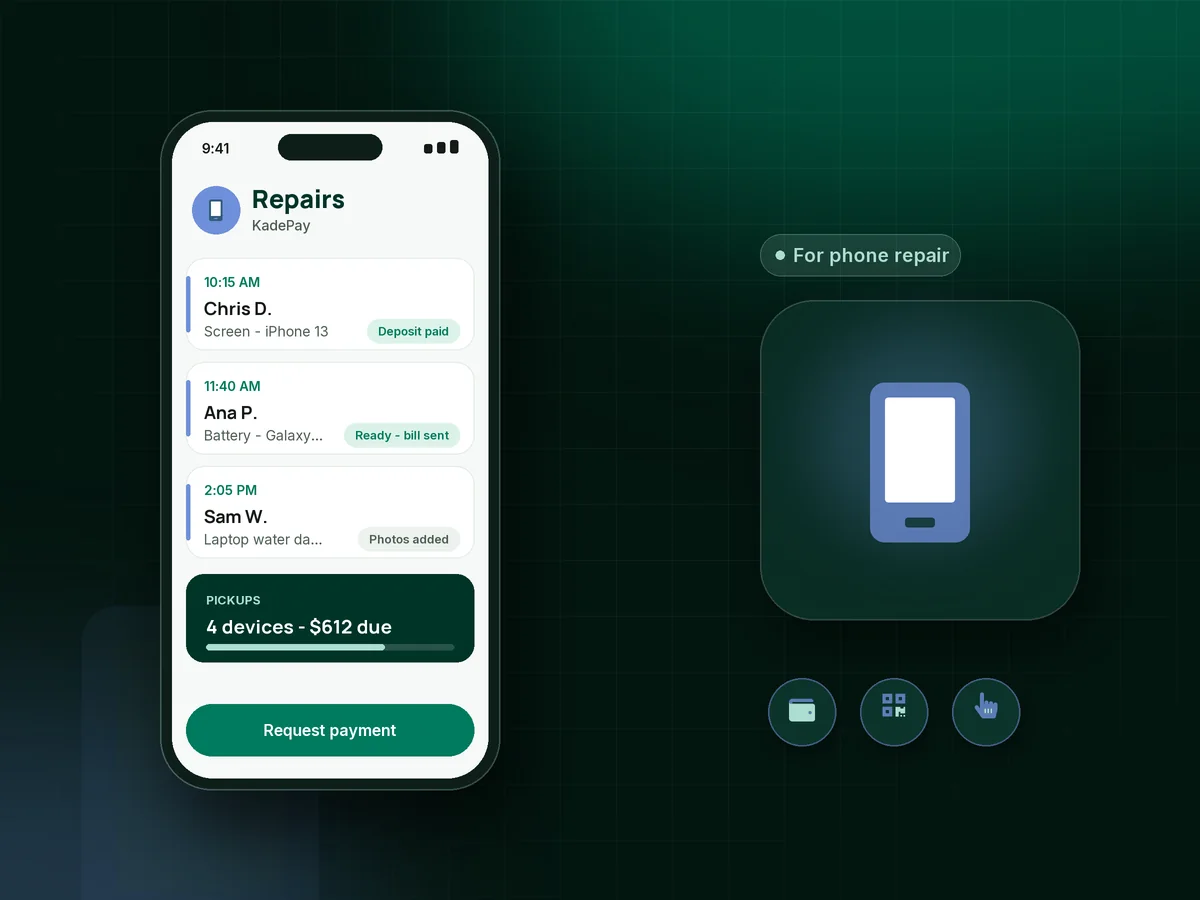
Cracked screens, dead batteries and water-damaged laptops come through your door all day. KadePay takes a deposit for the part, keeps device photos and notes on the customer's profile, and collects payment before pickup by text link, counter QR code or Tap to Pay on a compatible phone.

Pay-As-You-Go starts at $0 per month. Usage and payment fees apply.

Illustration of a phone repair payment app showing a parts deposit, a ready-for-pickup bill and device photos on a customer profile

Sound familiar?

The fix took an hour. The payment shouldn't take a week.

Repair shops live on quick turnarounds and thin margins on parts. These are the money moments owners describe in repair forums and shop groups, and how KadePay keeps each one moving.

01

Ordering a $140 part for a customer who never comes back

You order the OLED screen, it arrives two days later, and the customer has stopped answering your texts.

With KadePay

Take a screen repair deposit with a fixed-amount link or Tap to Pay at drop-off, so the part is paid for before you order it. The deposit shows on the customer's profile.

Payment links and QR codes
02

Devices sitting in the drawer, finished but unpaid

Six repaired phones are waiting in the drawer, each one a few hundred dollars of parts and bench time you already spent.

With KadePay

Text a bill the moment the repair is done, with a photo of the working device attached. The customer pays before pickup, and handing the phone back takes a moment.

Ways to get paid
03

The counter line backs up at lunchtime

Three people are waiting, one wants to tap their phone, and your card terminal is stuck on a software update.

With KadePay

Print a counter QR code that customers scan to pay the amount on their bill, and keep Tap to Pay on a compatible phone as a second checkout. Staff confirm each payment in Transactions.

Tap to Pay and card readers
04

Arguments over damage that was already there

A customer swears the scratch on the back was not there before, and you have nothing but your word against theirs.

With KadePay

Snap photos at drop-off into a Gallery folder on the customer's profile, and have them sign your repair waiver on their phone, covering data loss, prior damage and the pickup window.

Customer profiles and notes
05

Mail-in customers who pay by check

Mail-in repairs from out of town mean waiting for a check to clear before you can ship the device back.

With KadePay

Send a mail-in repair payment link by text or email when the repair is finished, payable by card, Apple Pay, Google Pay or ACH, and ship once it shows as paid.

Payment links and QR codes

How it fits your week

From cracked screen to paid pickup

  1. Drop-off or booked repair

    Walk-ins come straight to the counter, and busy customers request a drop-off time from your booking link. You confirm what your bench can handle that day.

  2. Photos, waiver and deposit

    Photograph the device, have the customer sign your waiver on their phone, and take a deposit for the part with Tap to Pay or a link.

  3. Repair with notes

    Private notes on the profile record the model, what was replaced and any extra issues you found on the bench. Customers never see staff notes.

  4. Bill when it's ready

    Text the final bill with an after photo attached. The customer pays from the link before they arrive, or at the counter by QR or Tap to Pay.

  5. Hand it back, done

    Pickup is a quick look at Transactions and the device goes home. If a part fails under your own warranty terms, refunds come from the same payment record.

Every way your customers pay

  • Visa
  • Mastercard
  • American Express
  • Discover
  • Apple Pay
  • Google Pay
  • Tap to Pay
  • ACH bank transfer
  • Affirm, where eligible
  • Venmo
  • Zelle
  • QR codes
  • Text and email links

Availability depends on your account setup and eligibility. You confirm Venmo and Zelle payments after checking they arrived.

KadePay for phone repair

Picking the best phone repair payment app for your shop

A cell phone repair shop makes money in small, fast transactions, and every minute at the register is a minute away from the bench. Phone repair payments work best when the deposit is taken at drop-off and the balance is settled before the customer walks back in for the device.

Payment before pickup also protects you from a drawer full of finished devices. A texted bill with an after photo attached gives customers a reason to come back and a way to pay from wherever they are, and the counter stays clear for the next drop-off. A printed QR code handles the walk-ins who would rather pay on their own phone.

Most shops also take on tablet and laptop repair and general electronics repair, where parts cost more and jobs take longer. A deposit, a signed waiver and photos on the customer profile cover the cases where a repair turns into a disagreement, and Affirm pay-over-time, for customers who are eligible and approved, can spread the cost of a pricier laptop board replacement.

KadePay is not a repair ticketing or parts system. It works alongside the tools you use to track jobs, as the payments, waivers, customer notes and booking request side of the business, with transaction downloads for your bookkeeper.

CLEAR ANSWERS

Phone & electronics repair: your questions, answered.

What is the best phone repair payment app for a small shop?

One that handles deposits, counter checkout and pay-before-pickup without slowing the line. KadePay offers Tap to Pay on a compatible phone, a counter QR code, text-to-pay bills with photos, signed waivers and private customer notes.

Should a cell phone repair shop charge a deposit for parts?

Many shops take a deposit for any part they have to order, especially screens. It covers your cost if the customer never returns. Take it at drop-off with Tap to Pay or a link, and the rest is due before pickup.

How can customers pay before they come to pick up their phone?

Text them a bill when the repair is done, with an after photo attached. They pay by card, Apple Pay, Google Pay or ACH from the link, and pickup becomes a quick handover at the counter.

Can I take card payments without a card terminal?

Yes. With the KadePay app on a compatible iPhone or Android phone and payment setup complete, the phone itself accepts the tap. You can also print a counter QR code, or purchase a card reader if you want one by the register.

Does KadePay track repair tickets or parts?

No. KadePay does not manage repair tickets, parts or stock. It handles deposits, bills, payments, waivers, booking requests and customer notes, and it works next to whatever you use to track jobs on the bench.

How much does KadePay cost for a phone repair shop?

A single-counter repair shop can run on Pay-As-You-Go at $0 per month, with payment and usage fees. Team at $10 per month and Pro at $35 per month add bench technicians as team members, plus recurring billing and vanishing bills. See the pricing page for details.

YOUR WORK COMES FIRST

Make room for more customers.

Get started for free