Skip to content
KadePayGet started

KADEPAY FOR PARTY & BOUNCE HOUSE RENTALS

Bounce house rental payments settled before the blower starts.

Saturday is three deliveries, two water slides and a tent before noon. KadePay gets the deposit that holds each date, the signed waiver and the balance in before your crew pulls up, and keeps a card authorization ready for the fee your policy describes.

Pay-As-You-Go starts at $0 per month. Usage and payment fees apply.

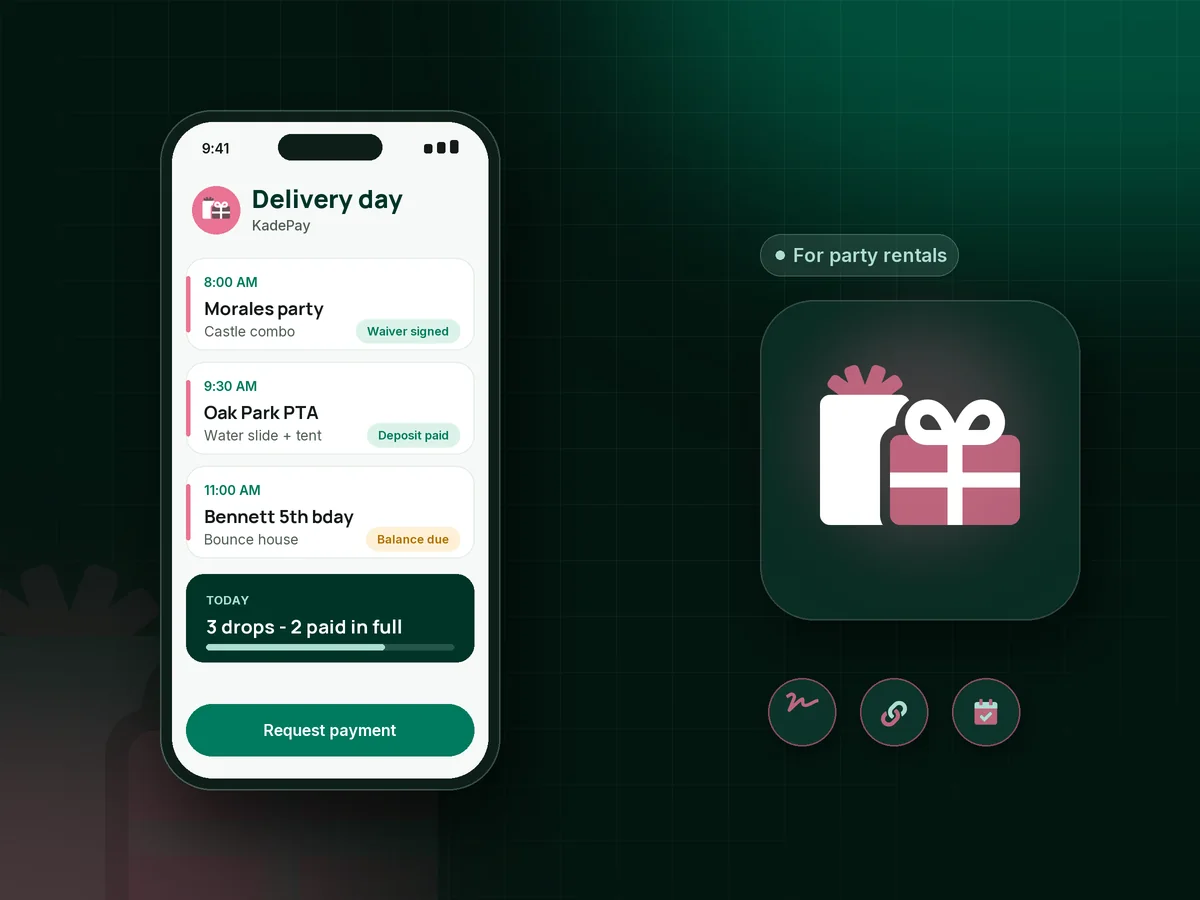
Illustration of bounce house rental payments in KadePay with a signed waiver, a paid deposit and a Saturday delivery list for party rentals

Sound familiar?

Heavy vinyl, early mornings and payments at the curb

Rental owners load trucks before sunrise and set up in backyards, parks and school fields. These are the payment headaches that come with it, and how KadePay gets them sorted before delivery day.

01

Reservations made without a deposit, then ghosted

A parent books the unicorn castle for Saturday, you turn away two other families, and on Friday night the phone goes straight to voicemail.

With KadePay

Text a party rental deposit link with the event address and surface type as customer questions. On Team or Pro, send it as a vanishing bill so an unpaid reservation simply expires.

Vanishing bills
02

Waivers signed on a clipboard in the wind

You are staking down the slide while a dad signs a crumpled waiver on the hood of your truck, and half the form is blank.

With KadePay

Send your bounce house waiver as a KadePay form the customer completes and signs on their phone before the event. The signed copy stays with their profile, ready if anyone asks.

Forms and signatures
03

Balances collected at the curb on a busy morning

Three drop-offs before 10 AM, and at each one you wait while someone looks for their wallet or asks if you take Venmo.

With KadePay

Send the balance as a bill two days before delivery, with reminders. If someone still owes at setup, take it with Tap to Pay on a compatible phone or record their Venmo.

Ways to get paid
04

Rainouts that turn into refund arguments

Storms roll in Friday afternoon. Some customers want a full refund, some want a new date, and your rain cancellation policy is a paragraph buried on your website.

With KadePay

Put your rain cancellation policy in the waiver form so it is signed with everything else. Then refund from KadePay or keep the deposit toward a new date, exactly as the policy says.

Forms and signatures
05

Mud, silly string and damage you discover at pickup

The slide comes back covered in mud and silly string, and you lose an hour cleaning it before the next rental goes out.

With KadePay

Ask customers to authorize a card on file when they sign. If your policy includes a cleaning fee, send a bill with the photos attached or charge the authorized card for the fee your signed policy describes.

Card on file

How it fits your week

How a rental weekend runs with KadePay

  1. Reservation request

    A parent fills in your request form or messages you with the date and the unit they want. You check your own schedule and send a deposit link if it is open.

  2. Deposit and waiver

    They pay the deposit with the address and setup surface as answers, and sign your waiver and rain policy on their phone.

  3. Balance before delivery

    A bill with reminders goes out two days ahead. Each delivery is an appointment with its own address, so your Saturday is in order.

  4. Setup and pickup

    Set up, take any balance left with Tap to Pay, and after pickup charge the fee your signed policy describes if the unit comes back damaged.

Every way your customers pay

  • Visa
  • Mastercard
  • American Express
  • Discover
  • Apple Pay
  • Google Pay
  • Tap to Pay
  • ACH bank transfer
  • Affirm, where eligible
  • Venmo
  • Zelle
  • QR codes
  • Text and email links

Availability depends on your account setup and eligibility. You confirm Venmo and Zelle payments after checking they arrived.

KadePay for party rentals

Bounce house rental payments without a separate system for each step

A bounce house business app usually tries to do three jobs: show what is available, take the booking and collect the money. KadePay does the money and the paperwork, and leaves availability to the calendar or rental system you already use. Deposits, waivers, balances and fees all sit on one customer profile, and Tap to Pay on a compatible phone handles the rest at the curb.

The deposit is what makes a reservation real. A party rental deposit link with the address and setup details built in saves a phone call, and a vanishing bill on Team or Pro clears unpaid holds on its own. Customers pay by card, Apple Pay, Google Pay or bank transfer from the text.

Water slide rental season brings its own risks: weather, mud and long days. A signed bounce house waiver that includes your rain cancellation policy and cleaning fee terms means the hard conversations already happened in writing.

Schools, churches and companies booking tent and table rentals for field days often need a bill they can pass to a treasurer. Send one with the signed agreement attached, accept card or bank transfer, and keep every transaction ready for your bookkeeper.

CLEAR ANSWERS

Party & bounce house rentals: your questions, answered.

What is the best app for bounce house rental payments and deposits?

One that takes the deposit, collects a signed waiver and gets the balance in before delivery. KadePay handles those steps, along with refunds for rainouts and card-on-file fees, while you keep tracking units and availability in your own system.

How do I take a deposit for a bounce house rental?

Send a fixed-amount link or bill for the deposit your policy sets, with questions for the event address, setup surface and time. Customers pay by card, wallet or bank transfer, and you see the answers with the payment.

Can customers sign a bounce house waiver online?

Yes. Send your waiver, safety rules and rain policy as a KadePay form. The customer completes and signs it on their phone after signing in, and the signed copy stays on their profile.

How do I handle refunds when it rains?

Follow the policy your customer signed. You can refund all or part of a payment from KadePay, or keep the deposit toward a rescheduled date and send a new balance bill once the new date is set.

Does KadePay track my inflatables and availability?

No. KadePay does not track units, stock or availability, and it has no rental catalog. Keep using your own calendar or rental system for that, and use KadePay for deposits, waivers, balances, fees and customer records.

What does KadePay cost for a party rental company?

Pay-As-You-Go starts at $0 a month. Payment and usage fees apply. Vanishing bills for unpaid holds and team members for your delivery crew come with Team at $10 per month, and Pro is $35 per month. The pricing page compares the plans.

YOUR WORK COMES FIRST

Make room for more customers.

Get started for free