Skip to content
KadePayGet started

KADEPAY FOR PROFESSIONAL ORGANIZERS

The app for professional organizers who bring calm into crowded rooms.

Your clients are often embarrassed to call, overwhelmed by the garage and nervous about the cost. KadePay keeps the business side gentle: a booking request instead of a sales call, clear terms signed in advance, hour packages that count down and photos only the client can see.

Pay-As-You-Go starts at $0 per month. Usage and payment fees apply.

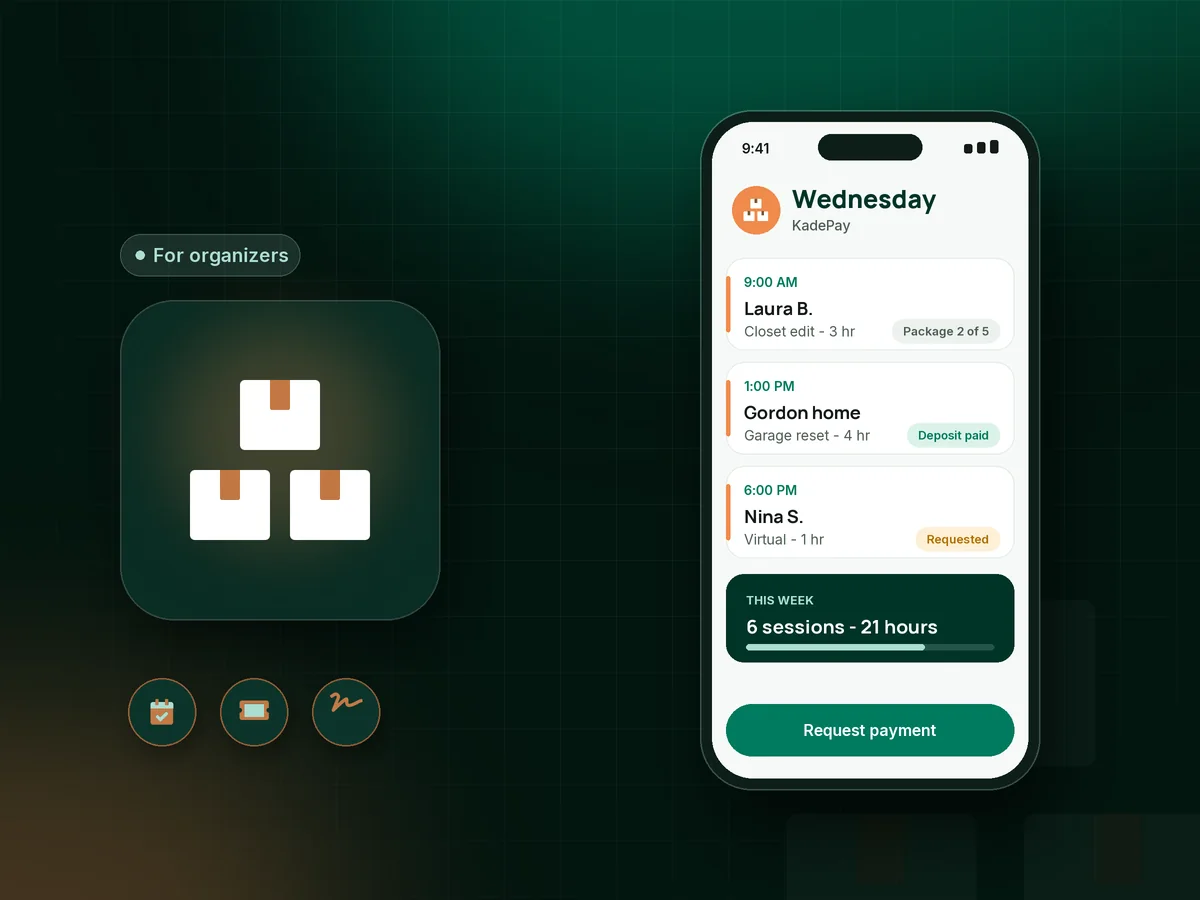
Illustration of an app for professional organizers with an organizer's Wednesday of sessions, a pantry package visit and a paid garage reset

Sound familiar?

You organize their home. Who organizes your billing?

Organizing is personal work, and the money conversation can feel out of place in a client's closet. These are the moments organizers say are hardest to handle, and how KadePay takes the friction out of them.

01

Clients who cancel the morning of the session

Overwhelm wins, the client texts at 7 AM that today is not a good day, and your whole Wednesday is empty.

With KadePay

Collect a professional organizer deposit by fixed-amount link when you confirm the session, and have the client sign your cancellation terms on their phone beforehand.

Payment links and QR codes
02

Sessions that run longer than planned

You booked three hours for the pantry, the client asked you to keep going, and now you need to bill four and a half.

With KadePay

Ask the client to authorize a card on file when they book. After the session you charge the actual hours you agreed on, and they receive a receipt.

Card on file
03

Big projects sold one hour at a time

A whole-house declutter takes weeks of sessions, and invoicing each visit separately feels like nickel-and-diming.

With KadePay

Sell organizing session packages, such as five three-hour sessions, and record each session as it is used. Booking each visit stays a separate request you confirm.

Packages and sessions
04

Bins and labels you bought with your own money

You spent $186 on drawer dividers and clear bins for the client's pantry, and the receipt is crumpled in your car.

With KadePay

Send a bill for the supplies with a photo of the store receipt attached. The client pays from the link or you charge their authorized card.

Payment links and QR codes
05

Adult children paying for a parent's downsizing

The client is moving to a smaller apartment, but her son in another state is the one paying for the project.

With KadePay

Send bills and payment links to whoever is paying, or sell an organizing gift card the family can give. Private notes keep track of who pays and who decides.

Payment links and QR codes

How it fits your week

How an organizing project runs with KadePay

  1. A quiet first step

    The client requests an in-home assessment or a virtual call from your booking link, without having to explain the mess over the phone. You confirm a time.

  2. Terms and deposit before you arrive

    They sign your professional organizer contract and cancellation terms on their phone and pay the deposit or buy a session package.

  3. Notes and photos stay private

    Before photos go into a Gallery folder only you and the client can see, and private notes hold goals, sensitivities and what must not be thrown away.

  4. Each session settled the same day

    Record a package session, charge the authorized card for extra hours, or text a bill for supplies with the receipt attached.

  5. The reveal and what comes next

    Share after photos and the labeling plan in the same folder, and sell a maintenance package for quarterly touch-ups.

Every way your clients pay

  • Visa
  • Mastercard
  • American Express
  • Discover
  • Apple Pay
  • Google Pay
  • Tap to Pay
  • ACH bank transfer
  • Affirm, where eligible
  • Venmo
  • Zelle
  • QR codes
  • Text and email links

Availability depends on your account setup and eligibility. You confirm Venmo and Zelle payments after checking they arrived.

KadePay for organizers

Finding the right app for professional organizers who work solo

Most decluttering business software is borrowed from cleaning or field service companies, with crew boards and quoting tools an organizer rarely uses. A solo organizer needs booking requests, simple payments, packages and a private place for photos that a client may not want anyone else to see.

A professional organizer cancellation policy matters more in this field than most, because clients cancel out of overwhelm rather than carelessness. Keep it kind and clear, have clients sign it before the first session, and pair it with a modest deposit. When you need to enforce it, charge the fee your signed policy describes.

Organizing session packages suit the way projects really unfold. A client buys five sessions, you record each one, and nobody has to talk about money at the end of an emotional afternoon. A home organizing invoice still covers supplies and extra hours, with receipts attached.

Professional organizer booking works for in-person and virtual organizing sessions alike, and an organizing gift card gives families a thoughtful way to help a parent or a new homeowner get started. Every payment, form and folder stays on the client profile, so the next project picks up where the last one ended.

CLEAR ANSWERS

Professional organizers: your questions, answered.

What is the best app for professional organizers just starting out?

Start with one that handles booking requests, deposits, signed terms, session packages and private photo folders. KadePay covers those on Pay-As-You-Go, takes cards, Apple Pay and bank transfer, and records Venmo or Zelle payments with no KadePay fee.

Should professional organizers take a deposit?

Many do, especially for first sessions and large projects. Send a fixed-amount link when you confirm the session and explain in your signed terms how the deposit applies to the bill or a rescheduled session.

How do I sell organizing packages by the session?

Create a package of three, five or ten sessions that clients buy at once. Record each session as you complete it. Buying a package does not book a session, so clients still request each date and you confirm it.

How do I charge for supplies like bins and labels?

Send a bill for the supplies with a photo of the receipt attached, or add them to the session bill. The client pays from the link or you charge a card they authorized.

Can I keep client photos private?

Yes. Before-and-after photos go into a Gallery folder on the client profile, which you share only with that client, read-only or read and write. Private notes on the profile are never visible to the client.

How much does KadePay cost for a professional organizer?

For an organizer on their own, Pay-As-You-Go starts at $0 per month; payment and usage fees apply. Team at $10 per month and Pro at $35 per month add assistants as team members and recurring billing. See the KadePay pricing page for details.

YOUR WORK COMES FIRST

Make room for more clients.

Get started for free