Skip to content
KadePayGet started

KADEPAY FOR TOWING & ROADSIDE

The towing payment app for the shoulder, the yard and the gate.

Payments in towing happen on the worst day of someone's week, often on a dark shoulder or at the yard gate. KadePay lets you take Tap to Pay on a compatible phone, key a card while the customer is on the phone, and text a bill with photos of the vehicle.

Pay-As-You-Go starts at $0 per month. Usage and payment fees apply.

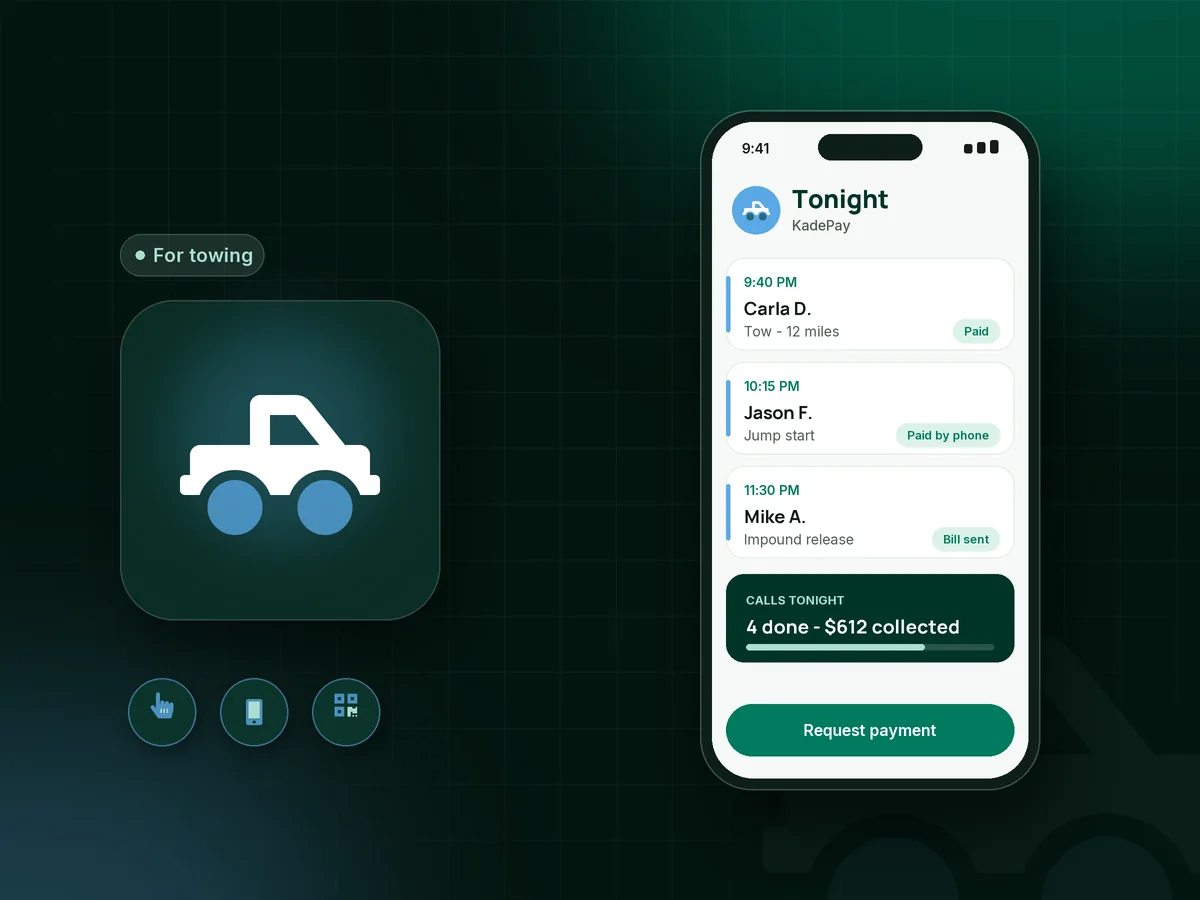
Illustration of a towing payment app showing a roadside tow paid by Tap to Pay, a texted bill with vehicle photos and an impound release

Sound familiar?

The hook is the easy part. Getting paid is the hard part.

Towing money is collected at bad moments: on the shoulder, at the yard window after hours, or from a family member three states away. These are the spots where tow operators lose time or money, and how KadePay helps.

01

Stranded drivers with no cash and a card reader that will not connect

It is 11 PM, the customer has a phone and a dead battery, and the old reader in the cab keeps losing its pairing.

With KadePay

Take contactless cards, Apple Pay and Google Pay with Tap to Pay on a compatible phone running the KadePay app after payment setup. No separate reader to charge or pair.

Tap to Pay and card readers
02

Someone else is paying, and they are not at the scene

The college student is broken down on the interstate, and the parent paying for the tow is at home asking you to take their card.

With KadePay

Text the bill to whoever is paying, with the pickup and drop-off spelled out, or use New Charge to take card payments by phone while you have them on the line.

Ways to get paid
03

Release fees collected at a window after hours

The owner shows up at the impound lot at 7 PM with a cousin, a printout and a lot of questions, and the card machine is in the office.

With KadePay

Post a Store Pay Direct QR at the yard window. The owner scans it, enters the impound release fee you quote, and pays; your staff confirm the payment in Transactions before the gate opens.

Payment links and QR codes
04

Disputes over damage that was there before the hook

Two weeks after a tow, the owner says you scraped the bumper. Your driver remembers it was already cracked, but memory is not proof.

With KadePay

Drivers take photos before hooking up and save them to a Gallery folder on the customer's profile. Attach them to the towing invoice so the condition is on the record from the start.

Customer profiles and notes
05

Paper authorization slips that blow away on the shoulder

The tow slip with the customer's signature and drop-off address ends up soaked, smudged or under the seat by the end of the shift.

With KadePay

Send a tow authorization form the customer signs on their own phone, with the destination, the rate you agreed and your storage terms. It stays with their profile, not in the cab.

Forms and signatures

How it fits your week

From the call to the release, step by step

  1. The call comes in

    A stranded driver, or a parent on their behalf, calls. You agree the rate, take the card with New Charge, or text a bill they can pay before the truck arrives.

  2. On scene

    The driver takes condition photos, the customer signs the tow authorization on their phone, and payment goes through with Tap to Pay on a compatible phone.

  3. Into storage if needed

    When a vehicle goes to the yard, private notes on the profile record the plate, the lot spot and the date it came in, so vehicle storage fees are easy to total at release.

  4. Release at the window

    The owner scans the QR at the yard window and pays the agreed total, or pays the bill you texted earlier. Staff confirm it in Transactions and release the vehicle.

  5. Books that make sense

    Every tow, jump start and release lands in one transaction list your bookkeeper can download, with refunds handled from the same place.

Every way your customers pay

  • Visa
  • Mastercard
  • American Express
  • Discover
  • Apple Pay
  • Google Pay
  • Tap to Pay
  • ACH bank transfer
  • Affirm, where eligible
  • Venmo
  • Zelle
  • QR codes
  • Text and email links

Availability depends on your account setup and eligibility. You confirm Venmo and Zelle payments after checking they arrived.

KadePay for towing

What the best towing payment app needs to handle

Tow truck credit card processing has a few hard requirements. It has to work at the roadside, it has to handle a payer who is not at the scene, and it has to leave a record your bookkeeper can match later. KadePay covers those with Tap to Pay on a compatible phone, New Charge for cards by phone and texted bills.

Roadside assistance payments are usually small and fast: a jump start, a tire change, a fuel delivery. A printed QR in the truck or a link by text keeps the customer from fishing for a card in the rain, and the payment shows up next to every other call that night.

Impound work is different. The impound release fee is collected at a window, often after hours, from someone who is already upset. A Store Pay Direct QR at the window and condition photos on file make the conversation shorter and the record clearer for everyone.

KadePay does not take calls, assign trucks or bill motor clubs. Keep your towing management system for that, and use KadePay for the customer side of the money: on scene, by phone and at the gate.

CLEAR ANSWERS

Towing & roadside assistance: your questions, answered.

What is the best towing payment app for a small tow company?

One that works wherever the truck is. KadePay takes Tap to Pay on a compatible phone, cards by phone, texted bills with photos and a QR at the yard window, and keeps every payment in one list you can download.

How do tow truck drivers take credit cards on the road?

With Tap to Pay on a compatible iPhone or Android phone running the KadePay app, once payment setup is done. Customers tap a card or phone wallet, or pay from a link you text. Card readers are also available to buy.

Can someone pay for a tow over the phone?

Yes. Use New Charge to take card payments by phone while the payer is on the line, or text them a bill they pay from their own phone. Either way they get a receipt for the tow.

How should we collect an impound release fee after hours?

Post a Store Pay Direct QR at the release window. The owner scans it, enters the agreed amount and pays, and your staff confirm it in Transactions before releasing the vehicle. Check your local rules on the payment methods you must accept.

Does KadePay replace towing software for calls and motor clubs?

No. It does not take or assign calls, track trucks or bill motor clubs. KadePay handles the customer payment side: Tap to Pay, cards by phone, texted bills with photos, signed authorizations and customer notes.

How much does KadePay cost for a towing company?

A single-truck operator can start on Pay-As-You-Go, which starts at $0 per month; payment and usage fees apply. Adding drivers as team members needs Team or Pro. The pricing page has the current details.

YOUR WORK COMES FIRST

Make room for more customers.

Get started for free