Skip to content
KadePayGet started

KADEPAY FOR TREE SERVICES & ARBORISTS

The tree service invoice app for climbers, crews and storm nights.

An oak over the garage, a stump-grinding add-on and a limb through a neighbor's fence after last night's wind. KadePay lets tree crews collect a deposit before the crane is booked, get site waivers signed on the homeowner's phone, and take payment in the yard while the chipper cools down.

Pay-As-You-Go starts at $0 per month. Usage and payment fees apply.

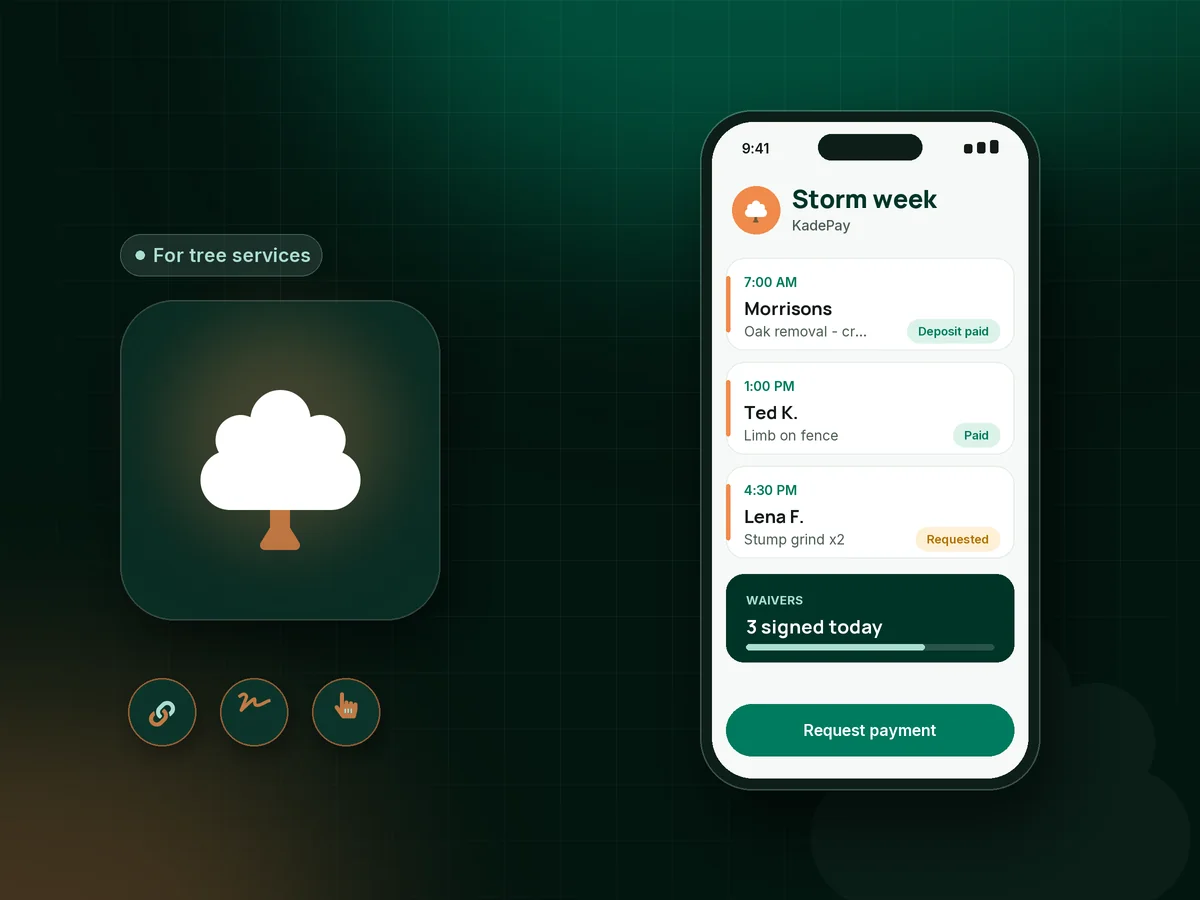
Illustration of a tree crew's day in the KadePay tree service invoice app with an oak removal deposit, a signed waiver and a stump job

Sound familiar?

The tree is down. The money shouldn't be up in the air.

Tree work carries real cost before the first cut: crane time, a crew of four, disposal and fuel. These are the payment problems tree service owners describe most, and how KadePay handles them.

01

Booking a crane on your own dime

A crane removal can run $1,200 a day in rental before your crew even shows up, and a cancellation leaves you holding that bill.

With KadePay

Send a tree removal deposit with a fixed-amount link when the homeowner approves the job. Book the crane after the deposit shows paid, and credit it on the final bill.

Payment links and QR codes
02

Ruts in the lawn and arguments after the job

The bucket truck left tracks in the grass, a log dinged the driveway, and now the homeowner wants a discount before paying.

With KadePay

Have the homeowner sign a tree service waiver covering lawn, driveway and access before you set up. The signed form stays with their profile in case questions come up later.

Forms and signatures
03

Storm calls where nobody stops to talk about payment

After a windstorm you are cutting trees off roofs until dark, and the paperwork for twenty urgent jobs piles up on the dashboard.

With KadePay

Take emergency tree removal payment on site with Tap to Pay on a compatible phone, or text the bill with photos of the damage before you leave the property.

Tap to Pay and card readers
04

Stump grinding and cleanup that never got billed

The removal was paid, the stump grinding came two weeks later with a different crew, and nobody sent a bill for it.

With KadePay

Create a separate stump grinding invoice from the customer profile the day the grinder leaves, with a photo of the finished grade attached and reminders turned on.

Ways to get paid
05

Large removals that strain the homeowner's budget

Three dead ash trees near the house are a safety problem, but $6,500 is more than most families can pay in one go.

With KadePay

Agree on a payment plan with a set number of installments from a saved method, or let the homeowner apply for Affirm where eligible. ACH bank transfer keeps costs lower on one large payment.

Payment plans

How it fits your week

A tree job from first look to paid

  1. Site visit request

    The homeowner requests an assessment time from your booking link, and the appointment keeps its own address. You confirm when you can walk the property.

  2. Approve and secure

    Attach your written estimate PDF to a deposit bill, collect the deposit, and send your site waiver to sign on the homeowner's phone.

  3. Cut, chip and document

    Photograph the canopy before the climb and the cleared yard after. Notes record the septic location, line clearance and where the crane set up.

  4. Collect before you pull out

    Tap a card on a compatible phone, show your trailer QR, or text the final bill with photos and reminders before the chipper is hitched.

  5. Keep the property on your calendar

    Offer a tree care plan for yearly pruning or plant health visits, billed as recurring payments on Team or Pro.

Every way your customers pay

  • Visa
  • Mastercard
  • American Express
  • Discover
  • Apple Pay
  • Google Pay
  • Tap to Pay
  • ACH bank transfer
  • Affirm, where eligible
  • Venmo
  • Zelle
  • QR codes
  • Text and email links

Availability depends on your account setup and eligibility. You confirm Venmo and Zelle payments after checking they arrived.

KadePay for tree services

The best app for tree service business owners: a tree service invoice app

Tree work is billed in a few large chunks with real costs up front. A tree service invoice app has to collect a deposit before the crane rental, send a clear bill for the removal, and catch the stump grinding and haul-away that follow a week later. KadePay keeps each of those as a bill on one customer record with photos attached.

Storm damage tree removal is where paperwork falls apart. You are on a roof with a saw, not at a desk. Tap to Pay on a compatible phone collects payment in the yard, a texted bill covers the homeowner who is away, and each appointment record keeps the address straight across a dozen jobs in one day.

Signed paperwork matters in this trade. A tree service waiver covering lawn ruts, driveway marks and debris left on site, signed on the homeowner's phone before you set up, heads off the end-of-job discount argument. Crane removal deposits, agreed installments for big takedowns and recurring billing on Team or Pro round out the money side.

KadePay does not price trees or plan your crew's day. It handles payments, forms and customer records, and your bookkeeper gets a transaction download at the end of the month.

CLEAR ANSWERS

Tree services & arborists: your questions, answered.

What is the best tree service invoice app for a small crew?

One that collects deposits, gets waivers signed and takes payment in the yard. KadePay does all three, plus bills with photos by text or email, ACH for large removals and recurring billing for a tree care plan on Team or Pro.

Should I collect a deposit for a crane removal?

Many tree companies do, because crane time and permits are paid whether the job happens or not. Send a fixed-amount deposit link at approval, book the crane after it shows paid, and credit it on the final bill.

What should a tree service waiver cover?

Most cover access across the lawn, possible ruts or driveway marks, debris left on site and who handles stump grinding. Build your own form in KadePay, have the homeowner sign it on their phone, and check the wording with your insurance agent or attorney.

How do I bill stump grinding separately from the removal?

Create a second bill for the stump work from the same customer profile, attach a photo of the ground-down stump, and send it by text or email. Reminders can follow if it is not paid, and both bills stay on one record.

Can homeowners pay for a big removal over time?

Yes. Agree on installments collected from an eligible saved method with a payment plan, or let the homeowner apply for Affirm pay-over-time at checkout where eligible. Affirm reviews the application and sets the terms.

How much does KadePay cost for a tree service?

A tree crew can start on Pay-As-You-Go at $0 per month; payment and usage fees apply. Team at $10 per month adds team members and recurring billing for yearly pruning plans, and Pro is $35 per month. See the pricing page for the full list.

YOUR WORK COMES FIRST

Make room for more customers.

Get started for free